Hvordan kan vi hjælpe dig i dag?

How to configure AFDD ( Arc fault Detection Device) in Ecostruxure power design-Ecodial?

In Ecodial, Below are the steps to configure AFDD.
Step-1
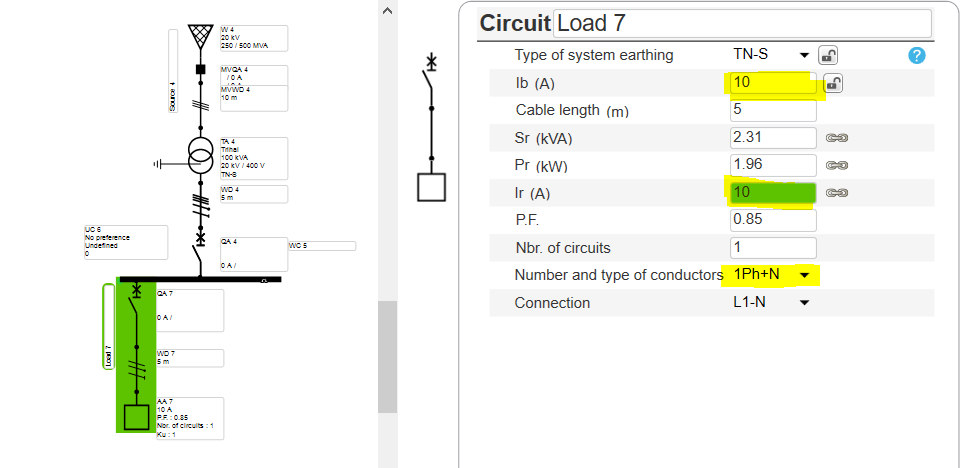
  • Create the network
  • Ensure that the AFD is getting used in 50HZ & Single phase network and up to 25A (NL) & 40A (FR) only for final loads


Step-2
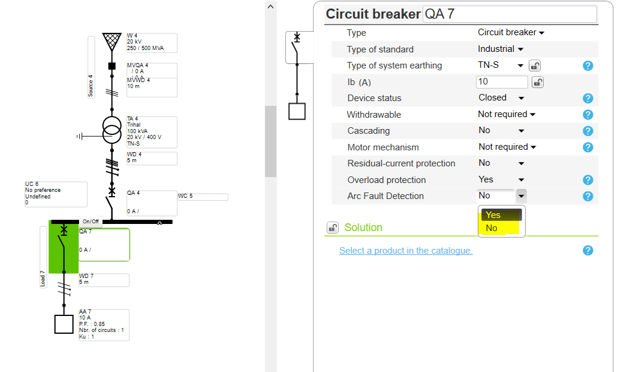
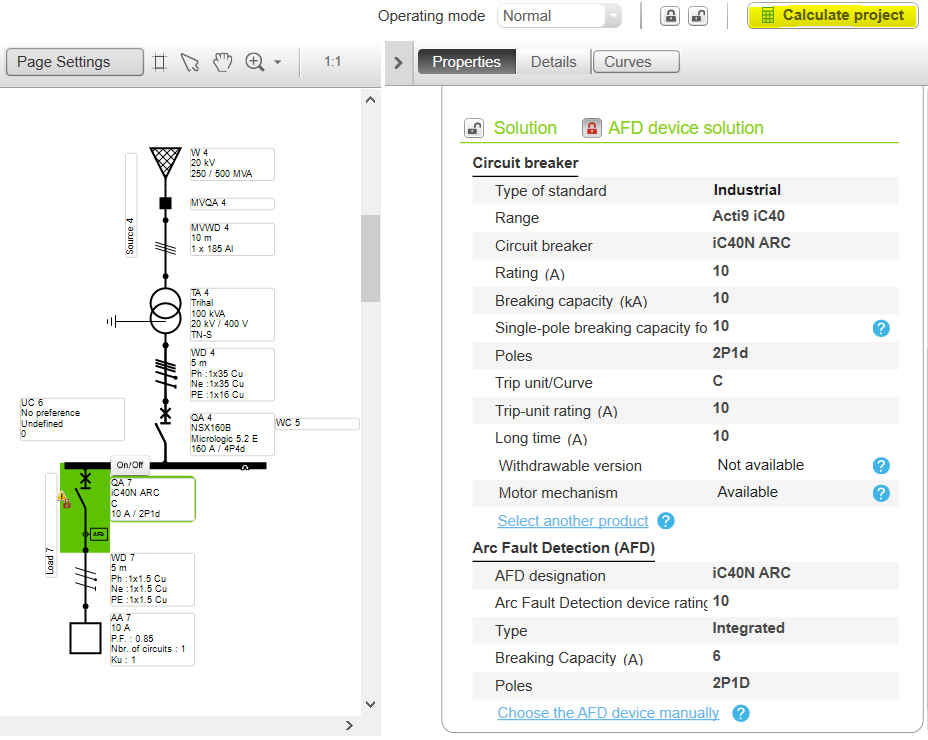
  • Select the Circuit breaker in the Feeder
  • Enable the AFD


Step-3
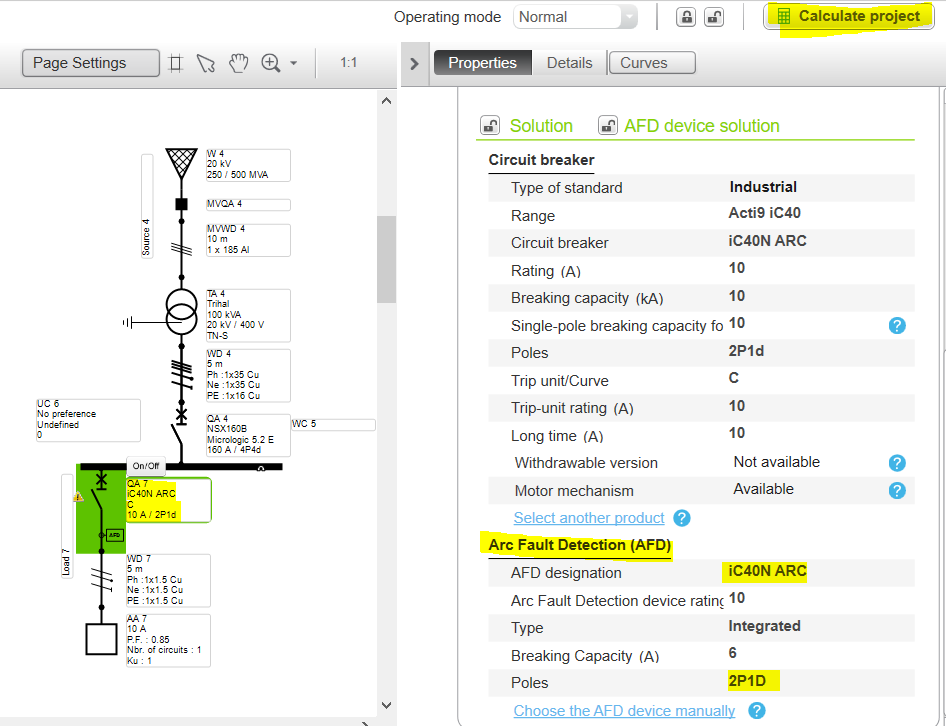
  • Run the calculation for the automatic selection of the AFD


Step 4
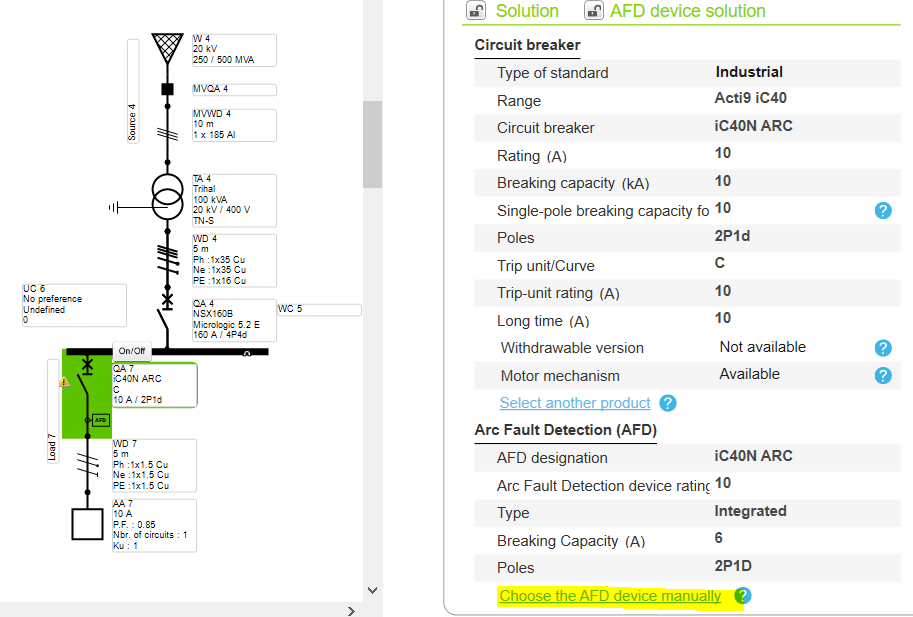
  • For manual selection of AFD, Click on it
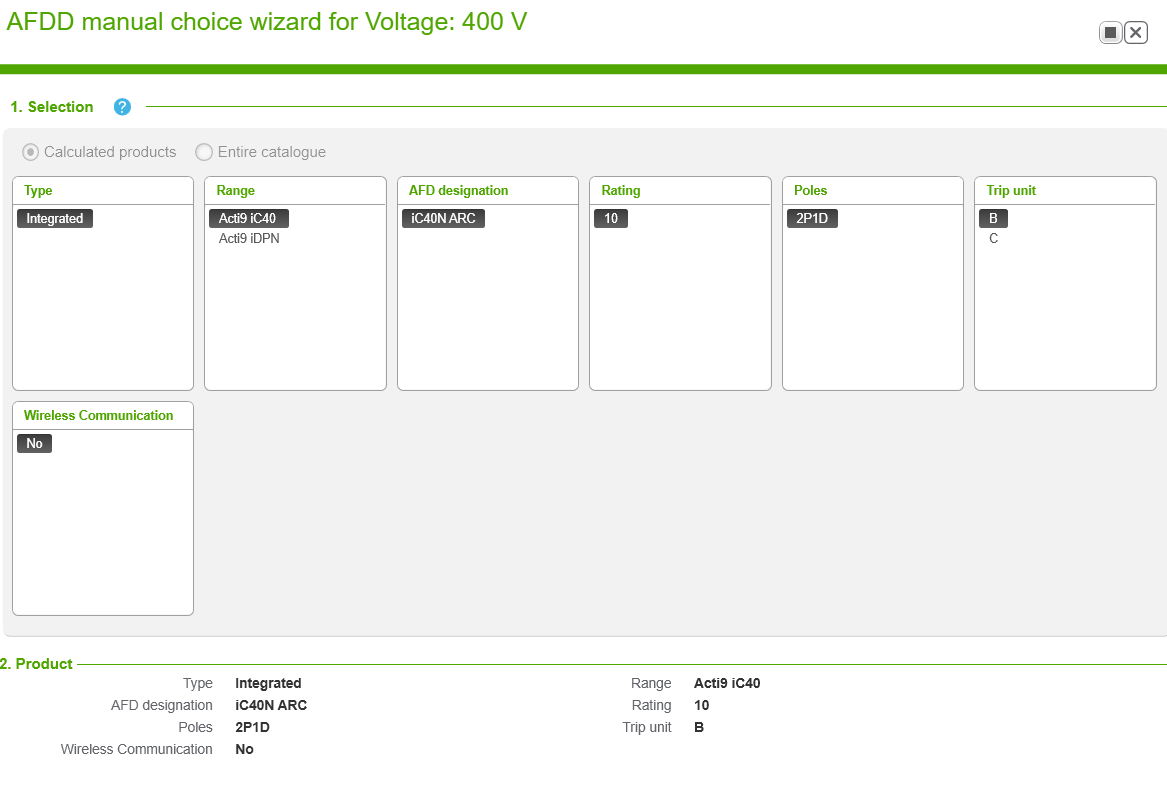
  • Select AFD selection tab for more options

Step 5
  • Check the specification and validate as per requirement

Step 6
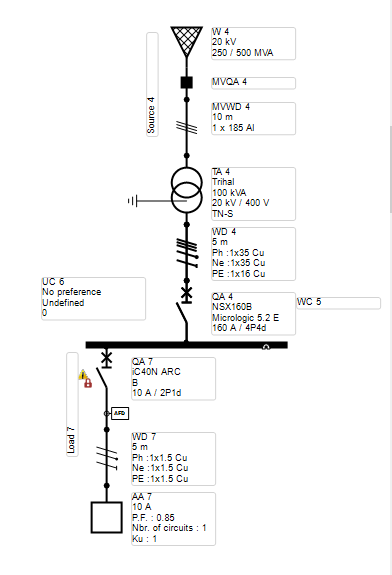
  • Run the calculation


Step 7
  • The Feeder is successfully incorporated with AFDD.

Schneider Electric Danmark

Brug for hjælp?

Brug for hjælp?

Produktvælger

Produktvælger

Find hurtigt og nemt de rette produkter og det rette tilbehør til dine anvendelser.

Få et tilbud

Få et tilbud

Start din salgsforespørgsel online, så vil du blive kontaktet af en ekspert.

Find forhandler

Find forhandler

Find den nærmeste Schneider Electric-distributør.

Hjælpecenter

Hjælpecenter

Find supportressourcer til alle dine behov på ét sted.

  • Produktdokumentation
  • Download af software
  • Produktvælger
  • Udskiftning og erstatning af produkter
  • Hjælp og kontaktcenter
  • Find forhandler
  • Projektrådgivning
  • Find vores kontorer
  • Schneider Electric Community
  • Karriere
  • Virksomhedsprofil
  • Rapportér en forseelse
  • Tilgængelighed
  • Presserum
  • Investorer
  • EcoStruxure
  • Jobsøgning
  • Blog
  • Privatlivspolitik
  • Cookiemeddelelse
  • Vilkår for anvendelse
  • Rediger dine cookieindstillinger