Hvordan kan vi hjælpe dig i dag?

How to use a favorite card from a role card that you have set up instead of the generic role card proposed in the list of the diagram in eDesign Small Building application

Issue: Replacing a configured card in Single Line diagram by drag and drop from favorite product list in eDesign small building application
Product Line: eDesign Small Building https://edesign-630.se.com/
Resolution:
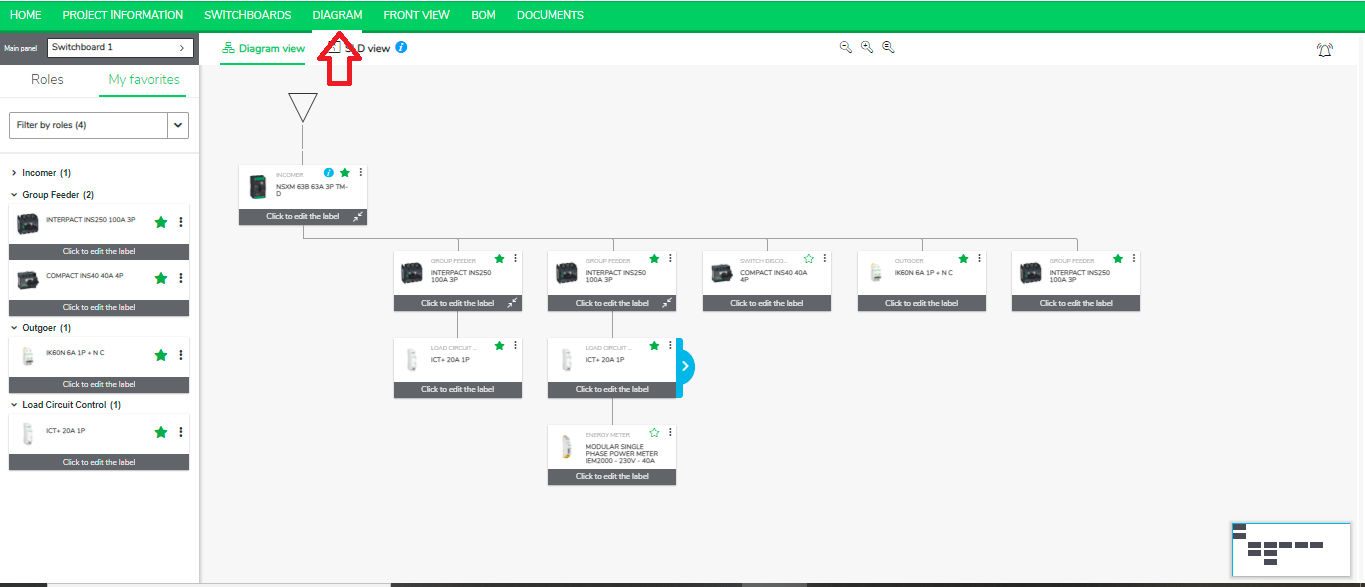
  1. Go to the Diagram Tab in eDesign for Small Building https://edesign-630.se.com/.

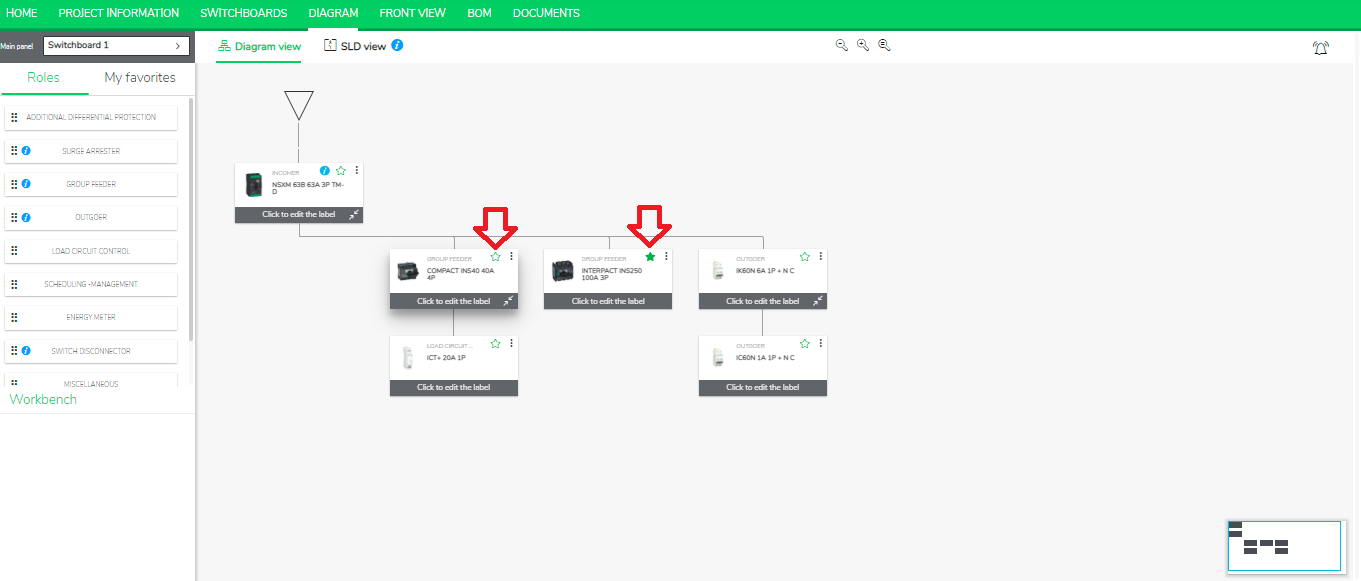
  1. Mark your product as favorite by clicking on star mark.

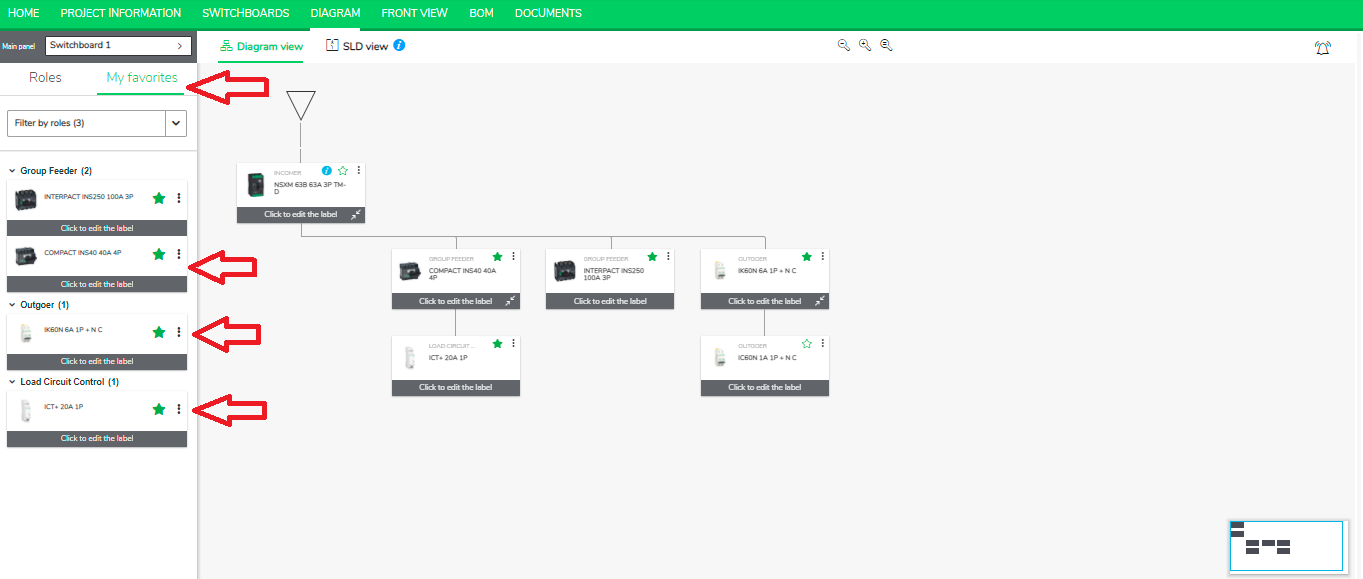
  1. Go to the left panel and click “My Favorites” to see the list of your favorite products.

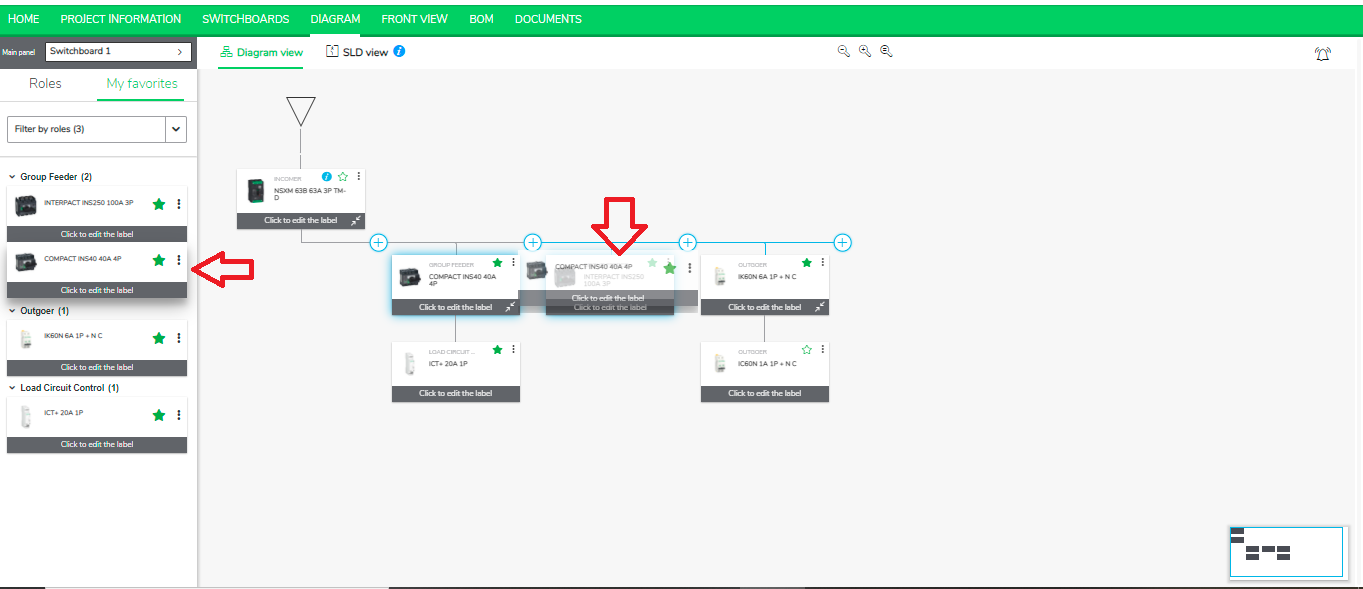
  1. Replace a configured card by a favorite by simply dragging and dropping and placing it on the desired product tag in the Diagram.

Schneider Electric Danmark

Brug for hjælp?

Brug for hjælp?

Produktvælger

Produktvælger

Find hurtigt og nemt de rette produkter og det rette tilbehør til dine anvendelser.

Få et tilbud

Få et tilbud

Start din salgsforespørgsel online, så vil du blive kontaktet af en ekspert.

Find forhandler

Find forhandler

Find den nærmeste Schneider Electric-distributør.

Hjælpecenter

Hjælpecenter

Find supportressourcer til alle dine behov på ét sted.

  • Produktdokumentation
  • Download af software
  • Produktvælger
  • Udskiftning og erstatning af produkter
  • Hjælp og kontaktcenter
  • Find forhandler
  • Projektrådgivning
  • Find vores kontorer
  • Schneider Electric Community
  • Karriere
  • Virksomhedsprofil
  • Rapportér en forseelse
  • Tilgængelighed
  • Presserum
  • Investorer
  • EcoStruxure
  • Jobsøgning
  • Blog
  • Privatlivspolitik
  • Cookiemeddelelse
  • Vilkår for anvendelse
  • Rediger dine cookieindstillinger