


Hvordan kan vi hjælpe dig i dag?
How to connect MCSESM switch via USB in WIN10?
When the USB TypeC cable is connected the switch ,the RNDIS new device will be found in other devices list of PC .
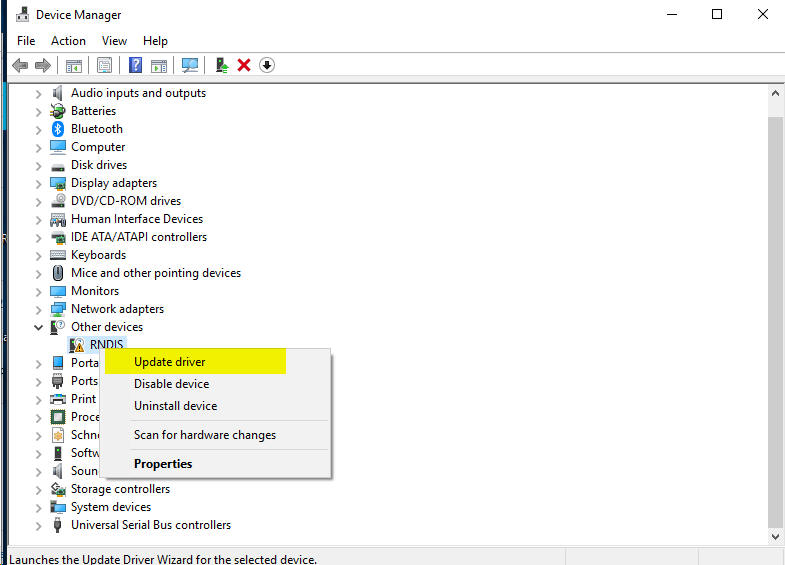
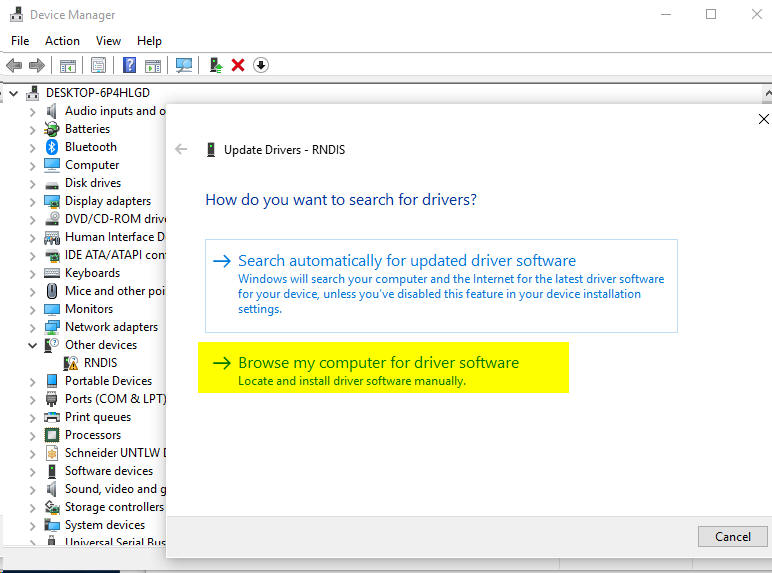
Click "uodate the driver" and "Browser my computer for driver software "
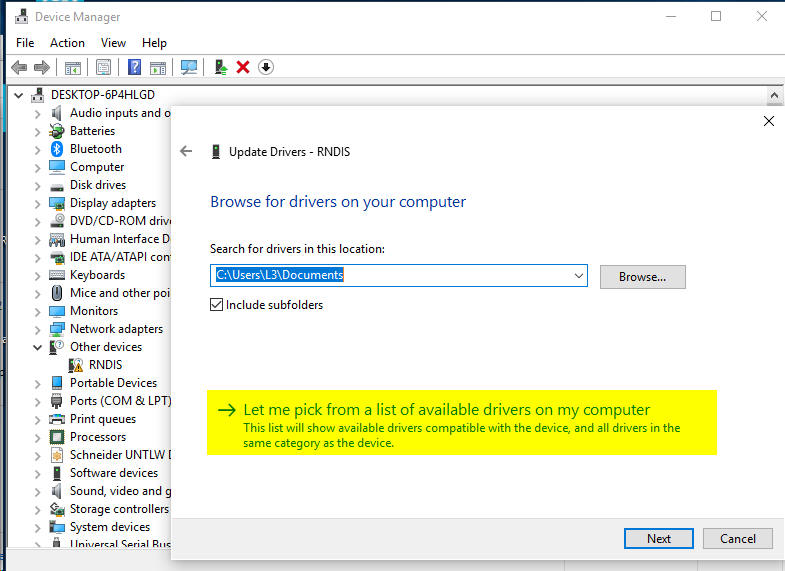
Click "let me pick from a list of available drivers on my computer"
.
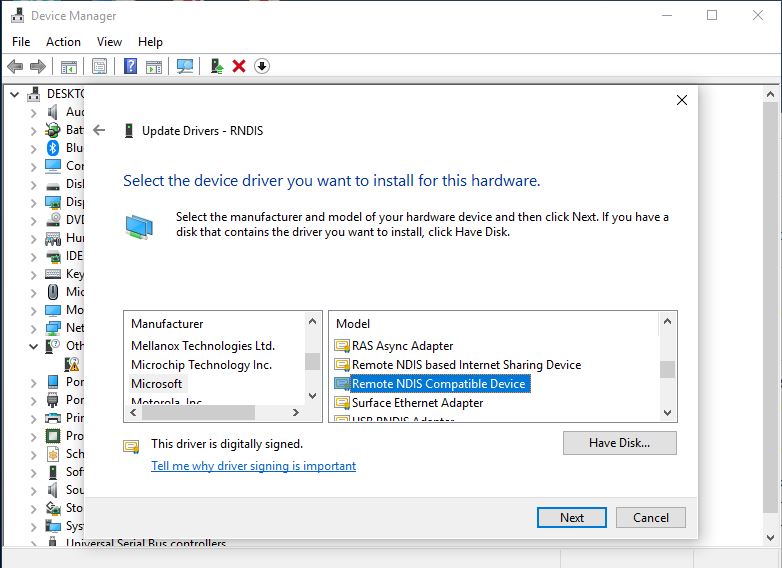
From the list select: "Network adapters" -> Manufacturer: "Microsoft", Model: "Remote NDIS Compatible Device"
Then answer the "Update Driver Warning" with "Yes"
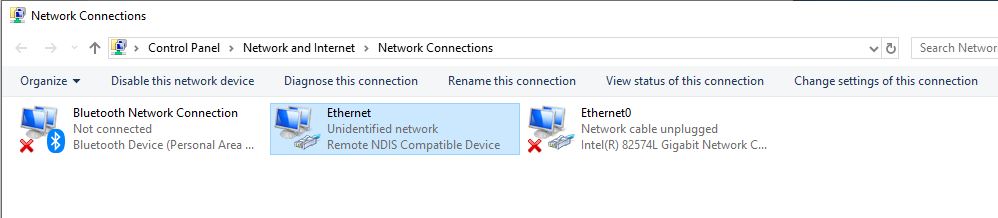
A new ethernet card will appear in the network connections and user could access the switch via https://91.0.0.100/
Click "uodate the driver" and "Browser my computer for driver software "
Click "let me pick from a list of available drivers on my computer"
.
From the list select: "Network adapters" -> Manufacturer: "Microsoft", Model: "Remote NDIS Compatible Device"
Then answer the "Update Driver Warning" with "Yes"
A new ethernet card will appear in the network connections and user could access the switch via https://91.0.0.100/
Udgivet til: Schneider Electric Danmark
Se mere
Produkt:
Se mere
Produkt:
Brug for hjælp?
Produktvælger
Find hurtigt og nemt de rette produkter og det rette tilbehør til dine anvendelser.
Få et tilbud
Start din salgsforespørgsel online, så vil du blive kontaktet af en ekspert.
Find forhandler
Find den nærmeste Schneider Electric-distributør.
Hjælpecenter
Find supportressourcer til alle dine behov på ét sted.