


Video: How do I setup a Read_Var in SoMachine Basic ?
Issue:
How do I setup a Read_Var in SoMachine Basic ?
Product Line:
M221
Enviroment:
ALL
Resolution:
Configure the Client IP Address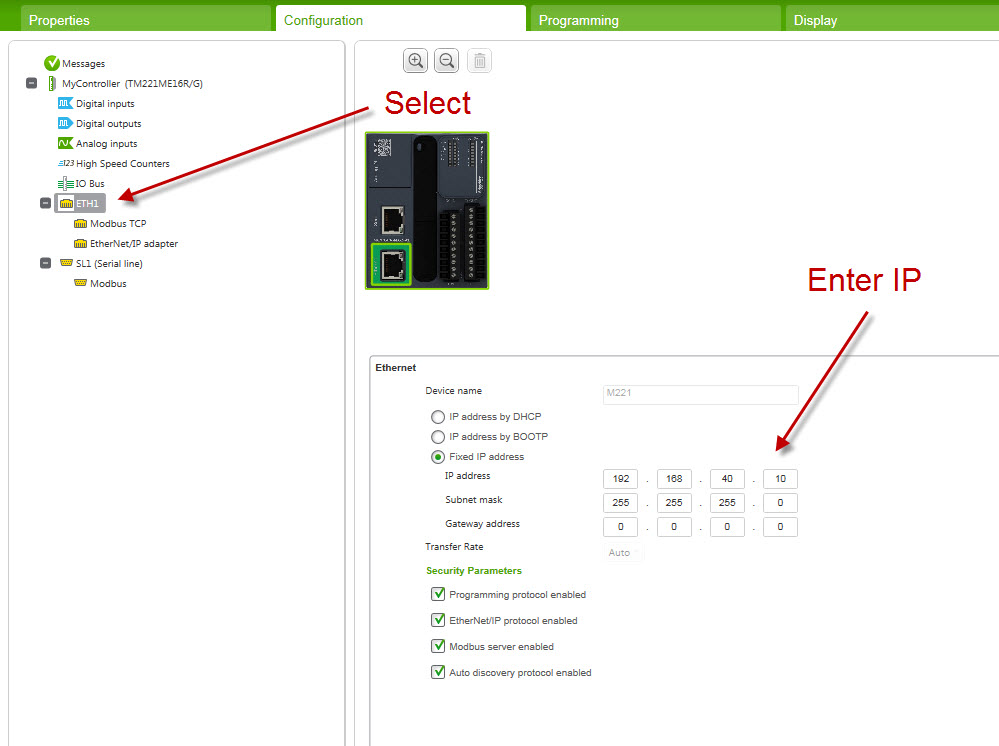
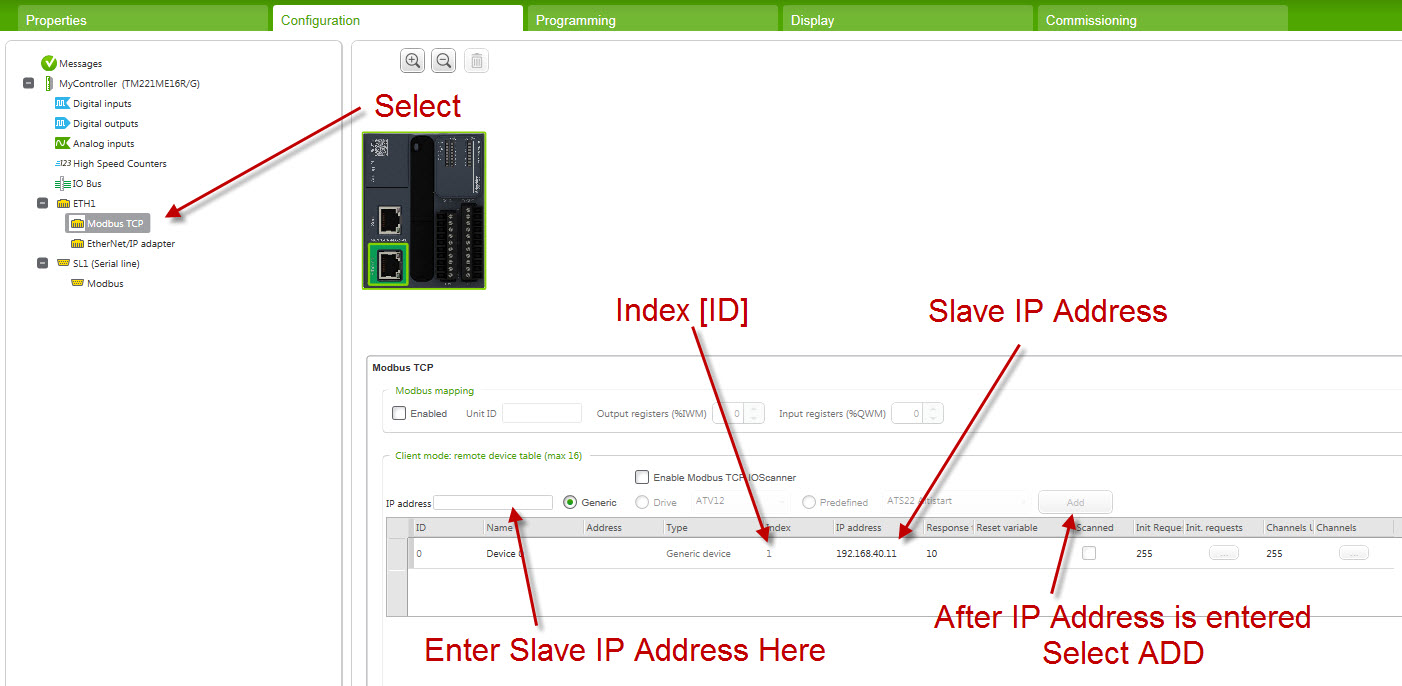
Enter Server IP Address
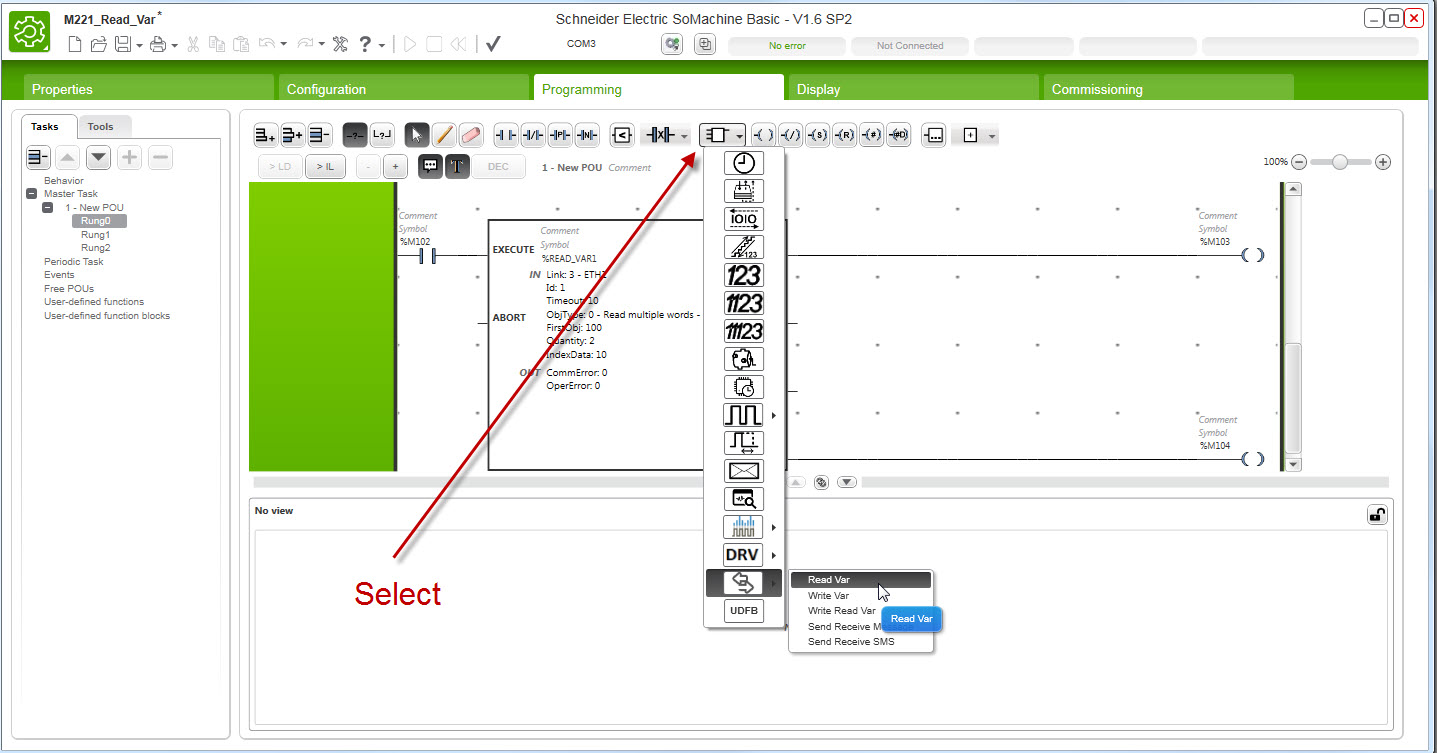
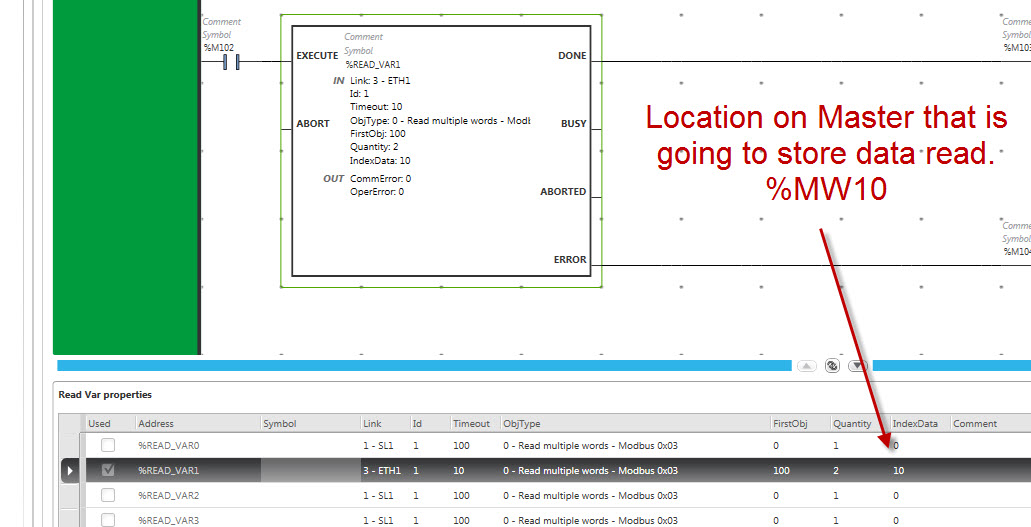
Create READ_VAR
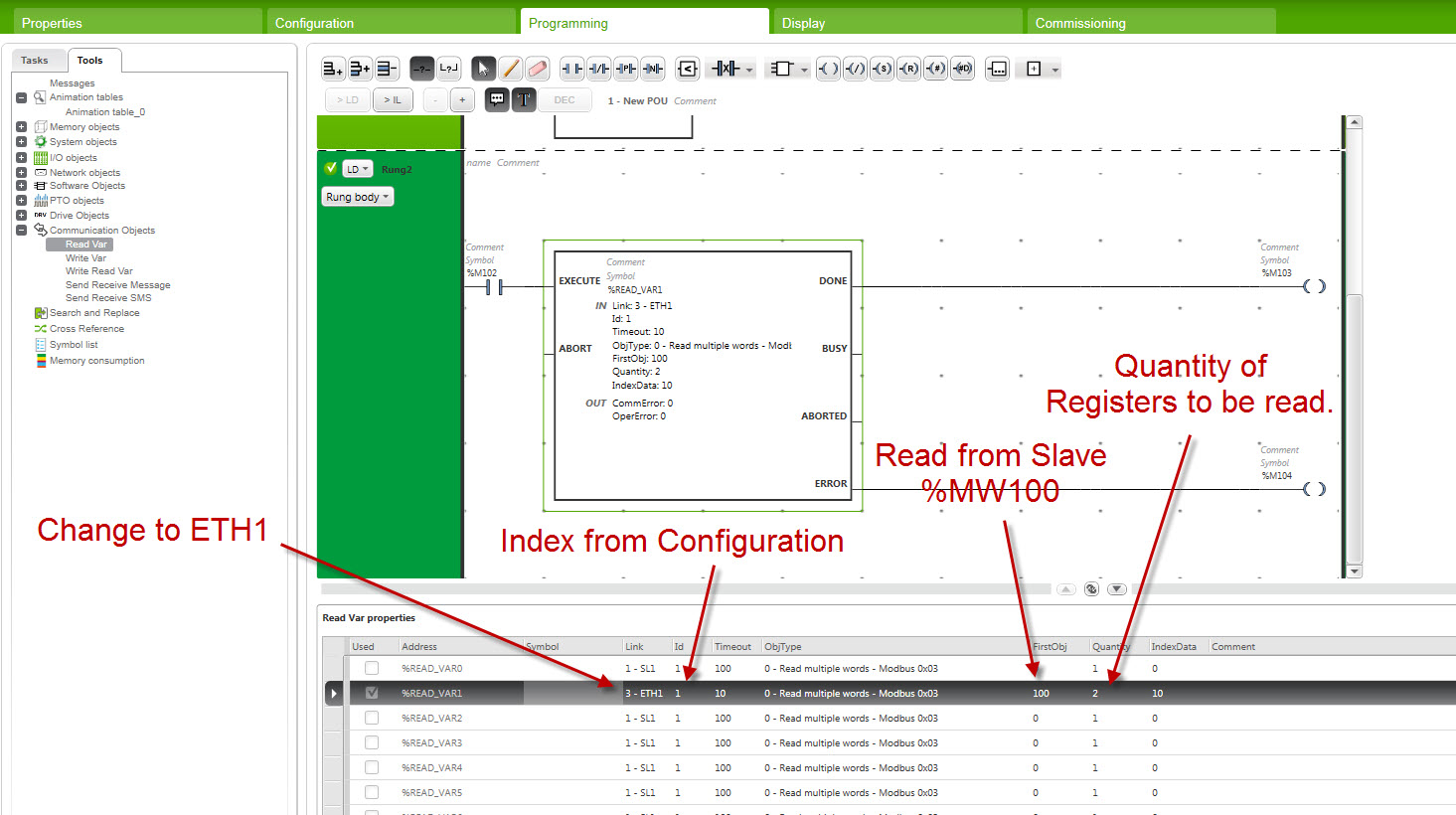
Enter Read_Var settings
Enter Destination on Client (register to store Read on the Client)
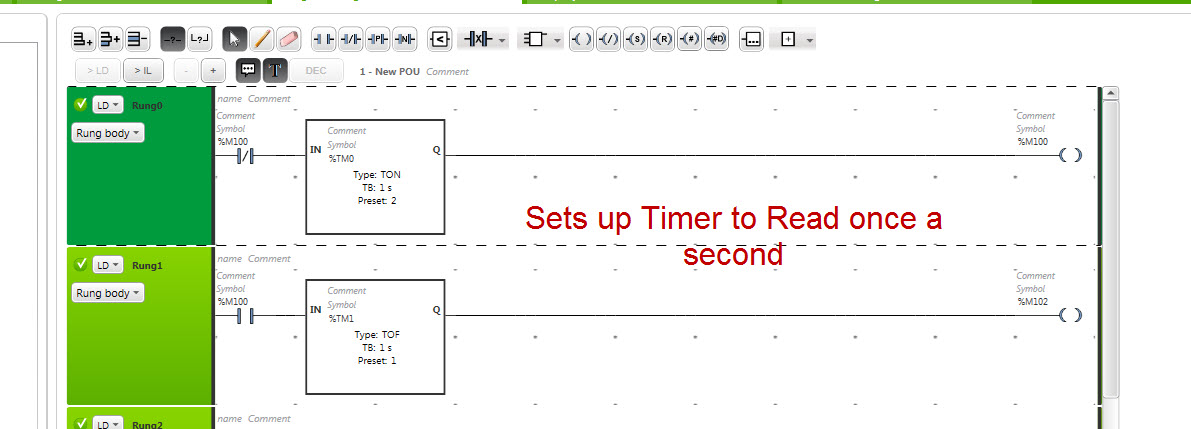
Set up Timer to Read once per second.
How do I setup a Read_Var in SoMachine Basic ?
Product Line:
M221
Enviroment:
ALL
Resolution:
Configure the Client IP Address
- Select ETH1
- Enter IP Address, Subnet Mask and Gateway Address
Enter Server IP Address
- Select Modbus TCP
- Enter Server IP Address in IP Address Box
- Press Add Button
- Observe server IP Address and Index (Index will be used as ID in Read_Var)
Create READ_VAR
- Select Function Block
- Cursor down to Communications
- Select Read_Var
Enter Read_Var settings
- Change Link to ETH1
- Change ID to match Index from Configuration of ETH1 Modbus TCP
- Change FirstObj to 100 (This will be address to be read from Server)
- Enter Quantity of Addresses to be Read
Enter Destination on Client (register to store Read on the Client)
Set up Timer to Read once per second.