


איך נוכל לעזור לך היום?
How can we add products by accessing quick reference in Ecostruxure Power Build – Rapsody
Issue: How to add product using quick reference in Ecostruxure Power Build - Rapsody.
Product Line: Ecostruxure Power Build – Rapsody
Resolution:
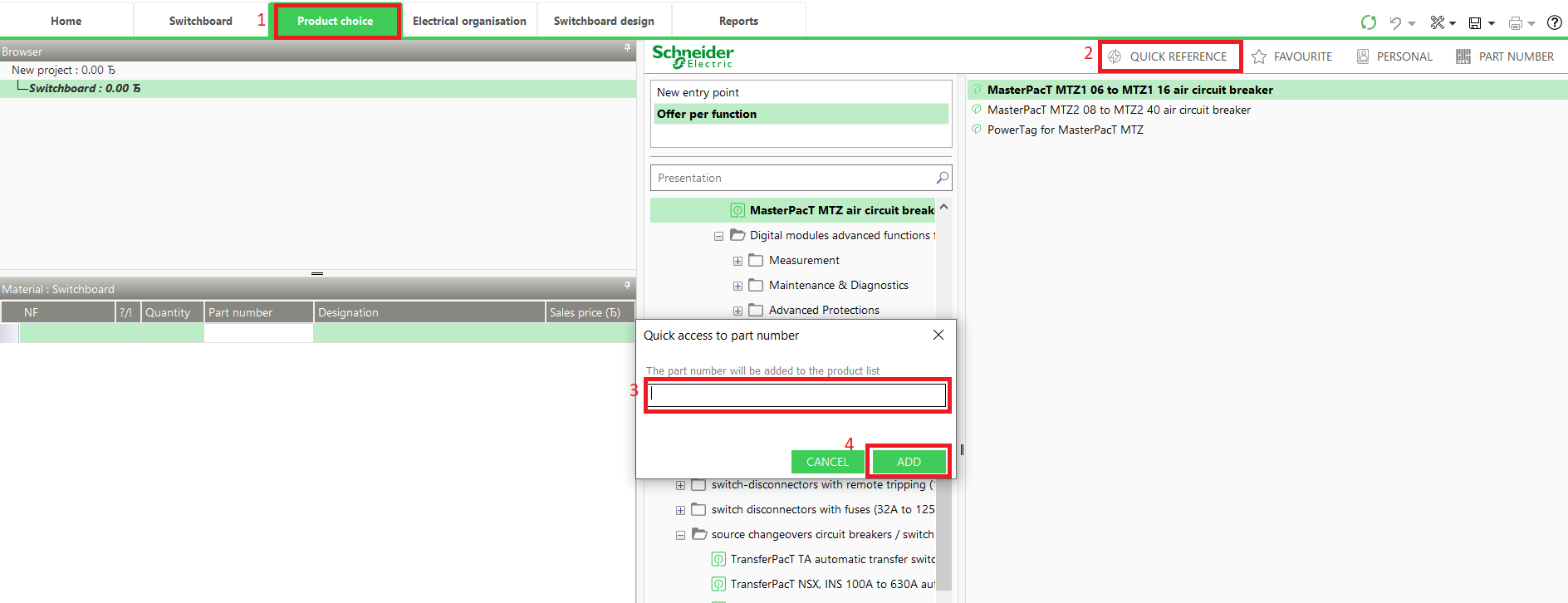
Step1: On Product Choice tab, click on Quick Reference and provide the complete reference of the product and click add (as shown in below screenshot)
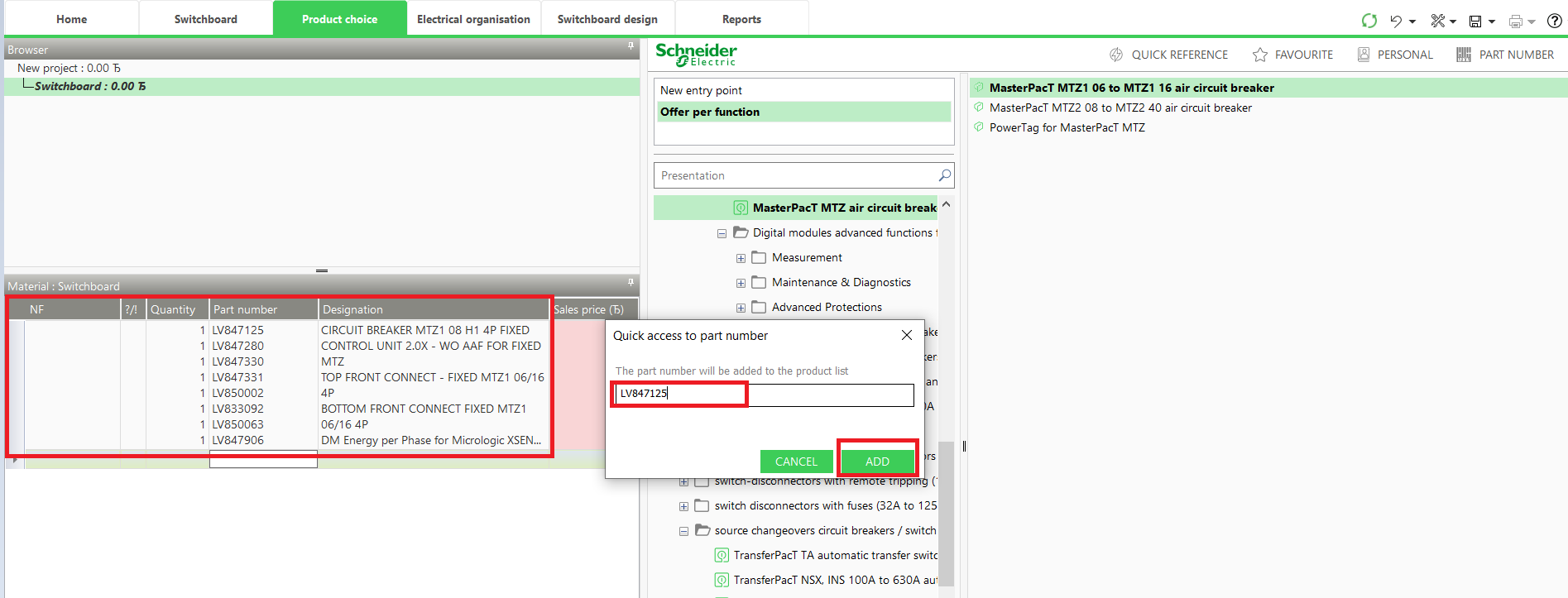
Step2: The product will be added in Bill of material for the reference entered in quick reference box.
Product Line: Ecostruxure Power Build – Rapsody
Resolution:
Step1: On Product Choice tab, click on Quick Reference and provide the complete reference of the product and click add (as shown in below screenshot)
Step2: The product will be added in Bill of material for the reference entered in quick reference box.
פורסם עבור: שניידר אלקטריק ישראל
זקוק לעזרה?
בורר מוצרים
חפשו ברשת מפיצים מאומתים עם יותר מ-15,000 נקודות מכירה ברחבי העולם.
קבלת הצעת מחיר
התחילו את בקשת הקניה בצורה מקוונת ונציג מכירות ייצור עמכם קשר.
היכן לקנות?
אתר בקלות את מפיץ Schneider Electric הקרוב ביותר אליך.
מרכז העזרה
חפשו משאבי תמיכה לכל הצרכים שלכם במקום אחד.