


How to access the localized version of EcoStruxure Power Design-Ecodial after UIMS is decommissioned
Issue: To access the older version of .EAC file of EcoStruxure Power Design-Ecodial after UIMS is decommissioned.
Prodcut line: EcoStruxure Power Design-Ecodial
Cause: You might be facing issues while logging in to older .EAC files, you will not be redirected to UIMS Login page of localised EcoStruxure Power Design- Ecodial.
Resolution:
Please follow the below steps to get the authentication done locally for Localized versions of EcoStruxure Power Design.
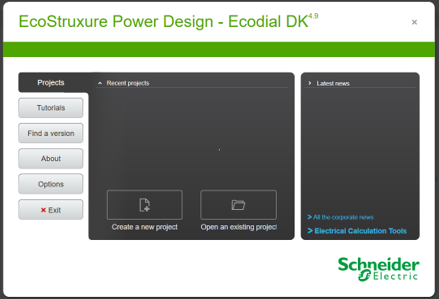
Step-1 : Launch the localized version of EcoStruxure Power Design-Ecodial, application closes automatically. But the required folder gets created on appdata folder.
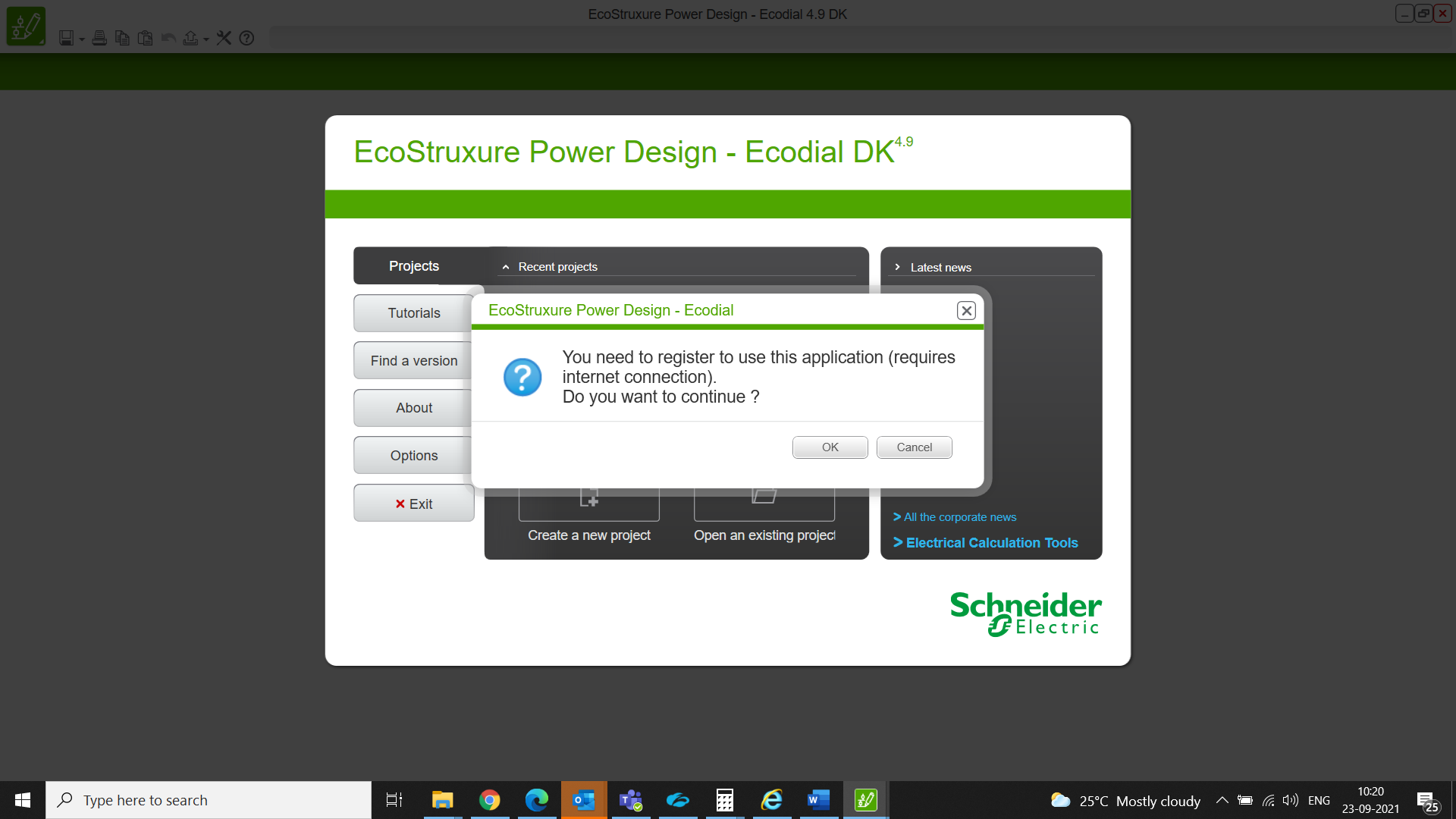
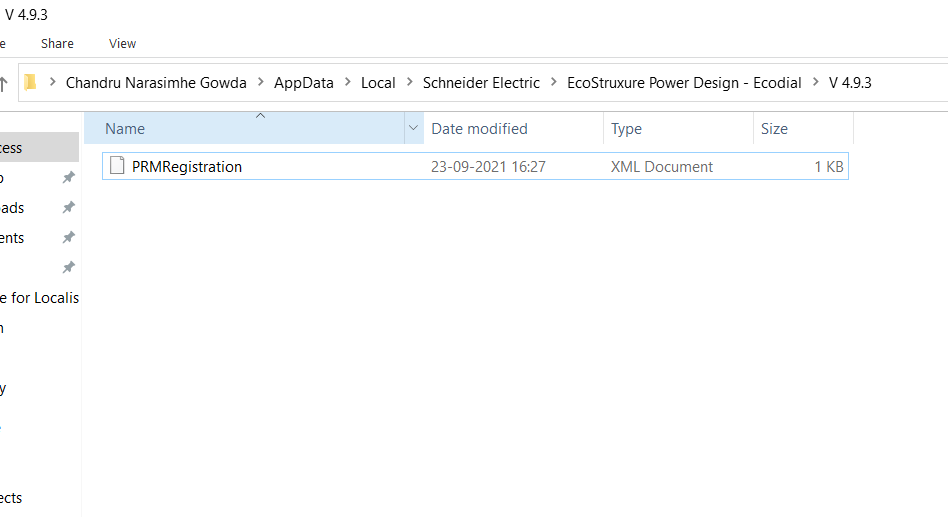
Step-2 : EcoStruxure Power Design-Ecodial application closes automatically and the folder gets created as mentioned in the below path.
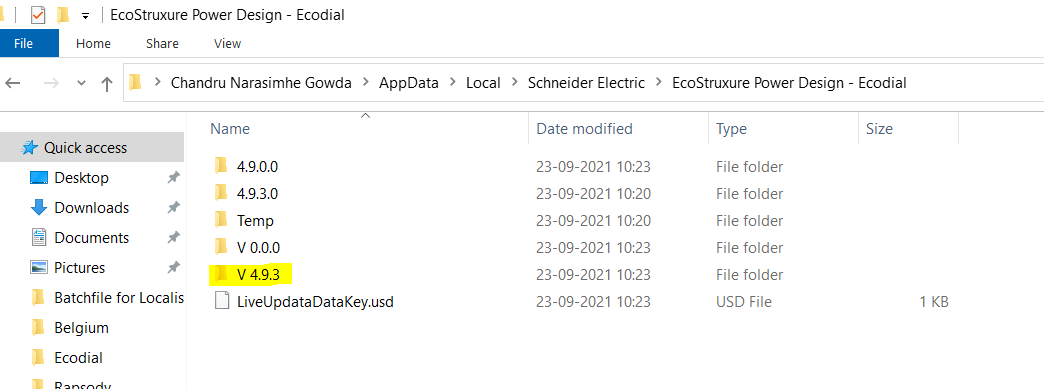
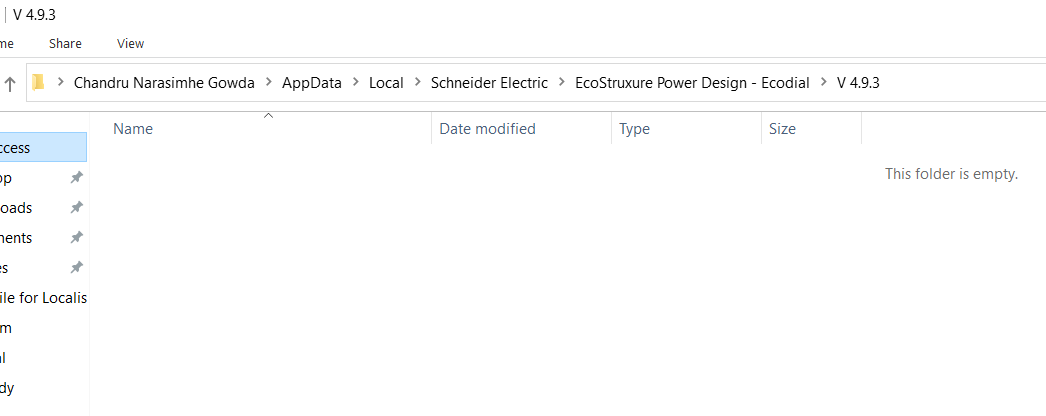
Step-3: Please note that the created folder is empty inside V.4.9.3.
Step-4: Launch the PRMlogin.exe. set up file. This set up file is available with the respective country CCC.
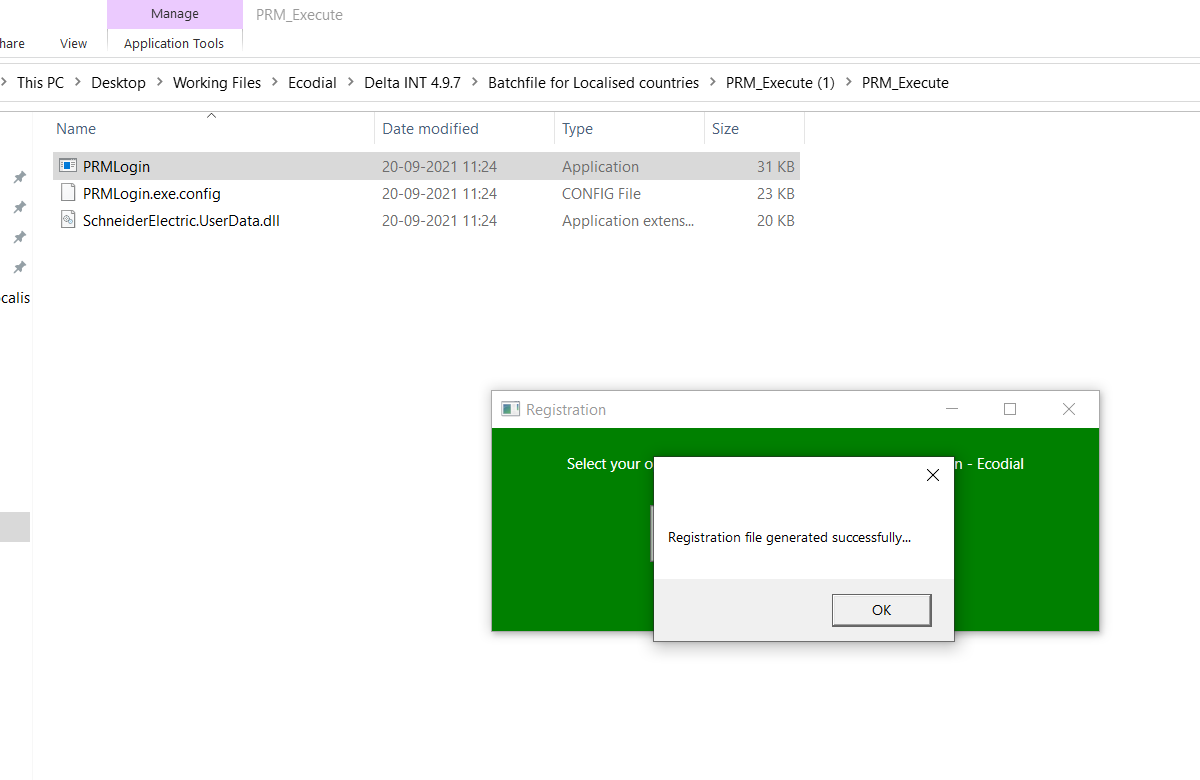
Step-5: PRMRegistration.xml file got created in the required folder.
Step-6: Now, we can access localized EcoStruxure Power Design-Ecodial.
Prodcut line: EcoStruxure Power Design-Ecodial
Cause: You might be facing issues while logging in to older .EAC files, you will not be redirected to UIMS Login page of localised EcoStruxure Power Design- Ecodial.
Resolution:
Please follow the below steps to get the authentication done locally for Localized versions of EcoStruxure Power Design.
Step-1 : Launch the localized version of EcoStruxure Power Design-Ecodial, application closes automatically. But the required folder gets created on appdata folder.
Step-2 : EcoStruxure Power Design-Ecodial application closes automatically and the folder gets created as mentioned in the below path.
Step-3: Please note that the created folder is empty inside V.4.9.3.
Step-4: Launch the PRMlogin.exe. set up file. This set up file is available with the respective country CCC.
Step-5: PRMRegistration.xml file got created in the required folder.
Step-6: Now, we can access localized EcoStruxure Power Design-Ecodial.
פורסם עבור: שניידר אלקטריק ישראל
זקוק לעזרה?
בורר מוצרים
חפשו ברשת מפיצים מאומתים עם יותר מ-15,000 נקודות מכירה ברחבי העולם.
קבלת הצעת מחיר
התחילו את בקשת הקניה בצורה מקוונת ונציג מכירות ייצור עמכם קשר.
היכן לקנות?
אתר בקלות את מפיץ Schneider Electric הקרוב ביותר אליך.
מרכז העזרה
חפשו משאבי תמיכה לכל הצרכים שלכם במקום אחד.