


How to get the diagnostic file from a Com'X device
Issue
How to get the diagnostic file from a Com'X device?
Product Line
Com'X 200
Com'X 210
Com'X 510
Environment
System diagnostics
Resolution
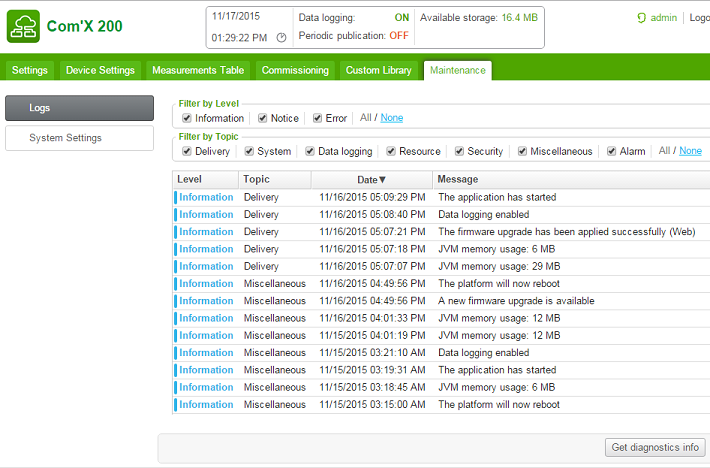
To download a diagnostic file go to the following location on the Com'X web interface:
"Maintenance" tab -> sub tab "Logs"
At the bottom of the web page you will find the option "Get diagnostic info". Press this option to generate the diagnostic file.
This is shown at the bottom right of the image below
How to get the diagnostic file from a Com'X device?
Product Line
Com'X 200
Com'X 210
Com'X 510
Environment
System diagnostics
Resolution
To download a diagnostic file go to the following location on the Com'X web interface:
"Maintenance" tab -> sub tab "Logs"
At the bottom of the web page you will find the option "Get diagnostic info". Press this option to generate the diagnostic file.
This is shown at the bottom right of the image below