


How to set Clock function on front panel of Zelio smart relay SR2, SR3.
Please follow the steps as below for your information.
1. Make use that the product is in stop mode (not run)
2. Go to Menu page and select the PROGRAMMING then press Ok .

3. Press and hold the White button at the right side, then you will see the Param on screen.
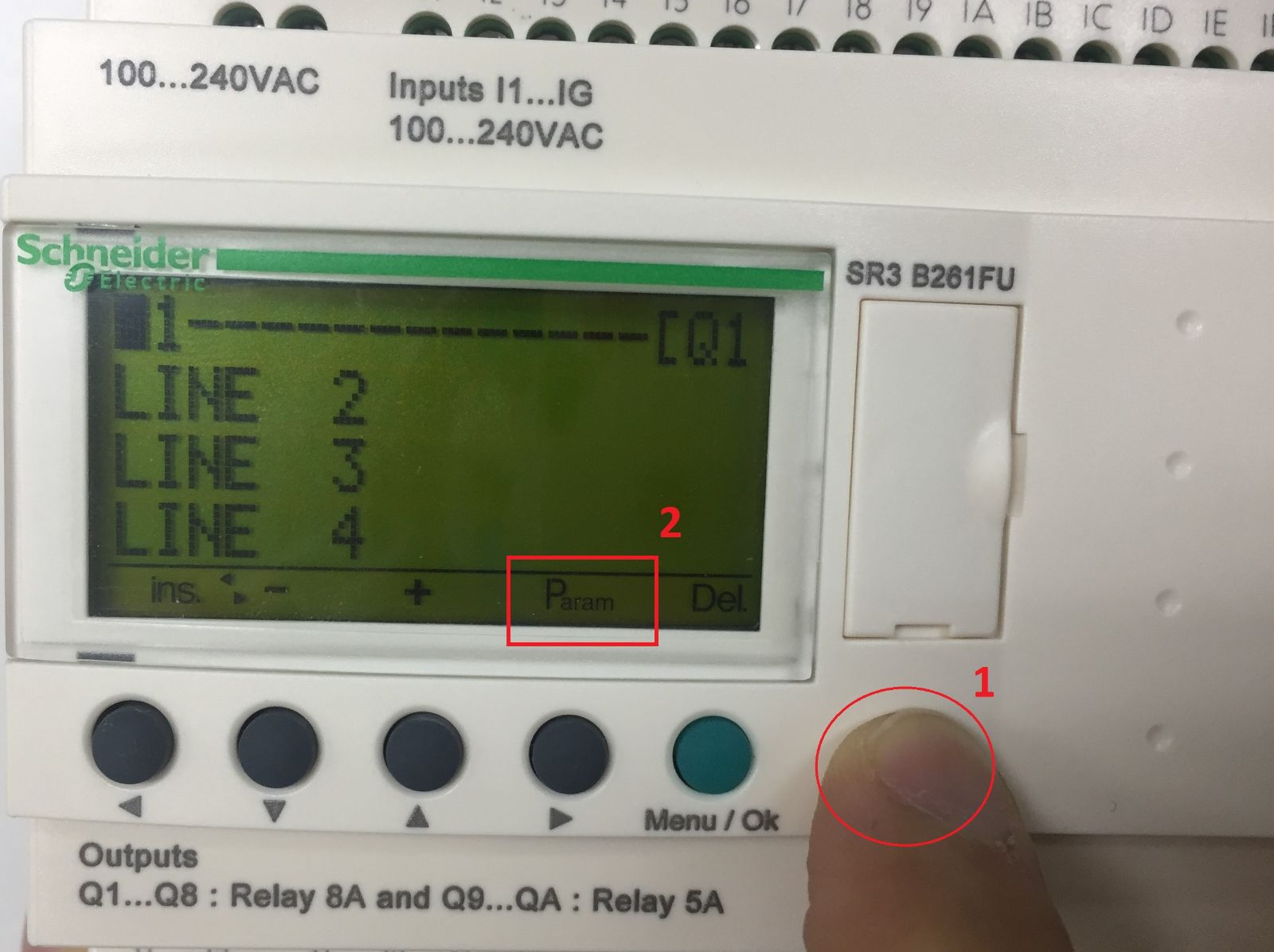
4. When the Param appear, press the > button (single push) and The white button still on hold.

5. Then the clock setting page will appear.

To setting the parameter, please refer to parameter description as below.


1. Make use that the product is in stop mode (not run)
2. Go to Menu page and select the PROGRAMMING then press Ok .
3. Press and hold the White button at the right side, then you will see the Param on screen.
4. When the Param appear, press the > button (single push) and The white button still on hold.
5. Then the clock setting page will appear.
To setting the parameter, please refer to parameter description as below.
Released for: Schneider Electric Thailand
