.svg)
Configuring the Dip Switches
The Dry Contact I/O SmartSlot Card requires configuration before testing, final installation, and use.
See “Location of dip switches” and “Dip switches: input and outputs” below
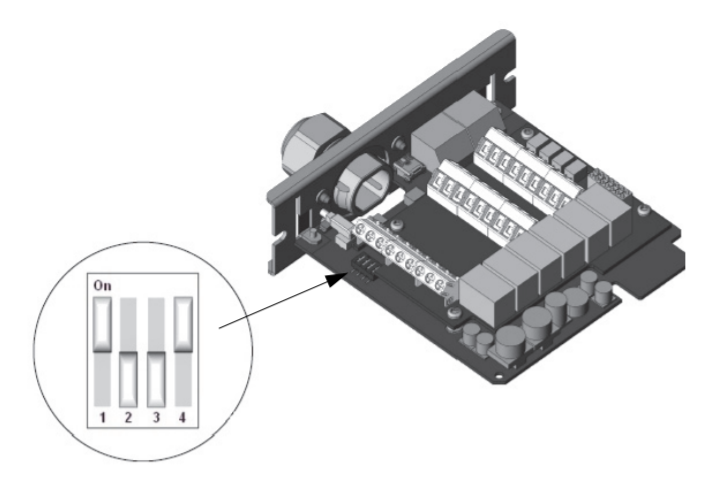
Location of dip switches
The “callout” below points to the location of the dip switches on the card, and shows one possible configuration: ON-OFF-OFF-ON.
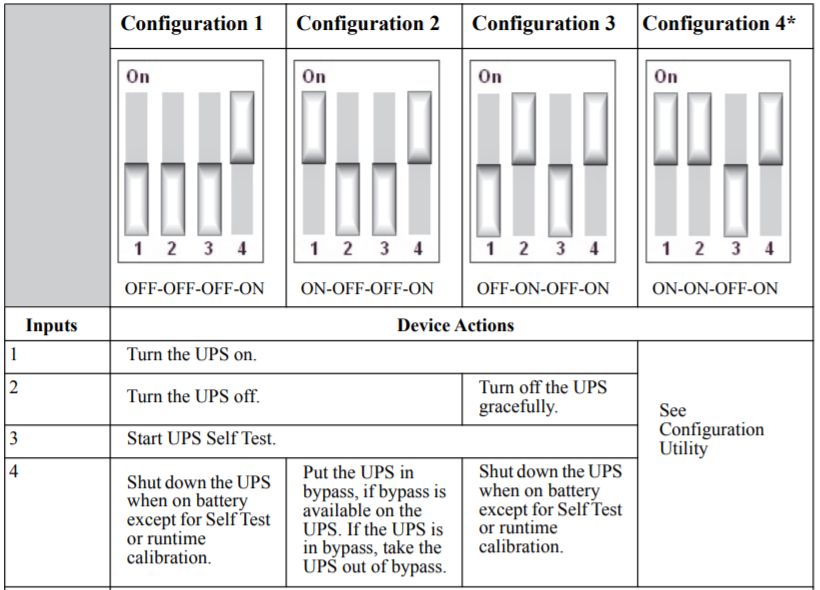
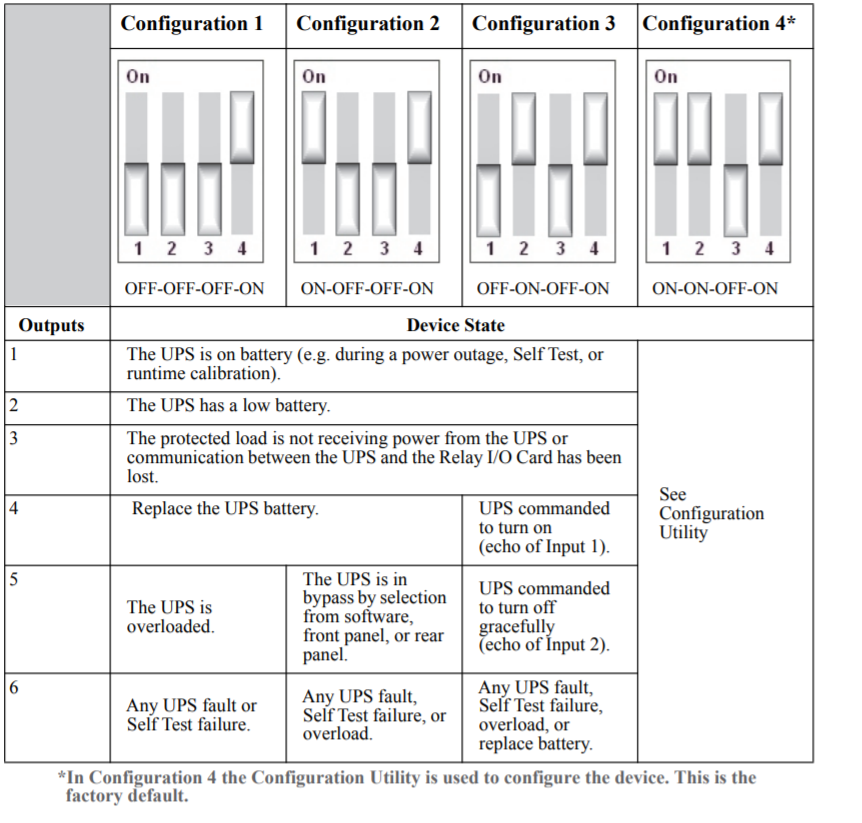
See the other possible configurations at Dip switches: input and outputs
Dip switches: input and outputs
The table below lists the four possible configurations, with their corresponding inputs and outputs
The Dry Contact I/O SmartSlot Card requires configuration before testing, final installation, and use.
See “Location of dip switches” and “Dip switches: input and outputs” below
Location of dip switches
The “callout” below points to the location of the dip switches on the card, and shows one possible configuration: ON-OFF-OFF-ON.
See the other possible configurations at Dip switches: input and outputs
Dip switches: input and outputs
The table below lists the four possible configurations, with their corresponding inputs and outputs
Released for: Schneider Electric Thailand

