How can we help you today?

How to configure Peignes product in eDesign Small Building

Issue: Adding Peignes products under BOM/NOMENCLATURE page.
Product Line: eDesign Small Building Small Building App
Cause: Today eDesign Small Building allows you to add Peignes products only under BOM/NOMENCLATURE page.
Resolution:
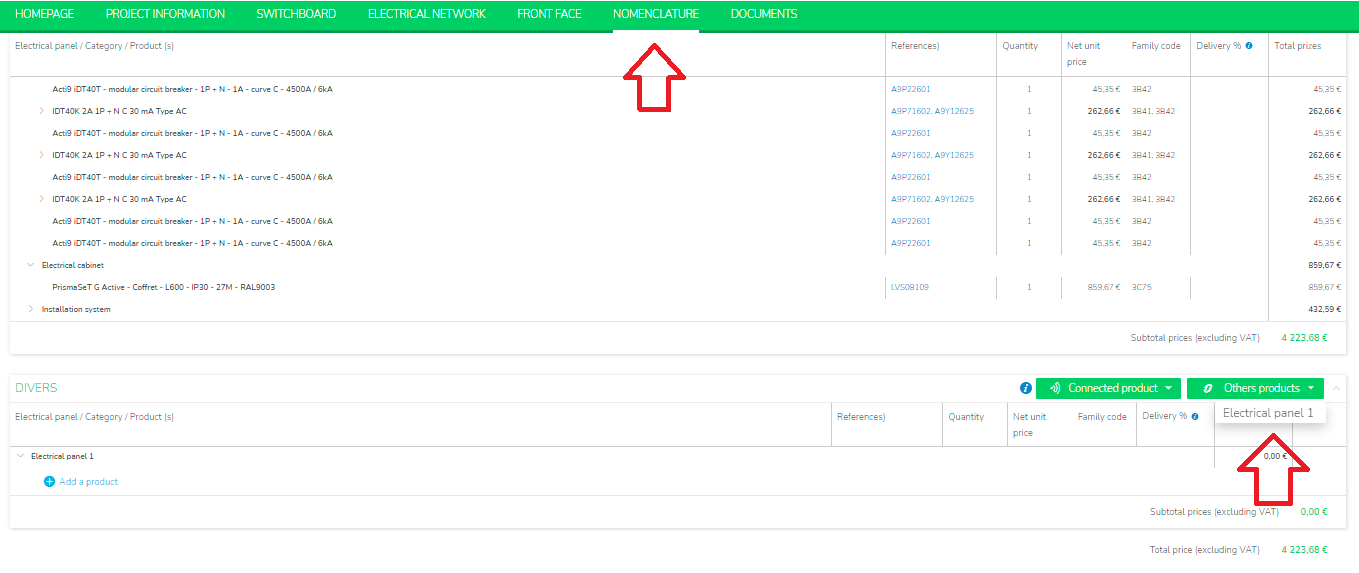
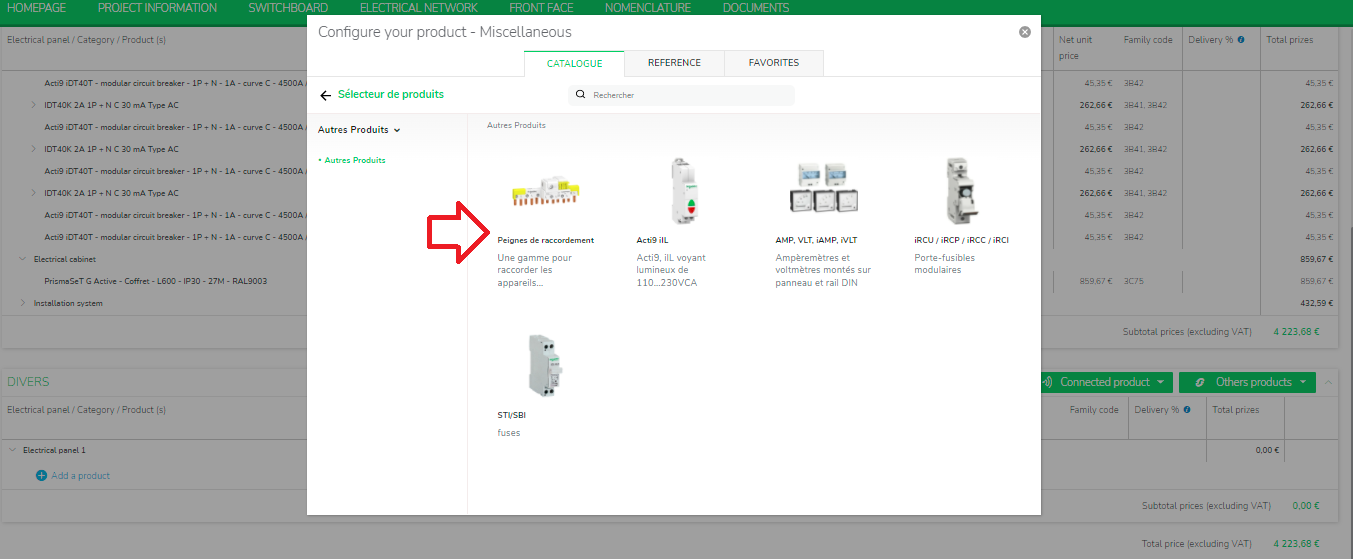
  • After configuring switchboard, move to Nomenclature tab.
  • Under Drivers section, select Others products.
  • You can select your electrical panel and configure the Peignes product.


Schneider Electric Thailand

Users group

Discuss this topic with experts

Visit our community and get advice from experts and peers on this topic and more

Need help?

Need help?

Product Selector

Product Selector

Quickly and easily find the right products and accessories for your applications.

Get a Quote

Get a Quote

Start your sales inquiry online and an expert will connect with you.

Where to buy?

Where to buy?

Easily find the nearest Schneider Electric distributor in your location.

Help Center

Help Center

Find support resources for all your needs, in one place.

  • Products Documentation
  • Software Downloads
  • Product Selector
  • Product Substitution and Replacement
  • Help and Contact Center
  • Find our Offices
  • Get a Quote
  • Where to buy
  • Schneider Electric Community
  • Careers
  • Company Profile
  • Report a misconduct
  • Accessibility
  • Investors
  • EcoStruxure
  • Job Search
  • Blog
  • Privacy Policy
  • Cookie Notice
  • Terms of use
  • Change your cookie settings