


Opening an '.sta' file for a CanOpen application returns the error 'The required application object reference...CanOpen_Option_Default ... signature is different'
Issue
Opening an '.sta' file for a CanOpen application returns the error 'The required application object reference...CanOpen_Option_Default ... SIGNATURE is different'
Product Line
Unity
Environment
Windows 10
Resolution
After importing the '.eds' file for a CanOpen deivce into the Hardware Catalog and opening an '.sta' file for a CanOpen application returns
the error 'The required application object reference <...CanOpen_Option_Default ...> signature is different'.
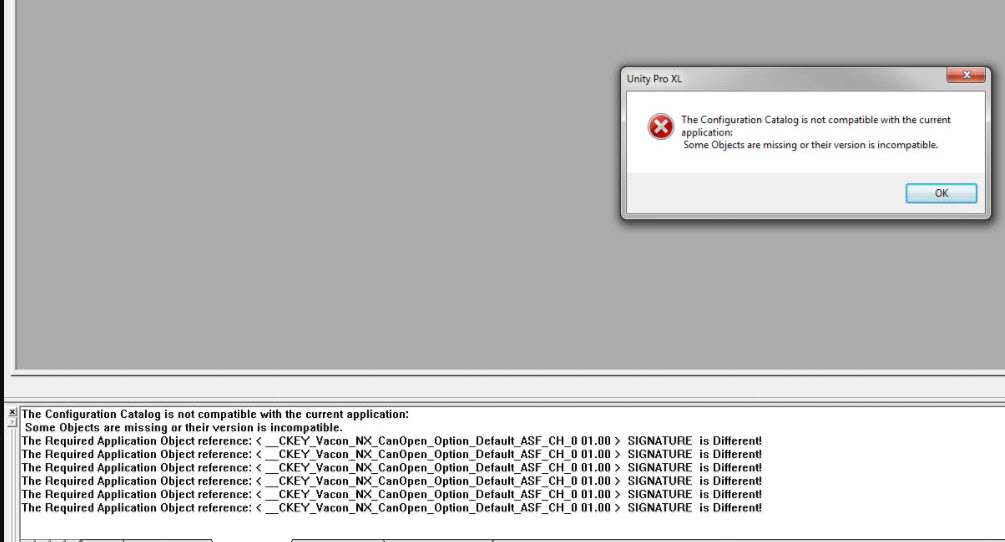
The following steps can be used to resolve the issue:.
Opening an '.sta' file for a CanOpen application returns the error 'The required application object reference...CanOpen_Option_Default ... SIGNATURE is different'
Product Line
Unity
Environment
Windows 10
Resolution
After importing the '.eds' file for a CanOpen deivce into the Hardware Catalog and opening an '.sta' file for a CanOpen application returns
the error 'The required application object reference <...CanOpen_Option_Default ...> signature is different'.
The following steps can be used to resolve the issue:.
- Open the Hardware Catalog Manager
- Delete the third party device. This will delete '.eds' file from the catalog.
- Build the Hardware Catalog
- Open the '.sta' file.
Note: Opening of the '.sta' file by Unity Pro automatically updates the Hardware catalog including the equipment with the
correct signature.