


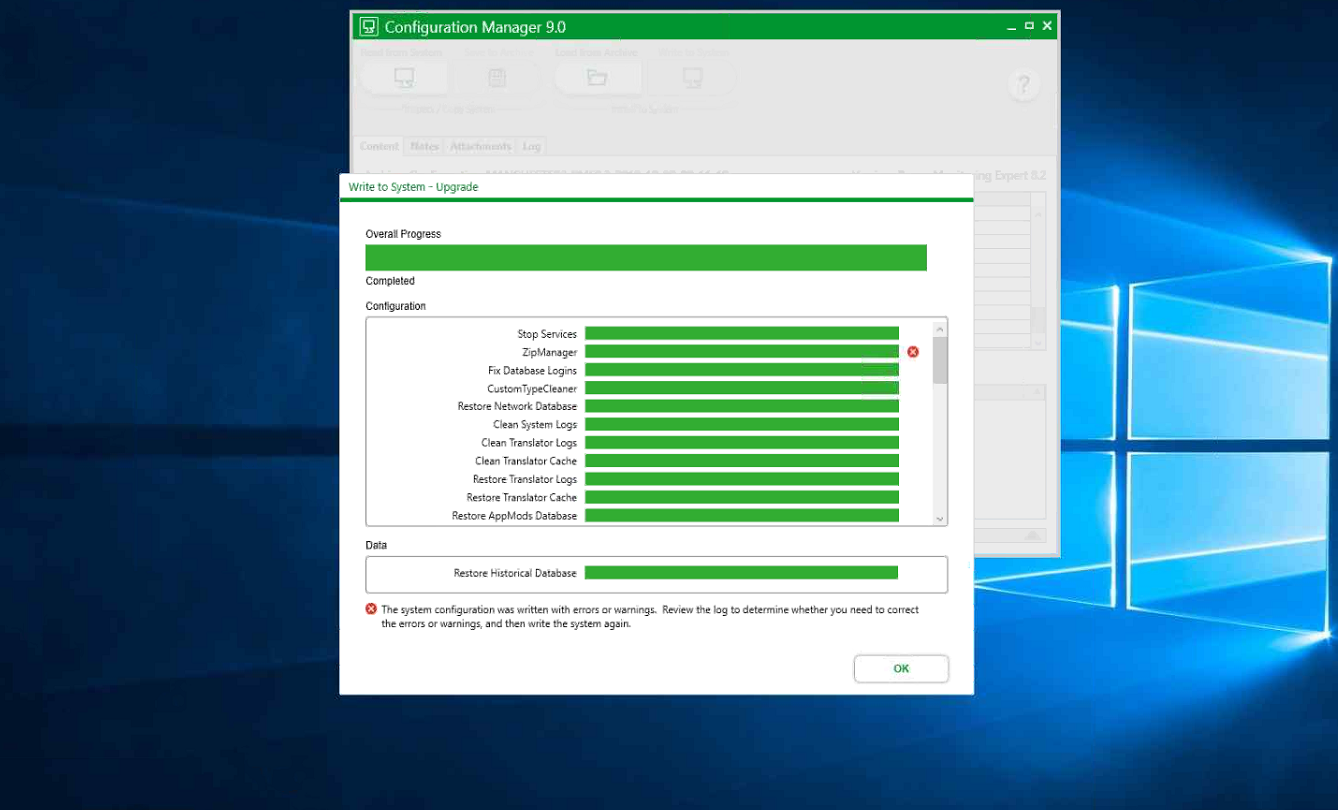
Configuration Manager CM Tool V.9 fails at 'ZipManager' step in 'Write to System' process. System Configuration was written with Errors or Warnings.
Product Line
Configuration Manager CM Tool Version 9
Environment
Power Monitoring Expert (PME) 9.0. Configuration Manager CM Tool 9, 'Write to System' process.
Cause
CM Tool v.9 in Write to System process fails at 'ZipManager' step with the following Error message:
'System Configuration was written with Errors or Warnings. Review the log to determine whether you need to correct the errors or warnings, and then write the system again.'
Resolution
When ION_Data is selected to be archived in the 'Read from System' process, it will create an archive file(zip file) including a database file. If the database file type is .bak then during 'Write to system' in order to attach a .bak file, it creates the database file from .bak, therefore another MDF file will be generated which will fill up the Disk Drive twice the ION_Data file size.
By default in previous versions of CM Tool, it creates zip file in any drive where PME has been installed (like C Drive), and since that Drive does not have enough space for those unpacked files from CM Tool, it gives such Error, however, there are other drives(Like D Drive) with much more available space that are not possible to be selected.
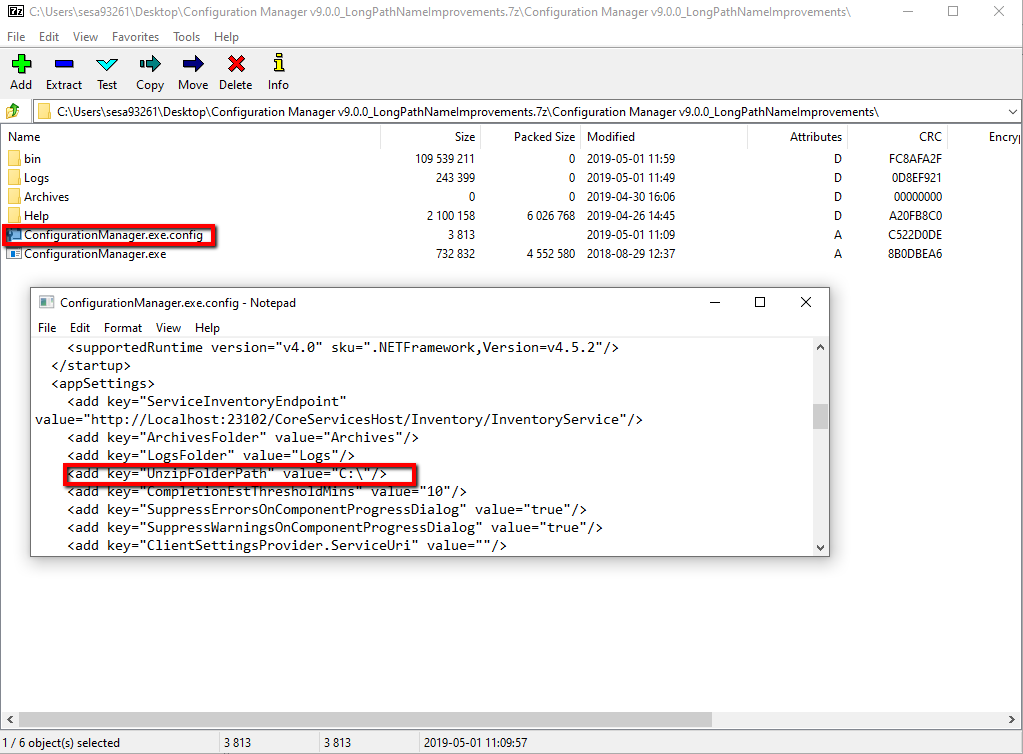
In this special build of CM Tool v.9, the user can select the desired Drive and Path where the Archive file to be unpacked.
In order to do this, you need to edit 'ConfigurationManager.exe' file under CMTool installed folder and change the Drive and Path to the desired ones as shown in this image:
CM Tool version 9 with a special build to specify the extract folder is available in the attachment below:
Configuration Manager CM Tool Version 9
Environment
Power Monitoring Expert (PME) 9.0. Configuration Manager CM Tool 9, 'Write to System' process.
Cause
CM Tool v.9 in Write to System process fails at 'ZipManager' step with the following Error message:
'System Configuration was written with Errors or Warnings. Review the log to determine whether you need to correct the errors or warnings, and then write the system again.'
Resolution
When ION_Data is selected to be archived in the 'Read from System' process, it will create an archive file(zip file) including a database file. If the database file type is .bak then during 'Write to system' in order to attach a .bak file, it creates the database file from .bak, therefore another MDF file will be generated which will fill up the Disk Drive twice the ION_Data file size.
By default in previous versions of CM Tool, it creates zip file in any drive where PME has been installed (like C Drive), and since that Drive does not have enough space for those unpacked files from CM Tool, it gives such Error, however, there are other drives(Like D Drive) with much more available space that are not possible to be selected.
In this special build of CM Tool v.9, the user can select the desired Drive and Path where the Archive file to be unpacked.
In order to do this, you need to edit 'ConfigurationManager.exe' file under CMTool installed folder and change the Drive and Path to the desired ones as shown in this image:
CM Tool version 9 with a special build to specify the extract folder is available in the attachment below: