


Modicon M221 - How to remove a forgotten or blank password on Modicon M221?
From EcoStruxure Machine Expert - Basic V1.0 SP2, you have the possibility to activate the Read/Write protection of the application in the M221 controller.
This protection can be activated/deactivated from Project Properties >> Application Protection:
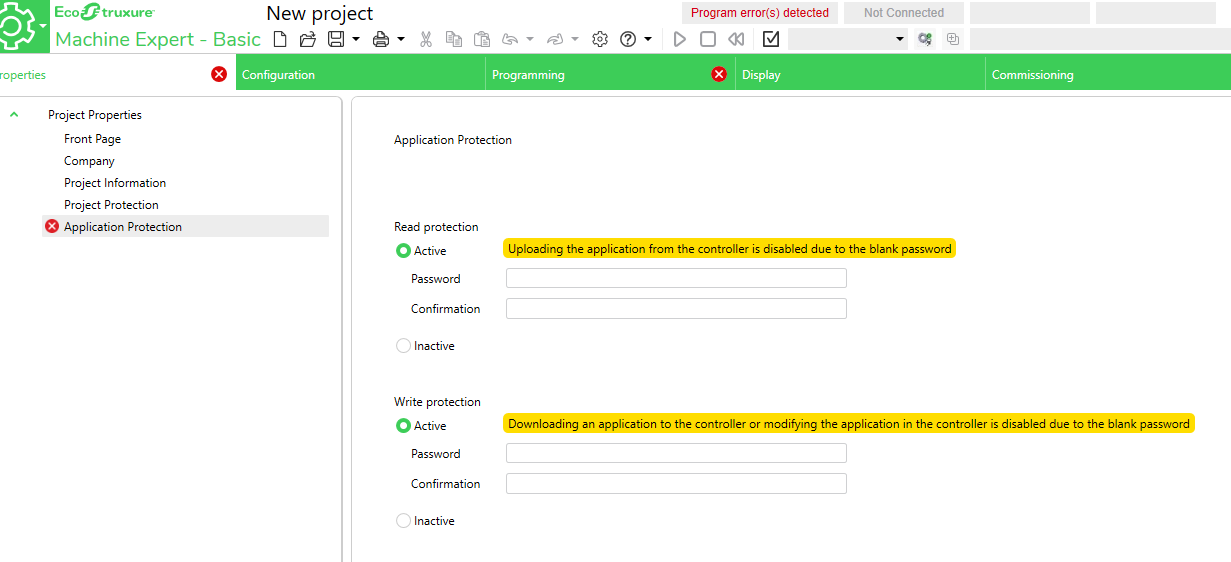
Warning:
Activate the Read/Write protection and leave the password blank means that the access from the software via Ethernet or USB cable will be disabled. In this case, only the access via SD card will be authorized.
Solution:
In order to remove this blank password (or a forgotten password) and be able to download again a project from the software (via Ethernet or USB cable), you have to create a project with Read and Write protection inactive (or a new password) and load it by SD card.
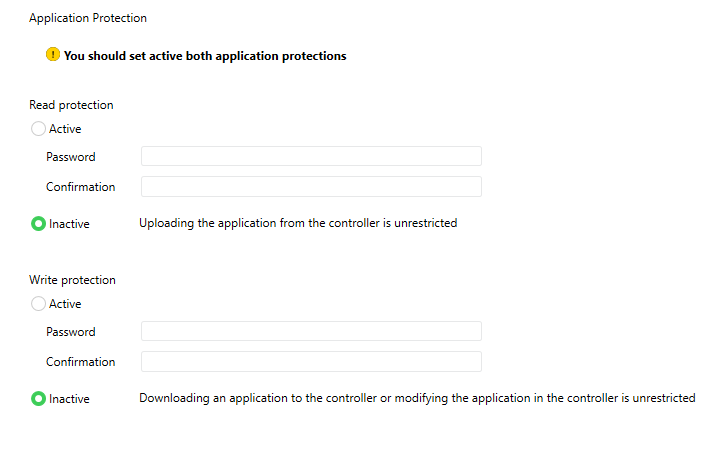
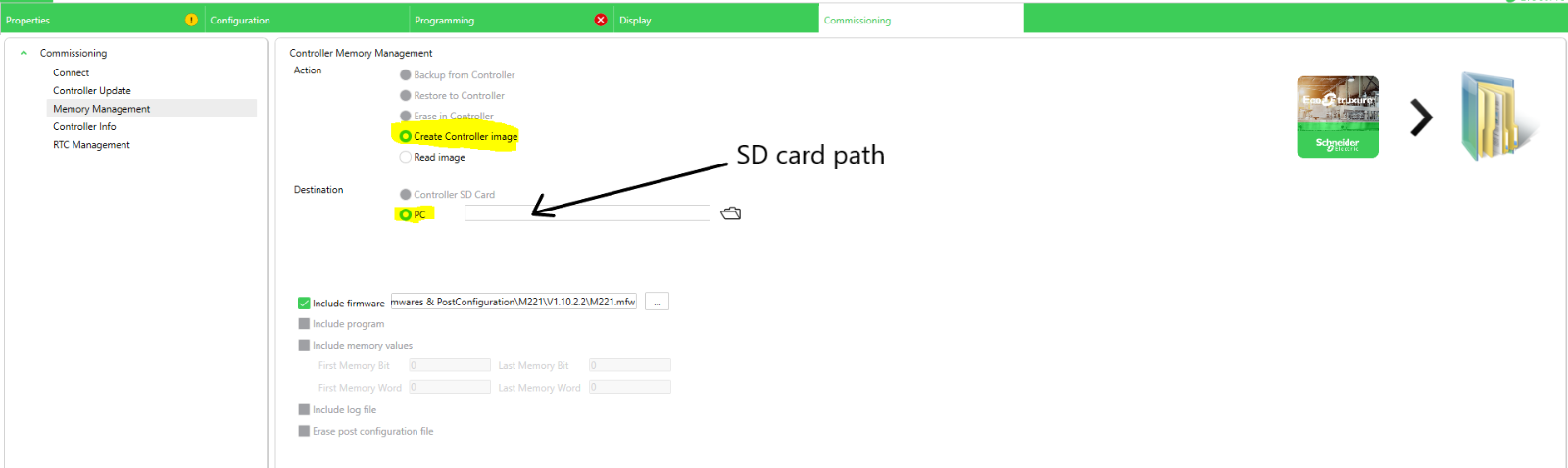
Once you have created the image on the SD card, you have to insert it in the M221 controller and power on the controller to boot on the SD card.
The new project with the Read and Write protection inactive (or with the new password) will be loaded and then you should be able to connect and download from ESME-Basic via Ethernet or USB cable.
This protection can be activated/deactivated from Project Properties >> Application Protection:

Warning:
Activate the Read/Write protection and leave the password blank means that the access from the software via Ethernet or USB cable will be disabled. In this case, only the access via SD card will be authorized.
Solution:
In order to remove this blank password (or a forgotten password) and be able to download again a project from the software (via Ethernet or USB cable), you have to create a project with Read and Write protection inactive (or a new password) and load it by SD card.
Once you have created the image on the SD card, you have to insert it in the M221 controller and power on the controller to boot on the SD card.
The new project with the Read and Write protection inactive (or with the new password) will be loaded and then you should be able to connect and download from ESME-Basic via Ethernet or USB cable.