


Netbotz Camera Pod 165 Password
Issue: Netbotz Camera Pod 165 Password
Product Line:
Netbotz Camera Pod 165 Password
Solution:
The Netbotz appliance automatically assigns password to unconfigured camera pods connected to the Private LAN of the Netbotz appliance. To discover the password of the camera/s, follow the steps below.
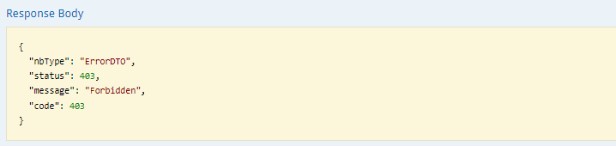
If you are getting a Forbidden message in the Response Body in Step 3 and 4, contact your local technical support here and change to the correct region.
For camera pods that are configured as an external camera (ex. connected to a POE Switch), the default username and password is apc
Product Line:
- Netbotz 5.x
- NBPD0165 (Camera Pod)
- NBPD0165 (Camera Pod)
- Netbotz 750 / 755 with firmware 5.2.4 and higher.
Netbotz Camera Pod 165 Password
Solution:
The Netbotz appliance automatically assigns password to unconfigured camera pods connected to the Private LAN of the Netbotz appliance. To discover the password of the camera/s, follow the steps below.
- Access the NetBotz appliance and log into the web page.
- Access the Netbotz REST API by entering this on your browser https://netbotz_ip/docs/rest
- Click Assets and it will show all available options. Click GET /assets. In Parameters, under types enter the word CAMERA(lower or upper case) in the value field then click the button Try it out!
- In the Response Messages, look for Response Body and get the id.
- Next, click on cameras then click on /cameraPassword/{id}. Under Parameters, enter the camera ID you got from step 4 in the in the ID value field, then click on the button Try it out!
- In the Response Messages, look for Response Body and the password is the property value minus the quotes.
- Go to the appliance WebUI and go to Devices. Make sure Port Forwarding is enabled. Then click on Go to External Device site. To sign in, use apc for the username and enter the password you captured in Step 6.
If you are getting a Forbidden message in the Response Body in Step 3 and 4, contact your local technical support here and change to the correct region.
For camera pods that are configured as an external camera (ex. connected to a POE Switch), the default username and password is apc