我们今天能为您提供什么帮助?
How to do factory reset on SCADAPACK RTU?
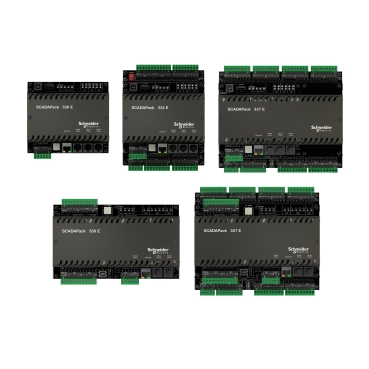
SCADAPack 300E models
COLD BOOT mode (returning the RTU to default settings) is selected by performing the following procedure:
·Remove power from the RTU.
·Hold down the LED POWER button.
·Apply power to the SCADAPack 300E RTU.
·Continue holding the LED POWER button for at least 30 seconds until the STAT LED turns solid.
·Release the LED POWER button.
The COLD BOOT (restore default settings) will take approximately 60 seconds to complete. During this time, the RTU may appear unresponsive while the file system is being reinitialized. The STAT LED will remain on until the COLD BOOT is done.
If the LED POWER button is released before the STAT LED begins to flash, the SCADAPack 300E RTU will start in SERVICE mode.
SCADAPack ES & SCADAPack ER models
·Access the HEX switches on the RTU processor and set the HEX switches to FC factory default mode.
·Restart the RTU (e.g., Power-off and power-on).
·After the RTU has initialized (wait for steady blinking LED), return the HEX switches to 00.
·You can communicate using SCADAPack E Configurator with DNP3 device address “0” on RTU Port 1 at 9600 bps.
SCADAPack 530E and SCADAPack 535E models
COLD BOOT mode (returning the RTU to default settings) is selected by performing the following procedure:
·Remove power from the RTU.
·Hold down the Select button.
·Apply power to the RTU.
·Continue holding the Select button for at least 30 seconds until the Status LED remains lit.
·Release the Select button.
The COLD BOOT (restore default settings) will take approximately 60 seconds to complete. During this time, the RTU may appear unresponsive while the file system is being reinitialized. The Status LED will remain on until the COLD BOOT is done.
If the Select button is released before the Status LED begins to flash, the RTU will start in SERVICE mode.
發佈於: 施耐德電機Taiwan