
.svg)
Issue
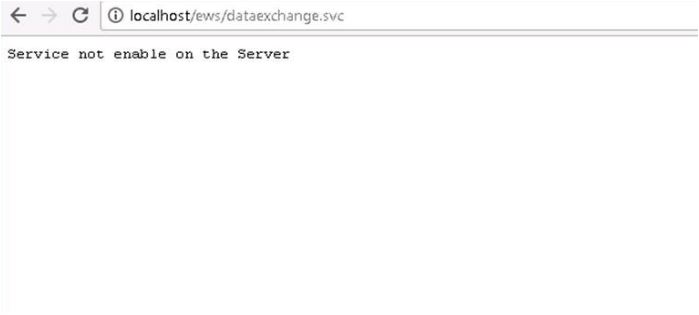
When attempting to navigate to the EWS endpoint, the page returns an error stating "Service not enable on the server".
Product Line
Power Monitoring Expert 8.x
Power Monitoring Expert 9.0
Power Monitoring Expert 2020
Environment
Power Monitoring Expert
Cause
EWS, EcoStruxure™ Web Services, is not enabled by default in a PME system.
Resolution
*Warning: Take backups of any files prior to modifying them. Ensure the backups are in a location that will not be overwritten (i.e. the Desktop)
5. Save the notepad file.
When attempting to navigate to the EWS endpoint, the page returns an error stating "Service not enable on the server".
Product Line
Power Monitoring Expert 8.x
Power Monitoring Expert 9.0
Power Monitoring Expert 2020
Environment
Power Monitoring Expert
Cause
EWS, EcoStruxure™ Web Services, is not enabled by default in a PME system.
Resolution
*Warning: Take backups of any files prior to modifying them. Ensure the backups are in a location that will not be overwritten (i.e. the Desktop)
- Navigate to the following default directory on the PME server: C:\Program Files (x86)\Schneider Electric\Power Monitoring Expert\applications\EWS
- Open the 'Web.config' file in Notepad.
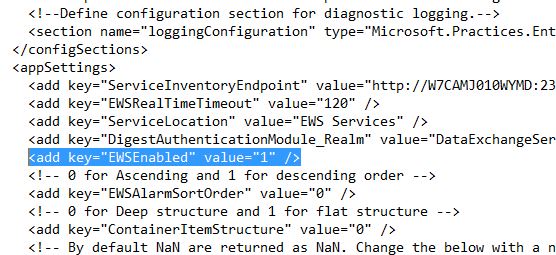
- Within the 'appSettings' section of the file, find "EWSEnabled" value.
- Change the value " 0" to " 1" as shown in the highlighted text.
5. Save the notepad file.
Released for: Schneider Electric USA


