


Video: How do you remove the front main cover on the ATV61 and ATV71 drives?
Issue:
Remove the front main cover on the ATV61/71 drives.
Product Line:
Altivar ATV61 ATV71
Environment:
All
Cause:
Needs to know how to remove the front cover to replace it or to add an option card.
Resolution:
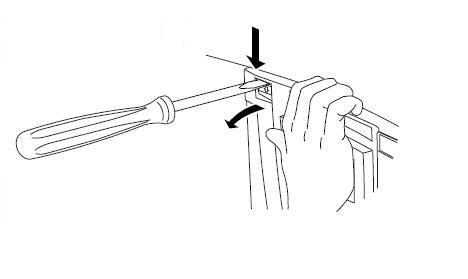
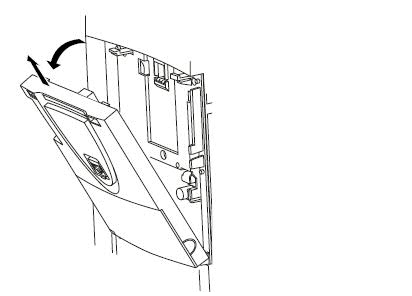
Push in the two front tabs at the top of the drive while pulling the top cover toward you.
Tools needed: Flathead screwdriver.

Remove the front main cover on the ATV61/71 drives.
Product Line:
Altivar ATV61 ATV71
Environment:
All
Cause:
Needs to know how to remove the front cover to replace it or to add an option card.
Resolution:
Push in the two front tabs at the top of the drive while pulling the top cover toward you.
Tools needed: Flathead screwdriver.
Released for: Schneider Electric Canada
