


ClearSCADA: Changing the WebX 'tab' text in Internet Explorer
This article describes how to change the text that appears on the Internet Explorer 'tab' when WebX is launched.
By default, when WebX opens, the text that is displayed on the Internet Explorer tab is 'ClearSCADA Home' as shown in the screen shot below:

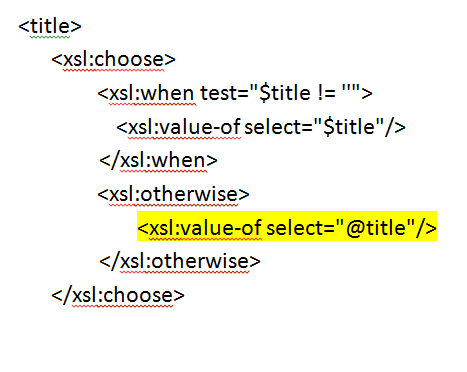
3) Close Internet Explorer and edit the common.xsl file. Change the text from this (see highlighted area)
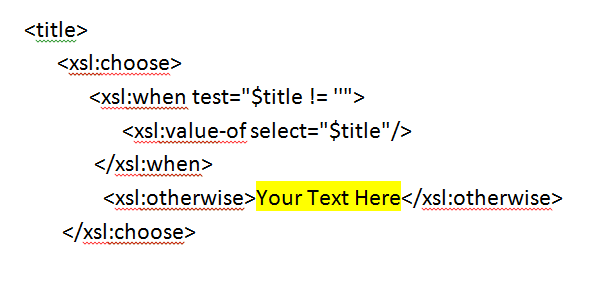
to this (see highlighted area)
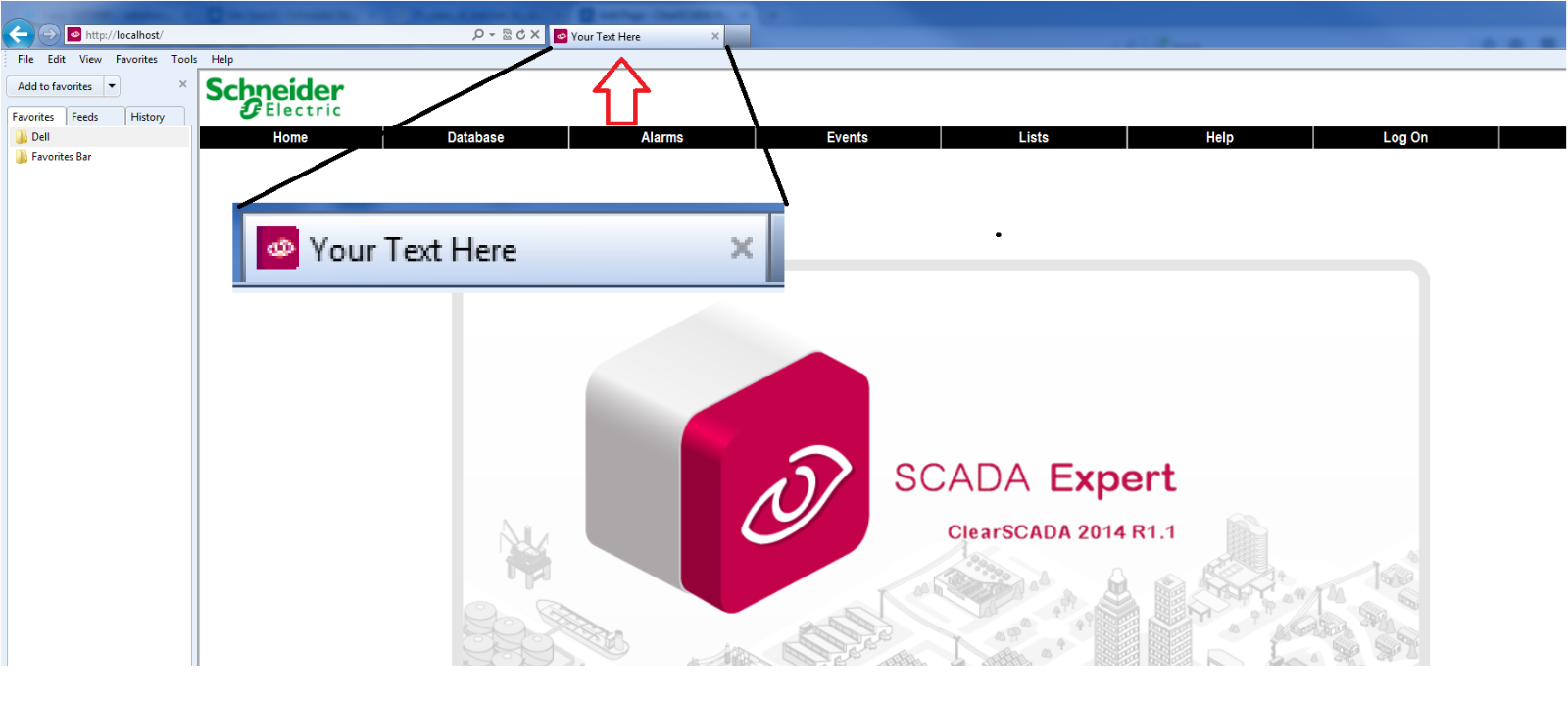
4) Now if you open WebX the text in the tab should reflect the change to the file. In this example the text was changed to 'Your Text Here' so the tab in WebX will now read 'Your Text Here' as shown below
By default, when WebX opens, the text that is displayed on the Internet Explorer tab is 'ClearSCADA Home' as shown in the screen shot below:
This text may be changed by modifying the common.xsl style sheet as follows:
1) Open windows explorer and navigate to the following directory: C:\Program Files\Schneider Electric\ClearSCADA\WWW\XSL
2) Locate the common.xsl file and open it using Internet Explorer. You should see something like the following
(Note, the highlighted area is the section that we will be modifying)
3) Close Internet Explorer and edit the common.xsl file. Change the text from this (see highlighted area)
to this (see highlighted area)
4) Now if you open WebX the text in the tab should reflect the change to the file. In this example the text was changed to 'Your Text Here' so the tab in WebX will now read 'Your Text Here' as shown below
Released for: Schneider Electric Canada
