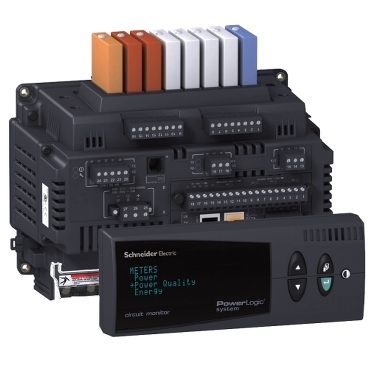
How to Change the Logging Interval For the Min/Max/Average Log on a CM4000
Issue:
The CM4000 Meter will calculate and log interval Min/Max/Average values for the following measurements:
• Voltage Phase A-B
• Voltage Phase B-C
• Voltage Phase C-A
• Voltage N-G
• Current Phase A
• Current Phase B
• Current Phase C
• Current Phase N
• Current Phase G
• kW 3-Phase Average
• kVAR 3-Phase Average
• kVA 3-Phase Average
• kW Demand 3-Phase Average
• kVAR Demand 3-Phase Average
• kVA Demand 3-Phase Average
• THD Voltage A-N
• THD Voltage B-N
• THD Voltage C-N
• THD Voltage A-B
• THD Voltage B-C
• THD Voltage C-A
• True Power Factor 3-Phase Total
• Displacement Power Factor 3-Phase Total
By default, the interval is set to 60 minutes. The interval can be changed, however ION Setup presently does not have the capability of making this change.
Product Line:
CM4000
Environment:
Modbus Register Writes
Resolution:
In order to change the logging interval, for the Min/Max/Average log, it will be necessary to use Modbus Command Writes to update the meter.
Using Modbus Tester (or another Modbus read/write program):
Warning: Following this procedure will cause a soft reset on the meter. I/O Modules may deenergize and alarms may pick up or drop out.
1) Write the value 9020 to register 8000.
2) Write the value X to register 3300, where X is the desired interval in minutes. (Note: The value for X must divide evenly into 1440).
3) Write the value 1 to register 8001.
4) Write the value 9021 to register 8000.
The CM4000 Meter will calculate and log interval Min/Max/Average values for the following measurements:
• Voltage Phase A-B
• Voltage Phase B-C
• Voltage Phase C-A
• Voltage N-G
• Current Phase A
• Current Phase B
• Current Phase C
• Current Phase N
• Current Phase G
• kW 3-Phase Average
• kVAR 3-Phase Average
• kVA 3-Phase Average
• kW Demand 3-Phase Average
• kVAR Demand 3-Phase Average
• kVA Demand 3-Phase Average
• THD Voltage A-N
• THD Voltage B-N
• THD Voltage C-N
• THD Voltage A-B
• THD Voltage B-C
• THD Voltage C-A
• True Power Factor 3-Phase Total
• Displacement Power Factor 3-Phase Total
By default, the interval is set to 60 minutes. The interval can be changed, however ION Setup presently does not have the capability of making this change.
Product Line:
CM4000
Environment:
Modbus Register Writes
Resolution:
In order to change the logging interval, for the Min/Max/Average log, it will be necessary to use Modbus Command Writes to update the meter.
Using Modbus Tester (or another Modbus read/write program):
Warning: Following this procedure will cause a soft reset on the meter. I/O Modules may deenergize and alarms may pick up or drop out.
1) Write the value 9020 to register 8000.
2) Write the value X to register 3300, where X is the desired interval in minutes. (Note: The value for X must divide evenly into 1440).
3) Write the value 1 to register 8001.
4) Write the value 9021 to register 8000.
Released for: Schneider Electric Canada