


How can we add products by accessing quick reference in Ecostruxure Power Build – Rapsody
Issue: How to add product using quick reference in Ecostruxure Power Build - Rapsody.
Product Line: Ecostruxure Power Build – Rapsody
Resolution:
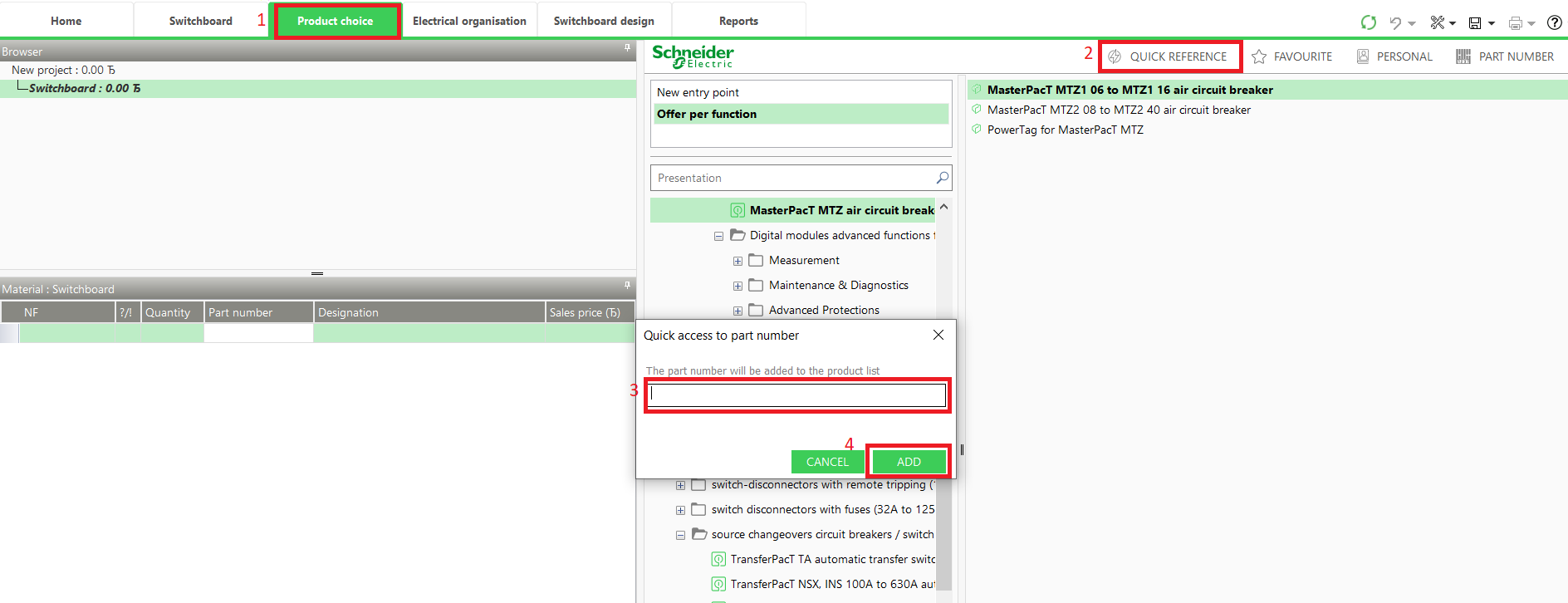
Step1: On Product Choice tab, click on Quick Reference and provide the complete reference of the product and click add (as shown in below screenshot)
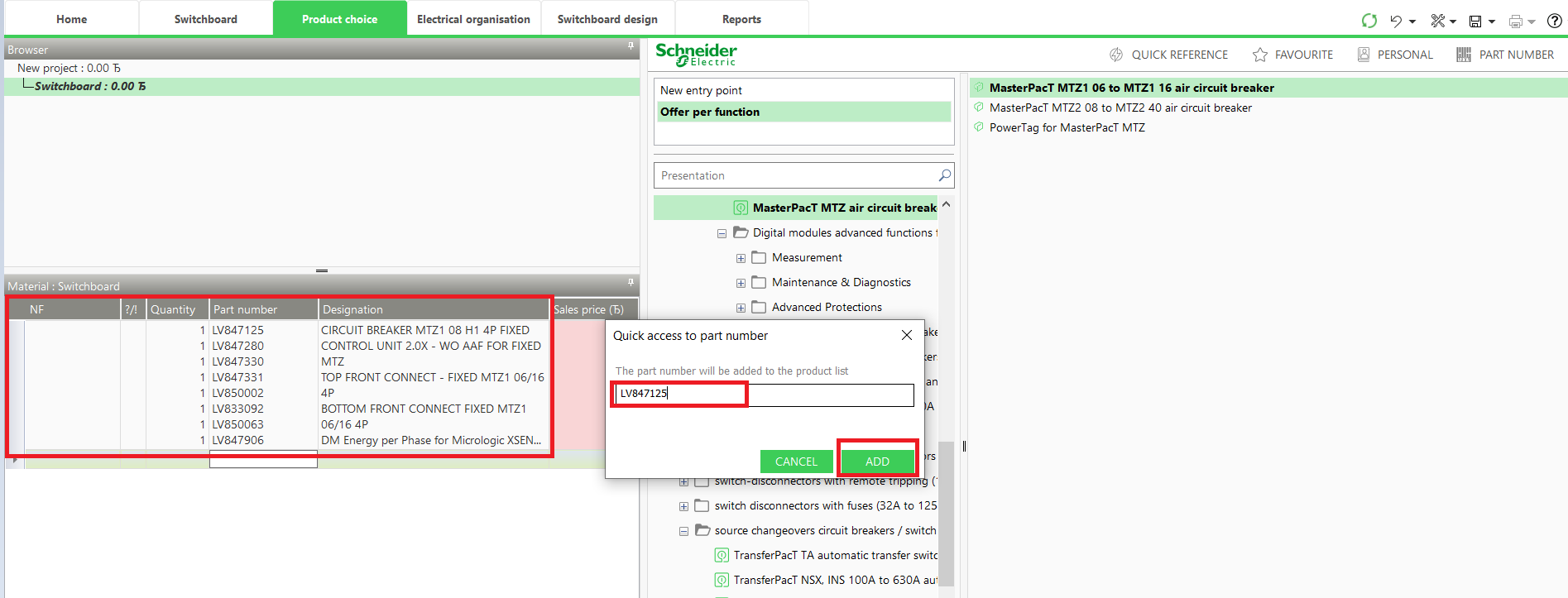
Step2: The product will be added in Bill of material for the reference entered in quick reference box.
Product Line: Ecostruxure Power Build – Rapsody
Resolution:
Step1: On Product Choice tab, click on Quick Reference and provide the complete reference of the product and click add (as shown in below screenshot)
Step2: The product will be added in Bill of material for the reference entered in quick reference box.
Released for: Schneider Electric Canada
