


How to update the firmware of the Web Terminal HMISTW6xxx?
To update the Web Terminal with the last official version, please download the following files
=> https://schneiderelectric.sharepoint.com/:u:/s/BoxSupportL3Group/Edyz3l4eGcBOskrNjk6UJYUBLIJoZ58r_gF5y9bZCxd5kA?e=Mj7Weg
Last official firmware: 1.2.1 (30 Nov, 2022)
Improvement:
Maximum Boot Delay Time extended from 60 seconds to 300 seconds
Noto Sans fonts supported
Fix small bugs
Step to Update
Unzip and copy both files on the root of USB stick (in FAT32)
Insert the USB stick on the USB port of Web Terminal
Using the swap menu, enter the configuration menu
Scroll down and open the menu "Setting"
Click on "Update"
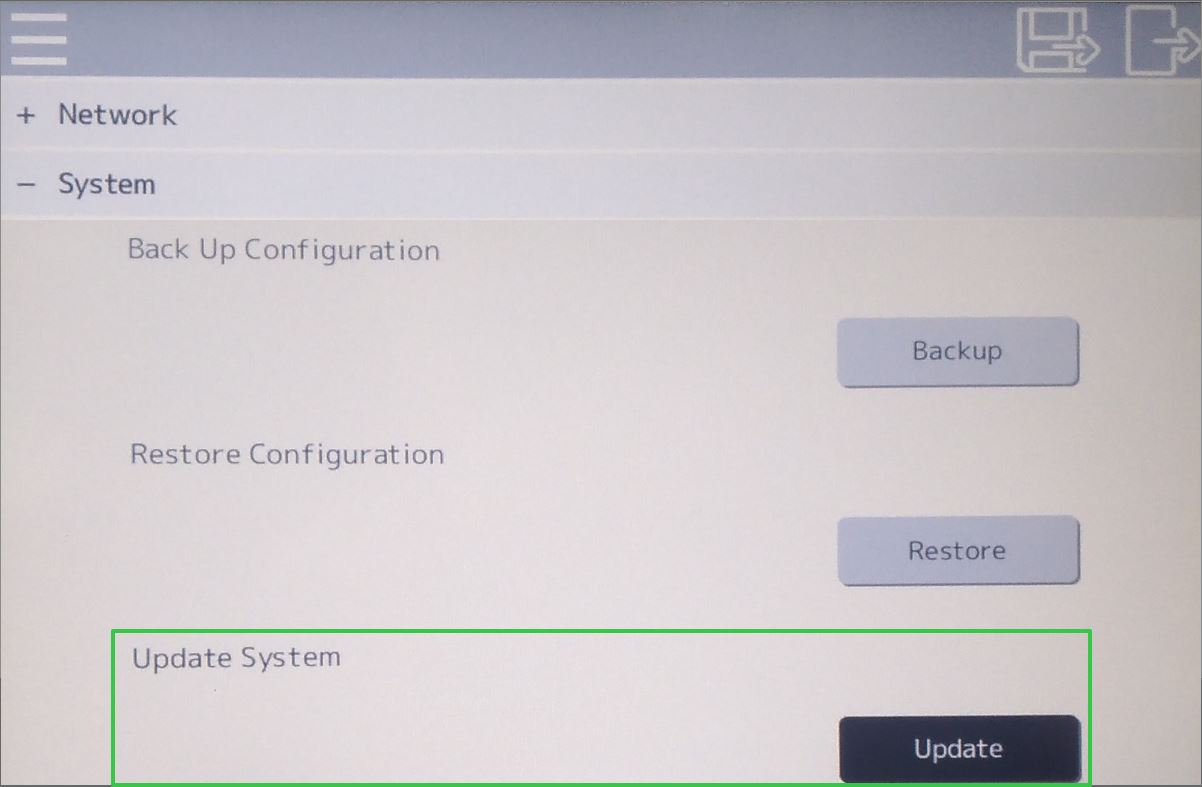
After update, the Web terminal will restart. After Restart the firmware is now updated to the latest version
=> https://schneiderelectric.sharepoint.com/:u:/s/BoxSupportL3Group/Edyz3l4eGcBOskrNjk6UJYUBLIJoZ58r_gF5y9bZCxd5kA?e=Mj7Weg
Last official firmware: 1.2.1 (30 Nov, 2022)
Improvement:
Maximum Boot Delay Time extended from 60 seconds to 300 seconds
Noto Sans fonts supported
Fix small bugs
Step to Update
Unzip and copy both files on the root of USB stick (in FAT32)
Insert the USB stick on the USB port of Web Terminal
Using the swap menu, enter the configuration menu
Scroll down and open the menu "Setting"
Click on "Update"
After update, the Web terminal will restart. After Restart the firmware is now updated to the latest version
Released for: Schneider Electric Canada
