


How can I duplicate n-products in diagram in eDesign Small Building application
Issue: Duplicating n-products in diagram of eDesign small building application
Product Line: eDesign Small Building https://edesign-630.se.com/
Cause: Easy duplication of n-products in diagram
Resolution: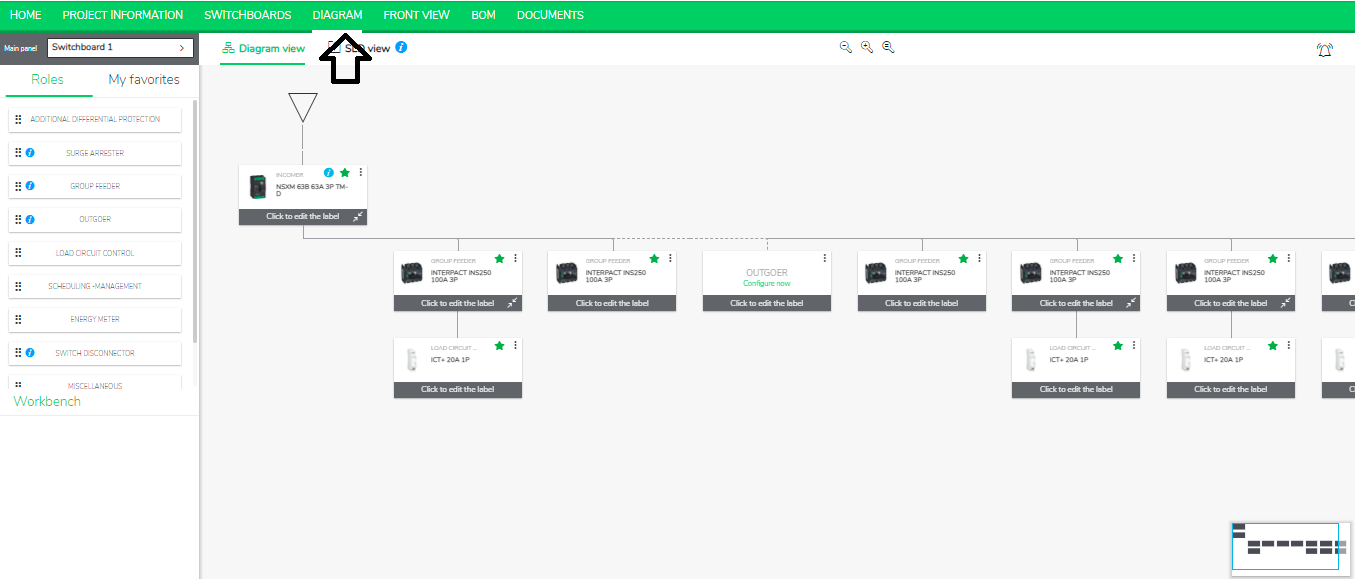
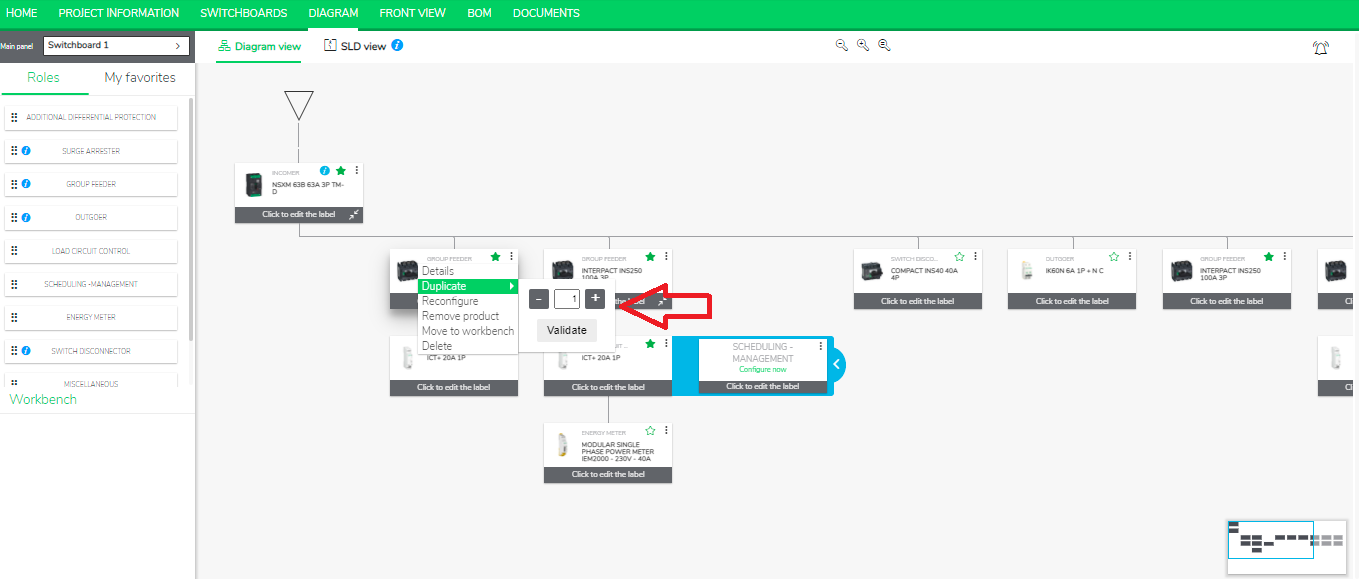
Note: This feature is available for the following functions: Group Feeder, Outgoer, Scheduling Management, Additional Protection, miscellaneous.
Product Line: eDesign Small Building https://edesign-630.se.com/
Cause: Easy duplication of n-products in diagram
Resolution:
- Go to the Diagram tab in eDesign Small Building https://edesign-630.se.com/
- Click 3 dots on any of the Products, such as Group Feeder, Outgoer, Scheduling Management, Switch Disconnector, Additional protection, miscellaneous.
- Add multiple devices just by incrementing the counter numbers.
Note: This feature is available for the following functions: Group Feeder, Outgoer, Scheduling Management, Additional Protection, miscellaneous.
Released for: Schneider Electric Canada
