Tuotemerkkimme

Impact-Company-Logo-English Black-01-177x54

Tervetuloa Schneider Electricin verkkosivustolle

Tervetuloa sivustollemme.
		
Kuinka voimme auttaa sinua tänään?
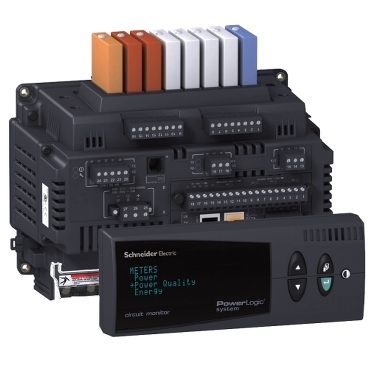
Video: How to reset Energy values from the front display of a CM4000

Product Line
CM4000 series

Resolution
To reset the accumulated Energy values, follow the procedures below:

  1. From the Front Panel Main Menu, select Resets
  2. Select Energy. The password prompt displays.
  3. Select your password. The default password is 0.
  4. The Reset Energy Screen displays. Select the value that you need to reset.
  5. Press Enter on the selected option. The "No" option starts to blink
  6. Use the Up arrow to change to "Yes", then press Enter. The "Yes" will stopp blinking
  7. Press the Menu button. You will get a confirmation that the Reset was complete.
  8. Press the Menu button two more times to return to the Main Menu Screen.

Schneider Electric Suomi

Lue lisää
Tuotesarja:
Lue lisää
Tuotesarja:
  • Tuotedokumentaatio
  • Ohjelmistolataukset
  • Tuotevalitsin
  • Tuotteen korvaaminen ja vaihtaminen
  • Asiakaspalvelukeskus
  • Etsi toimistomme
  • Pyydä tarjous
  • Osta täältä
  • Shop.se.com/fi/fi sulkeutuu
  • Schneider Electricin yhteisö
  • Uramahdollisuudet
  • Yritys
  • Ilmoita väärinkäytöksestä
  • Saavutettavuus
  • Newsroom
  • Sijoittajat
  • Tutustu EcoStruxure
  • Toimipisteet Suomessa
  • Löydä jälleenmyyjä
  • Avoimet työpaikat
  • Blogi
  • Tietosuojakäytäntö
  • Evästeilmoitus
  • Käyttöehdot
  • Muokkaa evästeasetuksia