


How to troubleshoot FBD logic programs
DISCLAIMER
The example below is intended to demonstrate one or more features or methods and is presented as a configuration example only. Schneider Electric assumes no liability for the use or application of this example or any portion thereof.
One of the most used programming languages in ClearSCADA Server is FBD (Function Block Diagram).
As with any programming language, it is necessary to troubleshoot (or debug) the logic before deploying it on a live system. In order to do that, you can start putting the logic program object in "Runtime" and either triggering it manually or letting it run on interval (at this point you should see "Program Executing" at the bottom panel):
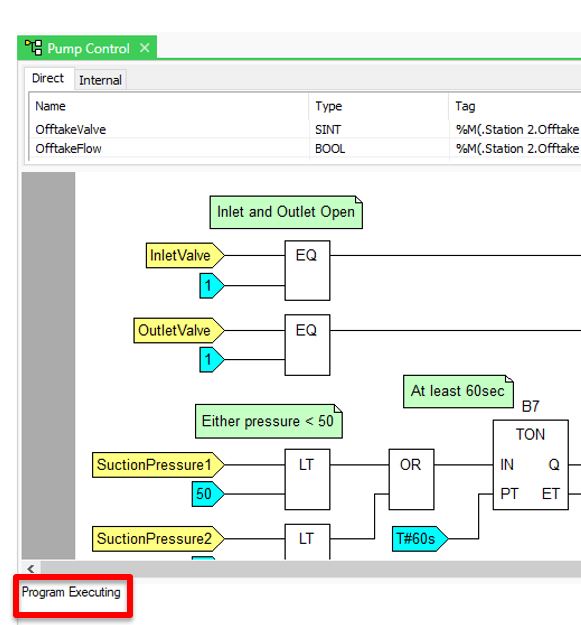
Once the logic program is running, you will be able to access the "Logic" top menu option.
From there you can select "Connection Values" in order to show the current values on the diagram:
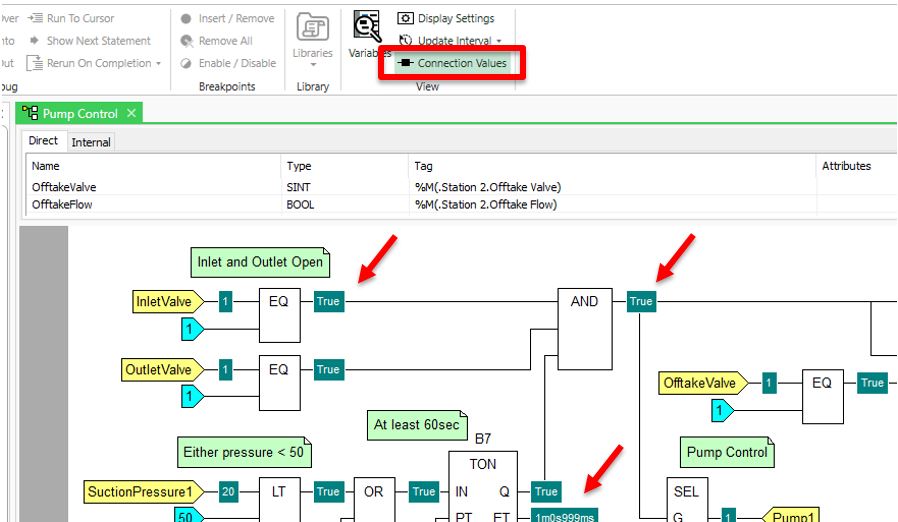
Now you may start modifying inputs in the database and check the results in the logic program.
Another way to show the contents of the variable is by selecting the "Variables" option from the "Logic" top menu:
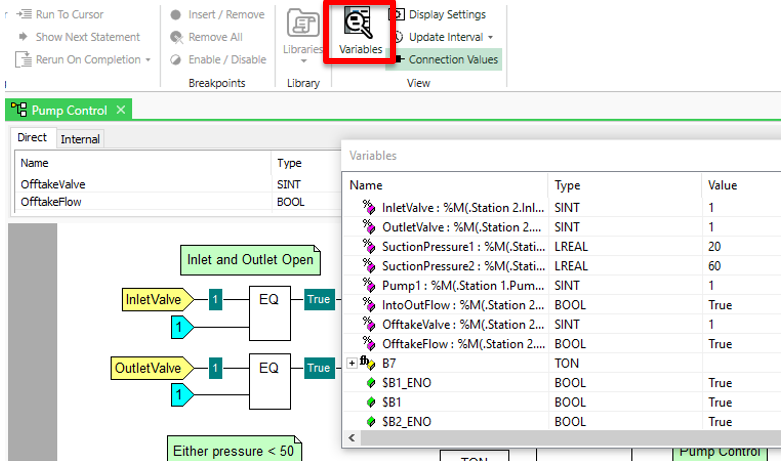
The example below is intended to demonstrate one or more features or methods and is presented as a configuration example only. Schneider Electric assumes no liability for the use or application of this example or any portion thereof.
One of the most used programming languages in ClearSCADA Server is FBD (Function Block Diagram).
As with any programming language, it is necessary to troubleshoot (or debug) the logic before deploying it on a live system. In order to do that, you can start putting the logic program object in "Runtime" and either triggering it manually or letting it run on interval (at this point you should see "Program Executing" at the bottom panel):
Once the logic program is running, you will be able to access the "Logic" top menu option.
From there you can select "Connection Values" in order to show the current values on the diagram:
Now you may start modifying inputs in the database and check the results in the logic program.
Another way to show the contents of the variable is by selecting the "Variables" option from the "Logic" top menu: