


Advantys web page returns "600 error access builtin CGI File"
Issue
Advantys web page returns "600 error access built in CGI File"
Product Line
All Advantys STBNIPxxxx Ethernet modules
Environment
Windows 7, Windows 8, Windows 10
Resolution
Opening a web page for the Advantys Ethernet module returns the error 'Advantys web page returns "600 error access built in CGI File"'.
This occurs because the Java Runtime Environment is not installed on the PC. To resolve the issue, a minimum Java Runtime version of 6.45 must be installed.
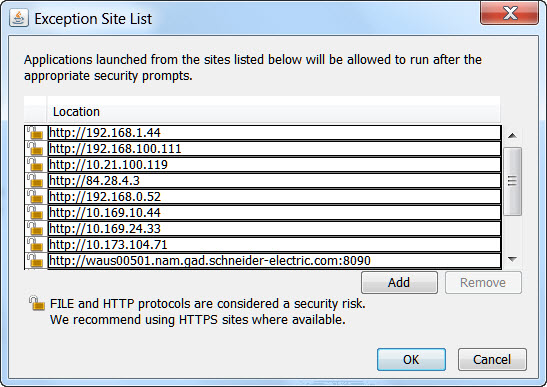
If you install Java Runtime version 7 or above, you will need to add an exclusion for the IP address in the Java Security settings.
To make an exclusion in the security settings: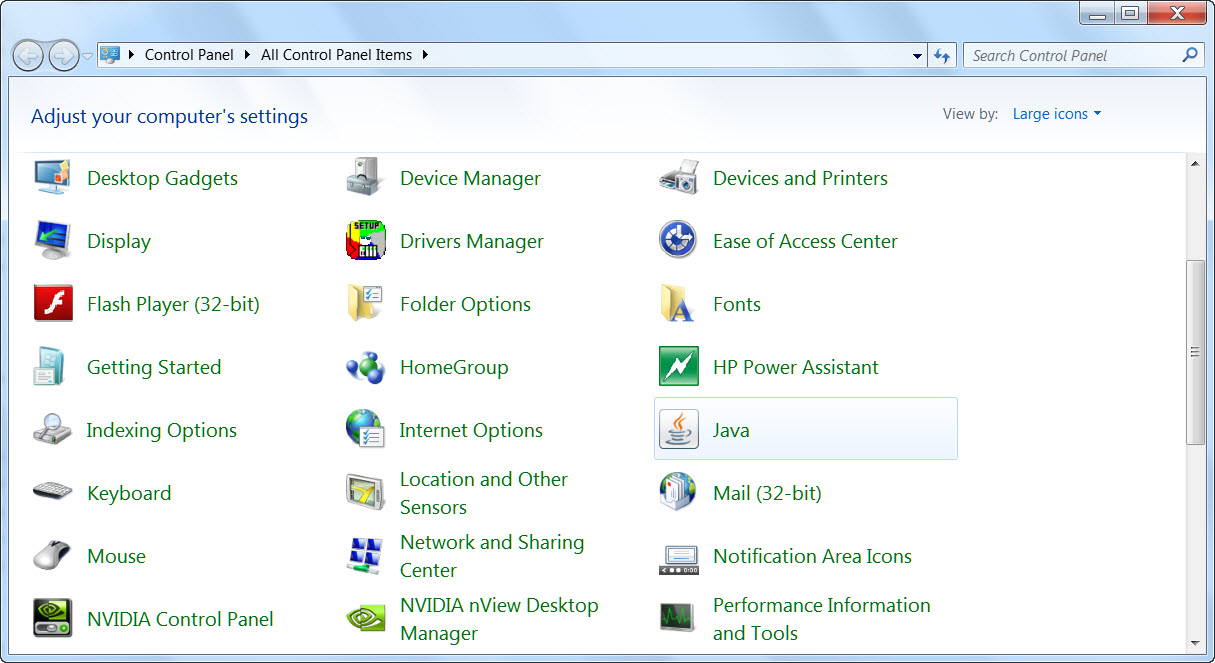

Advantys web page returns "600 error access built in CGI File"
Product Line
All Advantys STBNIPxxxx Ethernet modules
Environment
Windows 7, Windows 8, Windows 10
Resolution
Opening a web page for the Advantys Ethernet module returns the error 'Advantys web page returns "600 error access built in CGI File"'.
This occurs because the Java Runtime Environment is not installed on the PC. To resolve the issue, a minimum Java Runtime version of 6.45 must be installed.
If you install Java Runtime version 7 or above, you will need to add an exclusion for the IP address in the Java Security settings.
To make an exclusion in the security settings:
- Open the Control Panel.
- Double click on Java
- Click on 'Security'.
- Click on 'Edit Site List'.
- Add the IP address of the Advantys NIP (e.g., http://192.168.1.44)
- Click on OK.