


How to convert a Vijeo Designer 4.x project to Vijeo Designer 6.2?
Issue:
Can a version 4.x of Vijeo Designer project be converted to version 6.2?
Product Line:
Vijeo Designer, HMI
Resolution:
To convert a very old Vijeo Designer project version 4.3 to the version 6.2, we have two options.
![]()
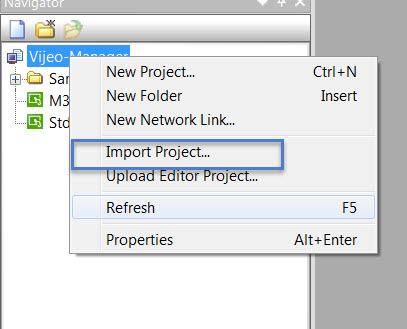
2-b In the Vijeo Manager, double click on the imported project to open it; then build it
![]()

2-c Close the project, save it and return in the vijeo Manager to export it
![]()
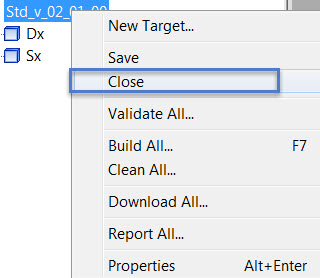
Notes: not closing the project will gray out the export function in the Vijeo Manager
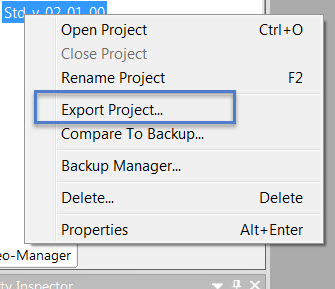
2-d In the Vijeo Manager, right click on the project and export it
![]()
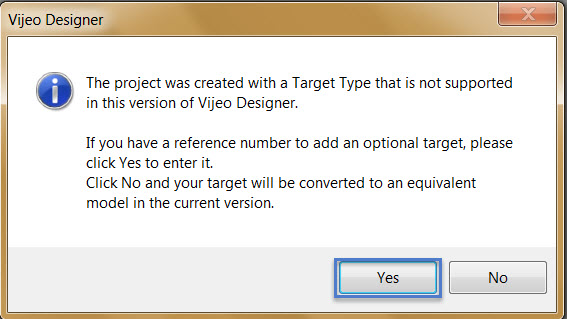
2-e convert the project with version 5.0 to version 6.2 by following above steps 2-a; if the target listed in the project made in Version 4.3 is no longer support in version 6.2, the following windows will pop up, then prompt yes
![]()
2-f enter a target reference supported in version 6.2, for instance XBTGT1335
![]()
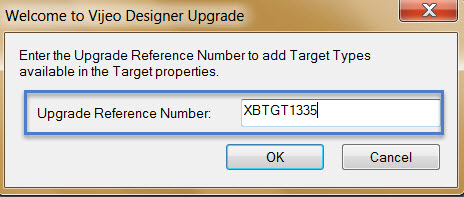
2-g follow above steps 2-b, 2-c and 2-d
Can a version 4.x of Vijeo Designer project be converted to version 6.2?
Product Line:
Vijeo Designer, HMI
Resolution:
To convert a very old Vijeo Designer project version 4.3 to the version 6.2, we have two options.
- Contact your local Schneider Electric support if you do not have an intermediary Vijeo Designer version to open the file (ex. V4.6, V5.0, or V6.0).
- The project needs to have a minimum of version 5.0 to be converted to version 6.2. You can update the file by following these steps:
2-b In the Vijeo Manager, double click on the imported project to open it; then build it
2-c Close the project, save it and return in the vijeo Manager to export it
Notes: not closing the project will gray out the export function in the Vijeo Manager
2-d In the Vijeo Manager, right click on the project and export it
2-e convert the project with version 5.0 to version 6.2 by following above steps 2-a; if the target listed in the project made in Version 4.3 is no longer support in version 6.2, the following windows will pop up, then prompt yes
2-f enter a target reference supported in version 6.2, for instance XBTGT1335
2-g follow above steps 2-b, 2-c and 2-d