


Importing a '.cid file for a third party device returns the error 'Invalid File''
Issue
Importing a '.cid file for a third party device returns the error 'Invalid File''
Product Line
BMENOP0300
Environment
Unity, Windows 10
Resolution
Attempts to import a '.cid' file for a third (e.g., ABB, etc.) into the 'IEC 61850 Configuration Tool' returns the error 'Invalid file. the file content is invalid'.
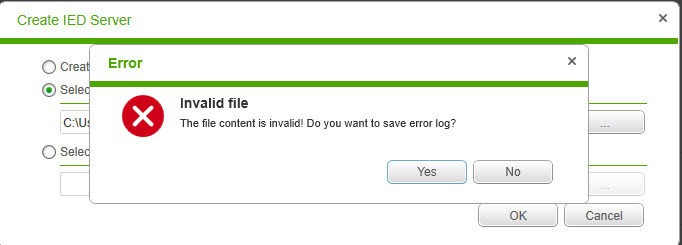
This issue is the result of an error within the '.cid' file. Additional information about the error can be found by saving and reviewing the log file:
e.g.,
Importing a '.cid file for a third party device returns the error 'Invalid File''
Product Line
BMENOP0300
Environment
Unity, Windows 10
Resolution
Attempts to import a '.cid' file for a third (e.g., ABB, etc.) into the 'IEC 61850 Configuration Tool' returns the error 'Invalid file. the file content is invalid'.
This issue is the result of an error within the '.cid' file. Additional information about the error can be found by saving and reviewing the log file:
e.g.,
                 Node: P | Line Number: 330 | Line Position: 74,The 'http://www.iec.ch/61850/2003/SCL:P' element is invalid -
                 The value '1,3,9999,23' is invalid according to its datatype 'http://www.iec.ch/61850/2003/SCL:tP_OSI-AP-Title' - The
                Pattern constraint failed.'
To see where in the '.cid'the error is located, Wordpad can be used to to search for the invalid value:Searching the web can also help find reasons for the issue: e.g.,
To resolve the issue, contact the third party manufacture for a corrected '.cid' file.