


Why I got the error message "Cannot start W3SVC" when I start IIS on my HMIGTU?
Problem
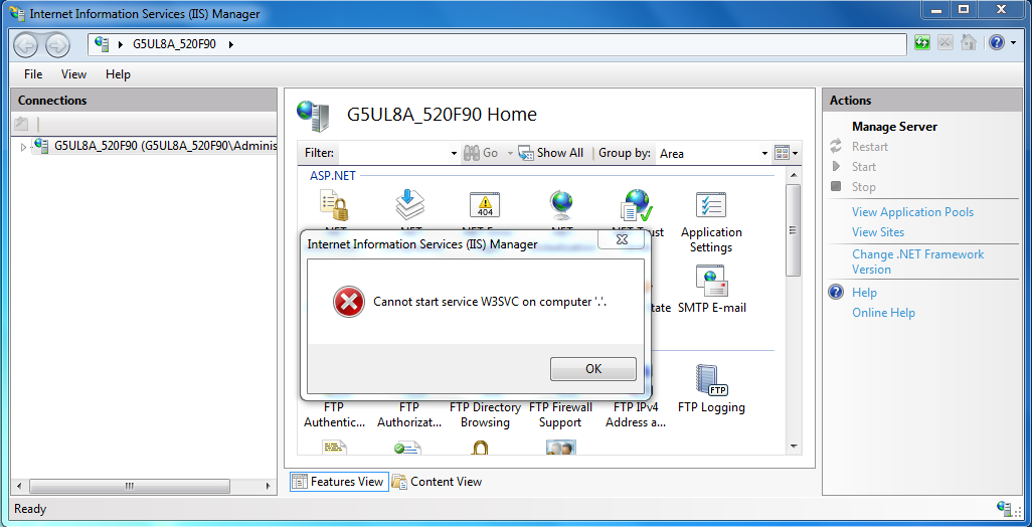
On HMIGTU open box, If you open IIS, you can see that IIS is not started. If you try to start manually, the following error message will occur
Why this issue?
The problem occur because the service "World Wide Web Publishing Service" is not started
How to solve?
To activate it, follow the procedure:
- Right-click My Computer on the desktop, and then click Manage.
- Expand the Services and Applications, and then click the Services
- In the right pane, locate the World Wide Web Publishing Service.
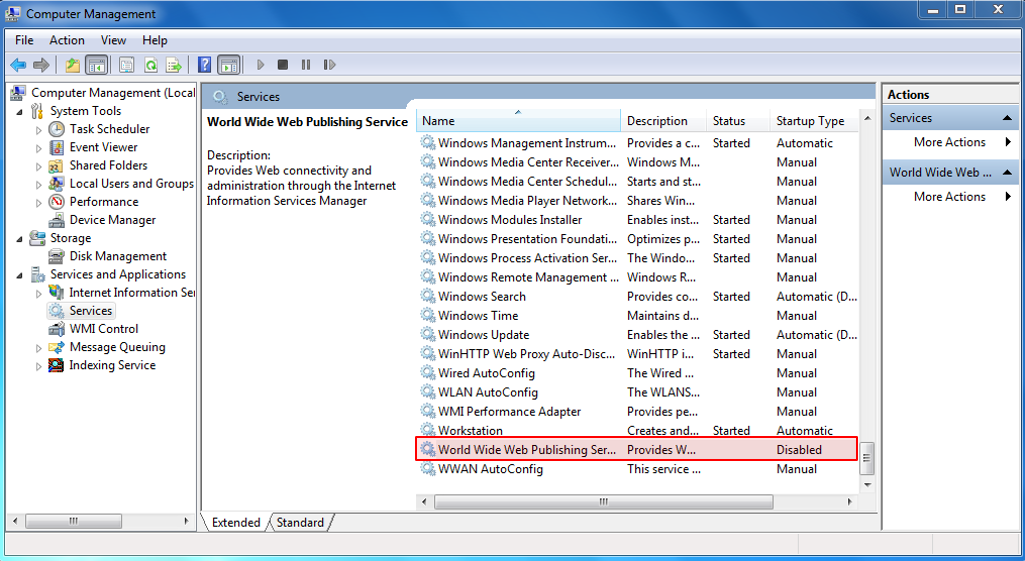
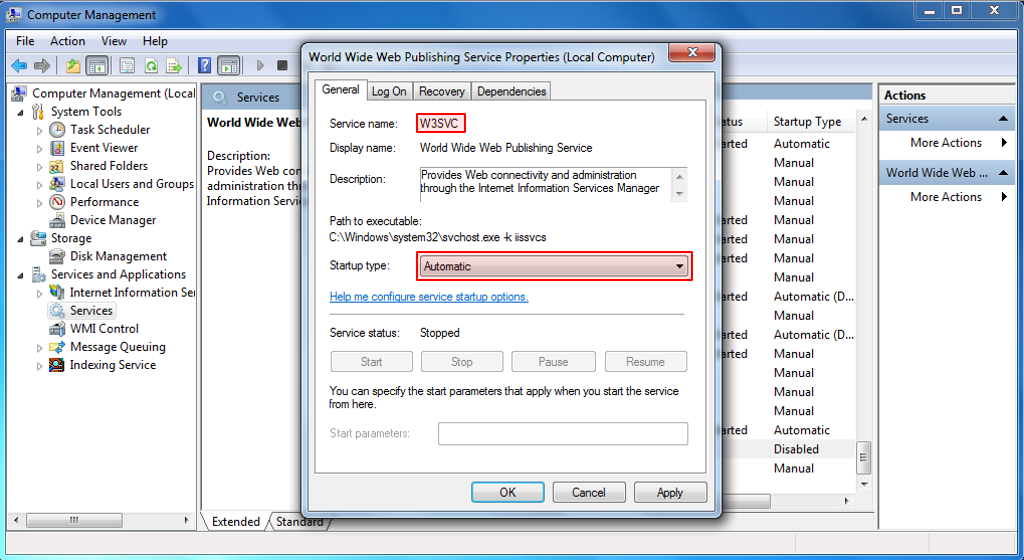
- Right-click World Wide Web Publishing Service, and then click Properties.
- Set in Automatic, apply then OK.
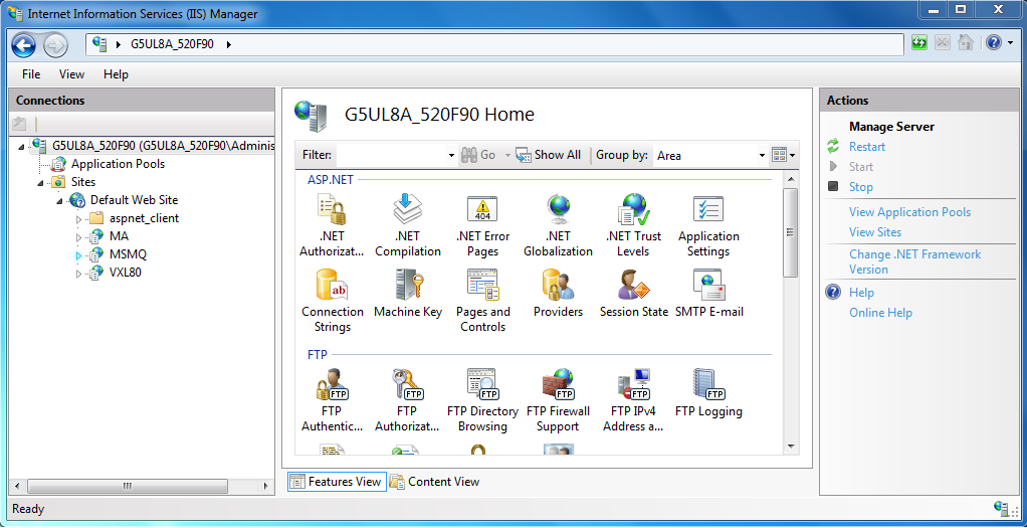
After this service started, IIS will start correctly!
On HMIGTU open box, If you open IIS, you can see that IIS is not started. If you try to start manually, the following error message will occur
Why this issue?
The problem occur because the service "World Wide Web Publishing Service" is not started
How to solve?
To activate it, follow the procedure:
- Right-click My Computer on the desktop, and then click Manage.
- Expand the Services and Applications, and then click the Services
- In the right pane, locate the World Wide Web Publishing Service.
- Right-click World Wide Web Publishing Service, and then click Properties.
- Set in Automatic, apply then OK.
After this service started, IIS will start correctly!