


Control Expert fails to start after activation.
Issue
Control Expert fails to start after activation.
Product Line
Control Expert 14
Environment
Windows 7, Windows 8, Windows 10.
Resolution
Control Expert fails to start after activating the license. Double clicking on the icon does nothing.
Starting Control Expert after activation of a license should return a 'Package Selector' window for selecting the package size to be used.
The package size is based upon the part number used to purchase Control Expert.
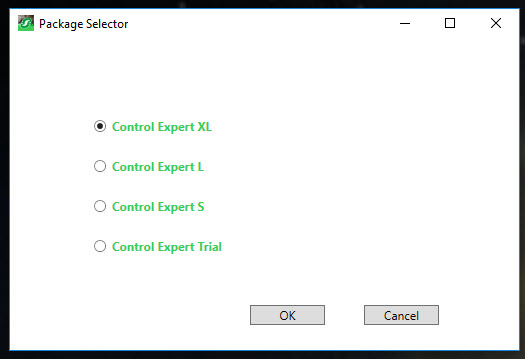
If the 'Package Selector' window does not appear, the following steps can be used to resolve the issue.
Control Expert fails to start after activation.
Product Line
Control Expert 14
Environment
Windows 7, Windows 8, Windows 10.
Resolution
Control Expert fails to start after activating the license. Double clicking on the icon does nothing.
Starting Control Expert after activation of a license should return a 'Package Selector' window for selecting the package size to be used.
The package size is based upon the part number used to purchase Control Expert.
If the 'Package Selector' window does not appear, the following steps can be used to resolve the issue.
- Navigate to the folder named 'C:\Program Files (x86)\Schneider Electric\Control Expert 14.0'.
- Double click on the file named 'PackageSelector.exe' to open the 'Package Selector' window.