


PME - Power Quality Report returns no data when run against an archive database
Issue
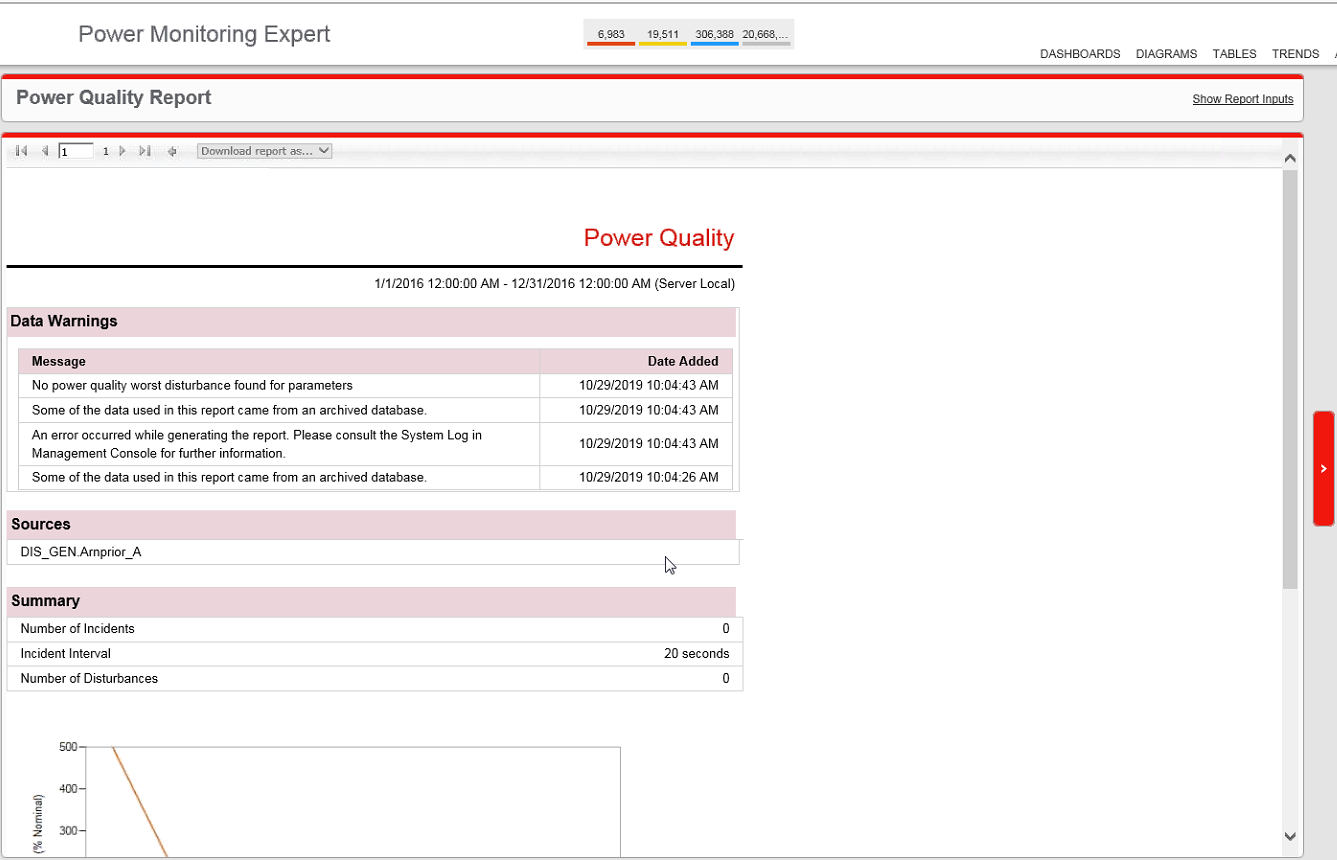
When running a Power Quality Report in PME version 8.2 and up, no data is returned despite there being known power quality events logged in the database. The System Log Events in Management Console shows an error such as "Failed to update database "ION_Data_Archive" because the database is read-only."
Product Line
Power Monitoring Expert 7.2.x
Power Monitoring Expert 8.0
Power Monitoring Expert 9.0
Power Monitoring Expert 2020
Power Monitoring Expert 2021
Power Monitoring Expert 2022
Power Monitoring Expert 2023
Environment
Web Applications Reports
Cause
The Power Quality Report is unable to populate data when querying an ION_Data archive that is set to Read-Only.
Resolution
*Warning: Irreparable database damage can occur. This procedure should only be performed by
users familiar with SQL Server Management Studio. Databases should be backed up prior to
performing this procedure.*
The ION_Data archive must be set to Read-Write.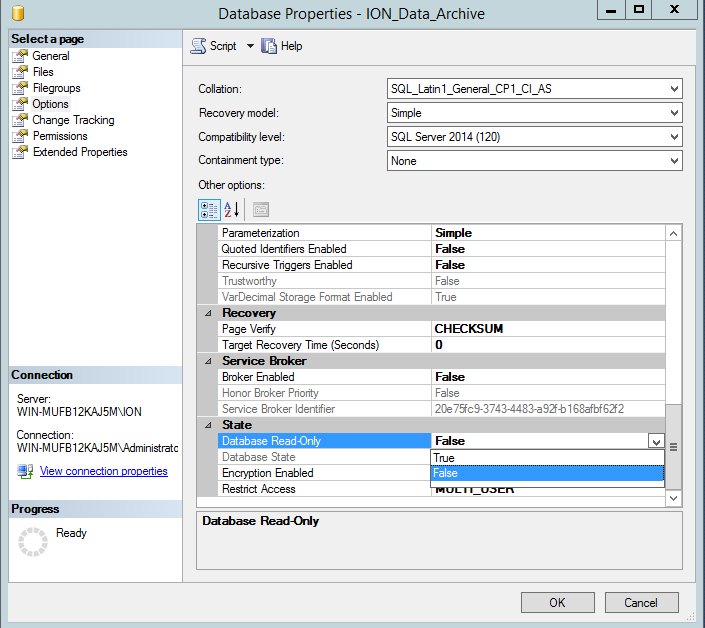
When running a Power Quality Report in PME version 8.2 and up, no data is returned despite there being known power quality events logged in the database. The System Log Events in Management Console shows an error such as "Failed to update database "ION_Data_Archive" because the database is read-only."
Product Line
Power Monitoring Expert 7.2.x
Power Monitoring Expert 8.0
Power Monitoring Expert 9.0
Power Monitoring Expert 2020
Power Monitoring Expert 2021
Power Monitoring Expert 2022
Power Monitoring Expert 2023
Environment
Web Applications Reports
Cause
The Power Quality Report is unable to populate data when querying an ION_Data archive that is set to Read-Only.
Resolution
*Warning: Irreparable database damage can occur. This procedure should only be performed by
users familiar with SQL Server Management Studio. Databases should be backed up prior to
performing this procedure.*
The ION_Data archive must be set to Read-Write.
- Open SQL Server Management Studio (SSMS), then connect to the PME database instance (default is ION)
- Expand Databases, then Right-Click the ION_Data archive database
- Select Properties > Options
- Scroll to the bottom of the list where it says 'State', then change 'Database Read-Only' to 'False'.