


How to change parameter of BMED581020 PLC (IEC 61499)
Where is PLC parameter: Open Logical Device
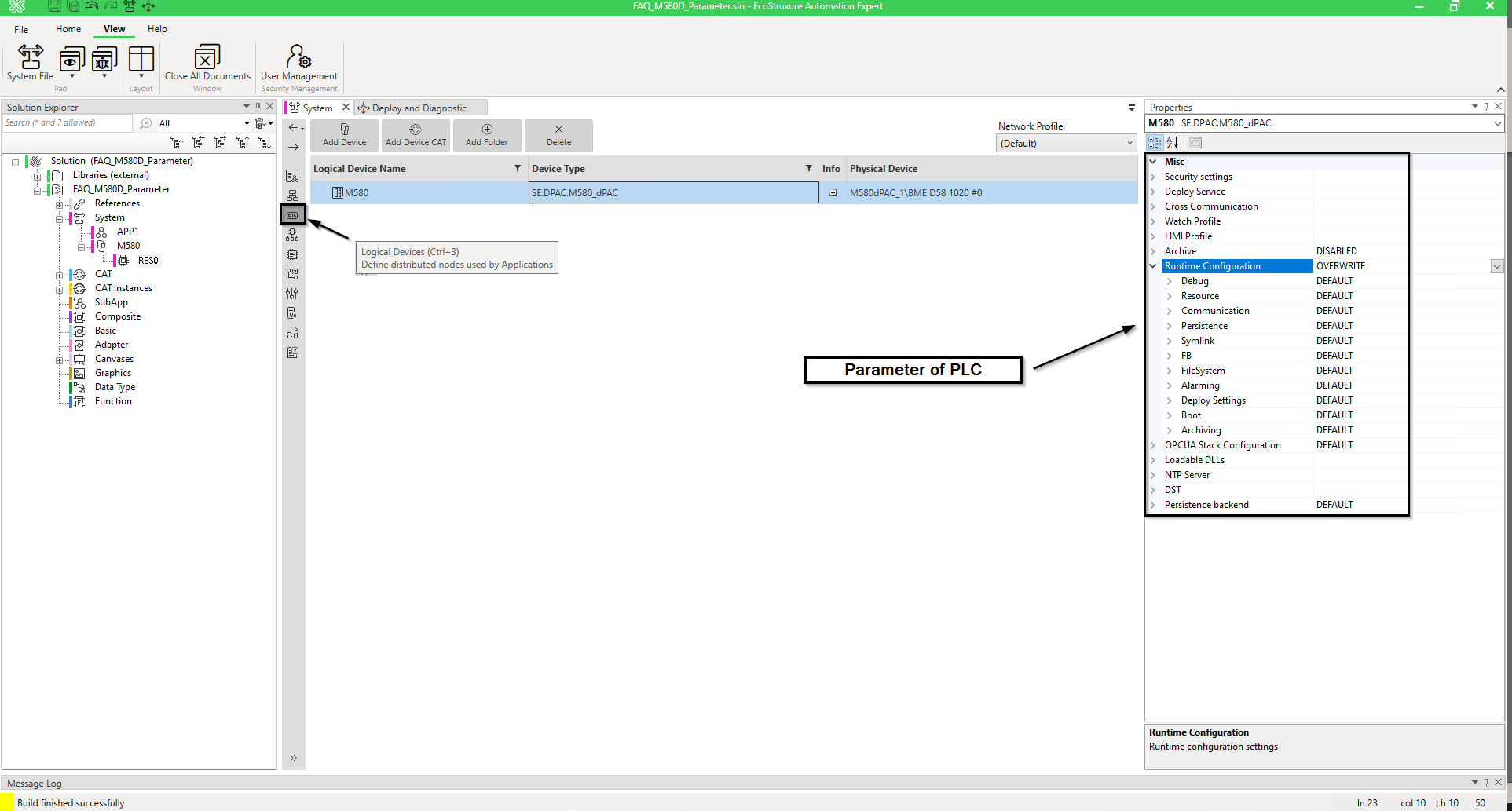
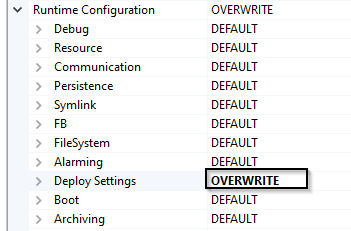
Modification of parameter: Select OVERWRITE on “Deploy Setting” by example
By default, “Auto start after deploy” is False

After deploy your PLC will be in “Stop” mode.

Change “Auto start after deploy” parameter is True

SAVE and BUILD
Now need to send this parameter in PLC.
Deploy Device Configuration + Deploy and restart


Now when you deploy your application PLC is in “RUN” mode.

Product Line
EAE 22.0, BMED581020, IEC 61499, PLC parameter
Environment
Windows, EcoStruxure Automation Expert 22.0
Modification of parameter: Select OVERWRITE on “Deploy Setting” by example
By default, “Auto start after deploy” is False
After deploy your PLC will be in “Stop” mode.
Change “Auto start after deploy” parameter is True
SAVE and BUILD
Now need to send this parameter in PLC.
Deploy Device Configuration + Deploy and restart
Now when you deploy your application PLC is in “RUN” mode.
Product Line
EAE 22.0, BMED581020, IEC 61499, PLC parameter
Environment
Windows, EcoStruxure Automation Expert 22.0