


How do I deactivate/activate the UWF (Unified Writer Fiter) on Windows 10 Embedded iPC?
Issue:
File writes or program installation to the main drive of a Magelis iPC are not being kept before and after a restart because the disk volume is write-protected.
Product Line:
Magelis iPC, HMIG5U22, HMIG5U21
Environment:
Windows 10 IoT Enterprise 32bit
Resolution:
1. First, go to the Start Menu (aka Windows Icon) and navigate to Schneider Electric – Utilities -> UWF Change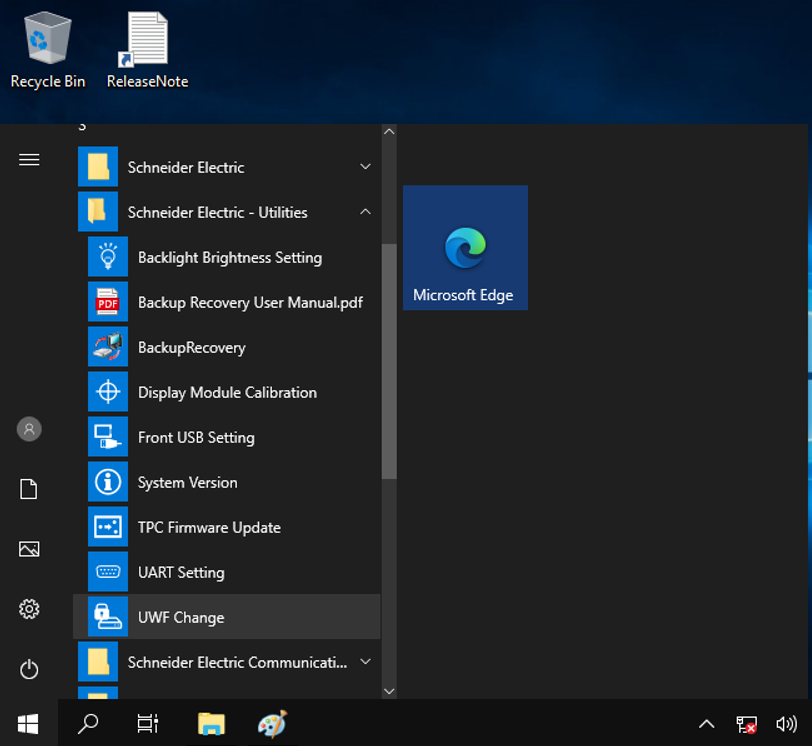
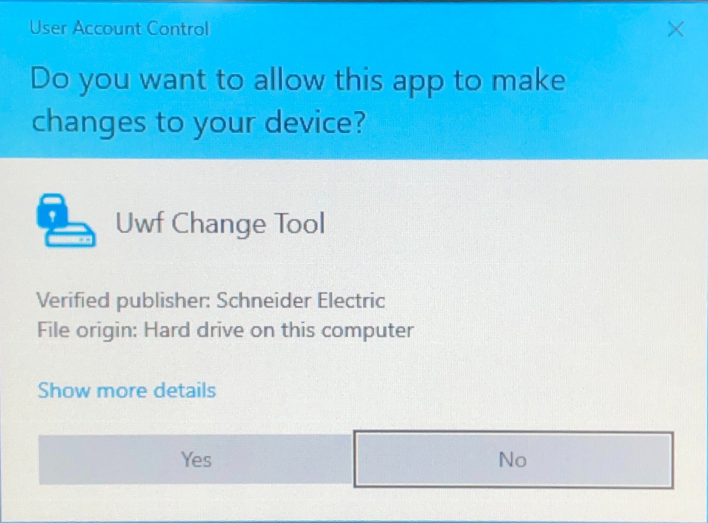
2. Press the YES Button.
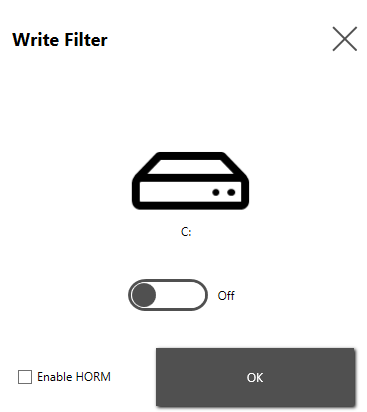
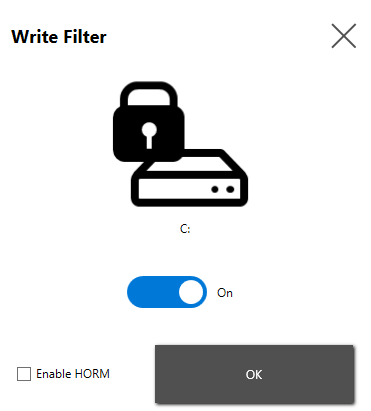
3. To deactivate/activate the UWF, toggle the off/on switch and press OK.
4. Press the YES Button
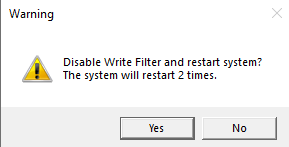
File writes or program installation to the main drive of a Magelis iPC are not being kept before and after a restart because the disk volume is write-protected.
Product Line:
Magelis iPC, HMIG5U22, HMIG5U21
Environment:
Windows 10 IoT Enterprise 32bit
Resolution:
1. First, go to the Start Menu (aka Windows Icon) and navigate to Schneider Electric – Utilities -> UWF Change
2. Press the YES Button.
3. To deactivate/activate the UWF, toggle the off/on switch and press OK.
4. Press the YES Button
發佈於: 施耐德電機Taiwan

需要協助?
產品選型工具
快速輕鬆地為您的應用找到合適的產品和附件。
取得報價
立即線上提交您的銷售需求,專業團隊將主動聯繫您。
購買地點
輕鬆在您所在地區找到最近的施耐德電機經銷商。
支援中心
在同一位置找到滿足您所有需求的支援資源。