


How do I deactivate/activate the UWF (Unified Writer Fiter) on Windows 10 Embedded iPC?
Issue:
File writes or program installation to the main drive of a Magelis iPC are not being kept before and after a restart because the disk volume is write-protected.
Product Line:
Magelis iPC, HMIG5U22, HMIG5U21
Environment:
Windows 10 IoT Enterprise 32bit
Resolution:
1. First, go to the Start Menu (aka Windows Icon) and navigate to Schneider Electric – Utilities -> UWF Change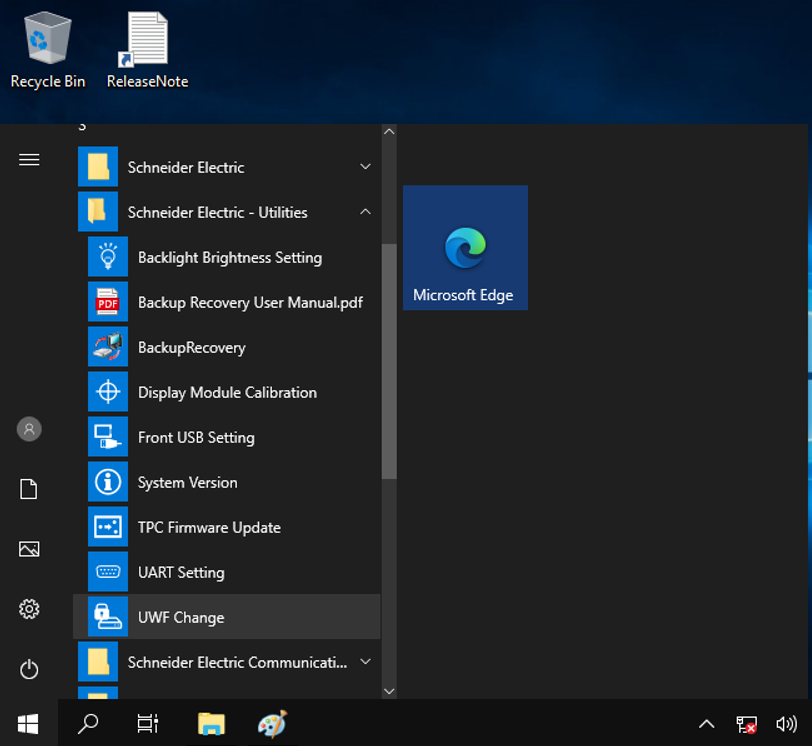
2. Press the YES Button.
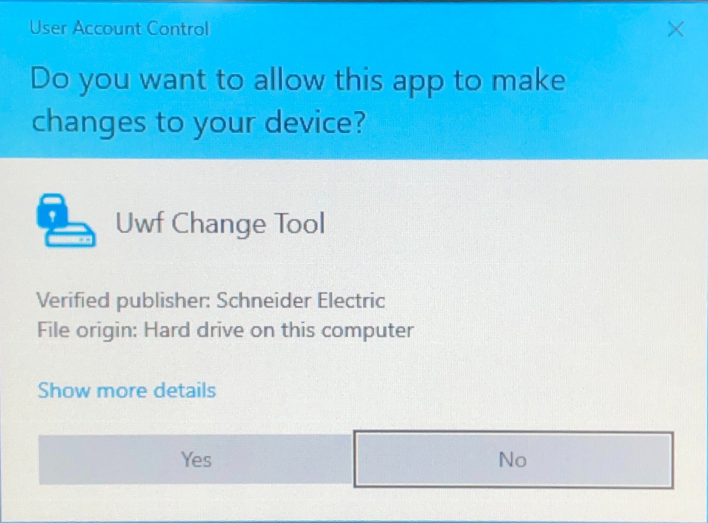
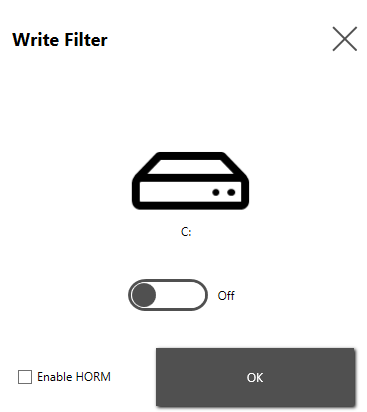
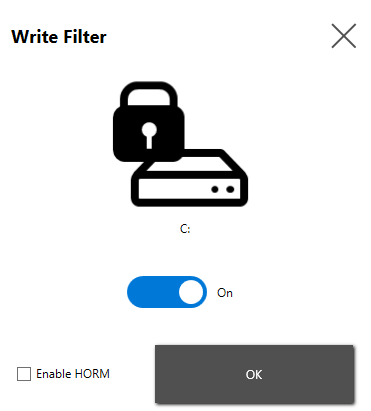
3. To deactivate/activate the UWF, toggle the off/on switch and press OK.
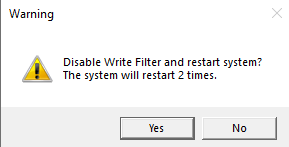
4. Press the YES Button
File writes or program installation to the main drive of a Magelis iPC are not being kept before and after a restart because the disk volume is write-protected.
Product Line:
Magelis iPC, HMIG5U22, HMIG5U21
Environment:
Windows 10 IoT Enterprise 32bit
Resolution:
1. First, go to the Start Menu (aka Windows Icon) and navigate to Schneider Electric – Utilities -> UWF Change
2. Press the YES Button.
3. To deactivate/activate the UWF, toggle the off/on switch and press OK.
4. Press the YES Button