


PME - Alarms tab shows some alarms labeled "Never" for State, Last Occurrence, and Acknowledged
Issue
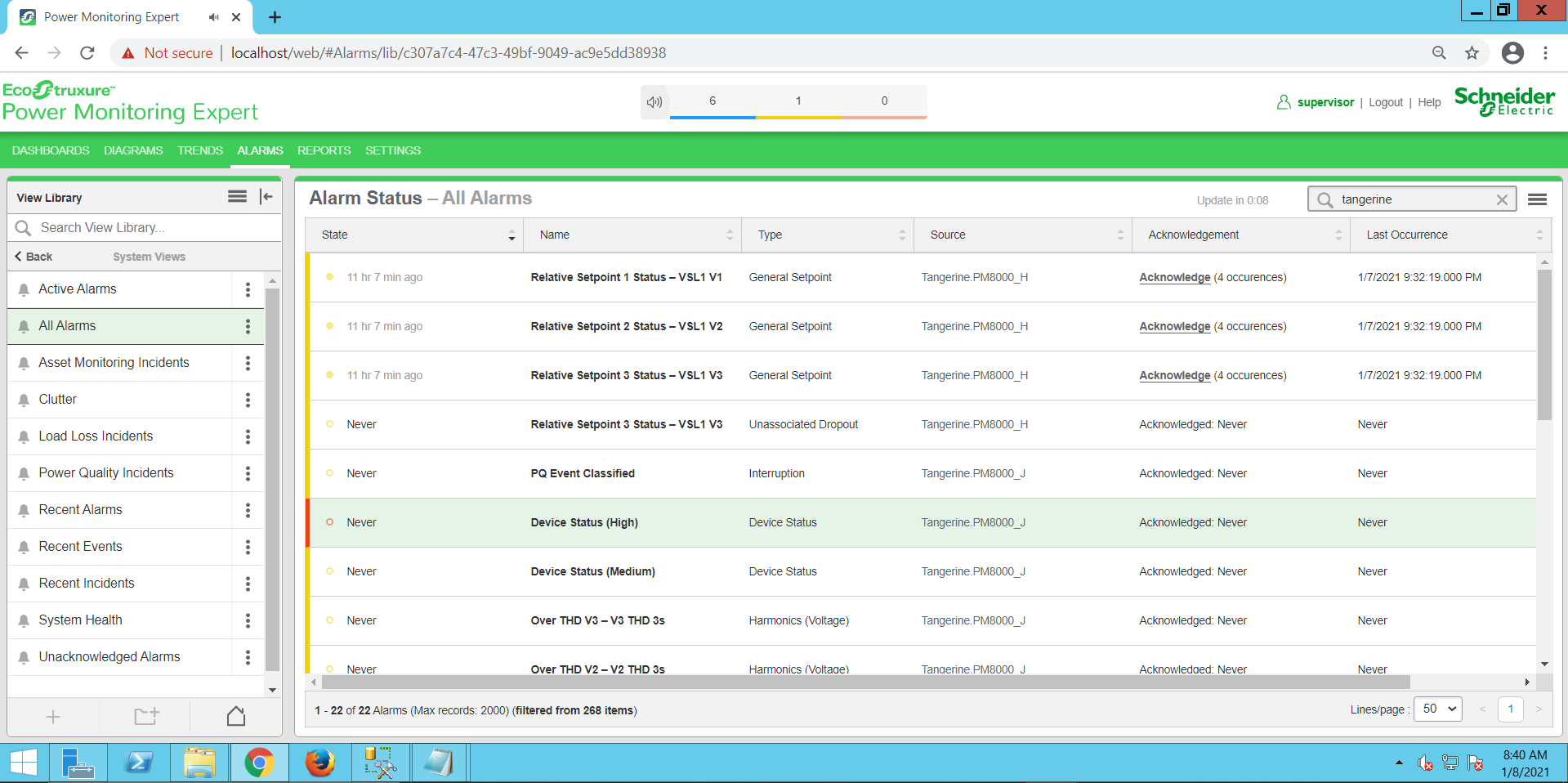
In the Alarms tab of the PME Web Applications, some alarms show a status of "Never" under the State, Last Occurrence, and Acknowledged columns:
Product Line
Power Monitoring Expert 9.x
Power Monitoring Expert 2020
Power Monitoring Expert 2021
Power Monitoring Expert 2022
Power Monitoring Expert 2023
Environment
Web Applications
Cause
This issue can occur with older alarms when upgrading to PME 9.0 or later from an earlier version due to differences in the way alarms are processed.
Resolution
*Warning: Irreparable database damage can occur. This procedure should only be performed by users familiar with SQL Server Management Studio. Databases should be backed up prior to performing this procedure.*
It's recommended to trim these alarms from the database:
1. Open SQL Server Management Studio (SSMS) and log into the PME SQL Server instance
2. Run the following query:
3. Refresh the Web Applications
In the Alarms tab of the PME Web Applications, some alarms show a status of "Never" under the State, Last Occurrence, and Acknowledged columns:
Product Line
Power Monitoring Expert 9.x
Power Monitoring Expert 2020
Power Monitoring Expert 2021
Power Monitoring Expert 2022
Power Monitoring Expert 2023
Environment
Web Applications
Cause
This issue can occur with older alarms when upgrading to PME 9.0 or later from an earlier version due to differences in the way alarms are processed.
Resolution
*Warning: Irreparable database damage can occur. This procedure should only be performed by users familiar with SQL Server Management Studio. Databases should be backed up prior to performing this procedure.*
It's recommended to trim these alarms from the database:
1. Open SQL Server Management Studio (SSMS) and log into the PME SQL Server instance
2. Run the following query:
USE ION_Data
DELETE FROM dbo.AlarmDefinition
WHERE Occurrences = 0
DELETE FROM dbo.AlarmDefinition
WHERE Occurrences = 0
3. Refresh the Web Applications