


Unable to Remove SCADAPack Lock
SCADAPack 32 and SCADAPack 3xx controllers running newer firmware will now have a cybersecurity element when powered up the first time.
Users will be given the choice of:
TelePACE Studio users https://www.youtube.com/watch?v=mOELGhoSceI
SCADAPack Configurator users https://www.youtube.com/watch?v=-KUw1-VqYWE
While attempting to connect to the SCADAPack for the first time, you may get an error such as "Firmware type is incorrect. Please install IEC 61131-3 firmware in the controller."
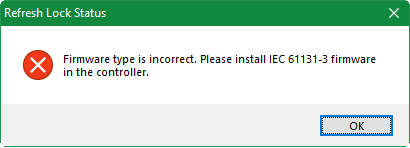
This message will appear if you are trying to use SCADAPack Configurator with a device that currently has TelePACE firmware installed on it. In this case, you will actually need to use TelePACE Studio software to connect to the SCADAPack in order to disable the lock or assign a password. Once this initial step is complete, you can then use the embedded firmware loader to change the firmware type to ISaGRAF if you wish to continue programming the device with SCADAPAck Workbench and SCADAPack Configurator.
Similarly, you may get an error such as " Firmware type is incorrect. Please install Telepace firmware in the controller."
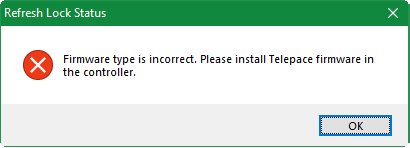
This message will appear if you are trying to use TelePACE Studio with a device that currently has ISaGRAF firmware installed on it. In this case, you will actually need to use SCADAPack Workbench software to connect to the SCADAPack in order to disable the lock or assign a password. Once this initial step is complete, you can then use the embedded firmware loader to change the firmware type to TelePACE if you wish to continue programming the device with TelePACE Studio.
Users will be given the choice of:
- Disabling security lock feature OR
- Applying the security lock with password of your choice
TelePACE Studio users https://www.youtube.com/watch?v=mOELGhoSceI
SCADAPack Configurator users https://www.youtube.com/watch?v=-KUw1-VqYWE
While attempting to connect to the SCADAPack for the first time, you may get an error such as "Firmware type is incorrect. Please install IEC 61131-3 firmware in the controller."
This message will appear if you are trying to use SCADAPack Configurator with a device that currently has TelePACE firmware installed on it. In this case, you will actually need to use TelePACE Studio software to connect to the SCADAPack in order to disable the lock or assign a password. Once this initial step is complete, you can then use the embedded firmware loader to change the firmware type to ISaGRAF if you wish to continue programming the device with SCADAPAck Workbench and SCADAPack Configurator.
Similarly, you may get an error such as " Firmware type is incorrect. Please install Telepace firmware in the controller."
This message will appear if you are trying to use TelePACE Studio with a device that currently has ISaGRAF firmware installed on it. In this case, you will actually need to use SCADAPack Workbench software to connect to the SCADAPack in order to disable the lock or assign a password. Once this initial step is complete, you can then use the embedded firmware loader to change the firmware type to TelePACE if you wish to continue programming the device with TelePACE Studio.