


You are currently viewing the content available in Vietnam. If you are looking for information for another region, please select the correct country from the top-left dropdown in the page and 'Navigate to Browse FAQs' in the Support menu.
How can you create a new project in EcoStruxure Power Build - Easy Series application
Issue: Steps to create a new project in EcoStruxure Power Build - Easy Series
Product Line: EcoStruxure Power Build easy Series
Cause: Need to create a Easy Series Project to manage and configure your product selection
Resolution:
1. Go to the home page of EPB Easy Series
NOTE: It is required to create an account & log in to access the application.
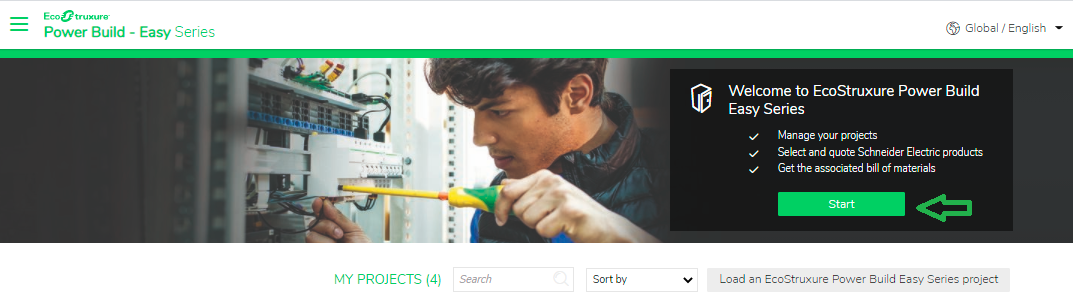
2. Create a new project by clicking on the 'Start' button.
3. Enter the required information about the project on the 'Project Information' tab.
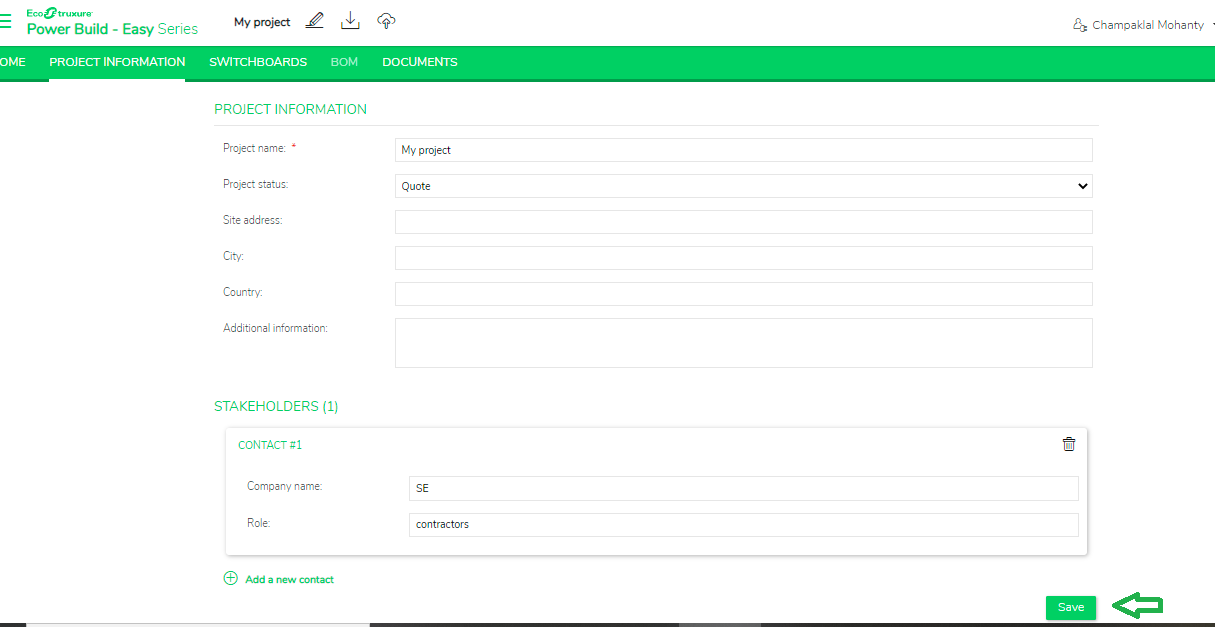
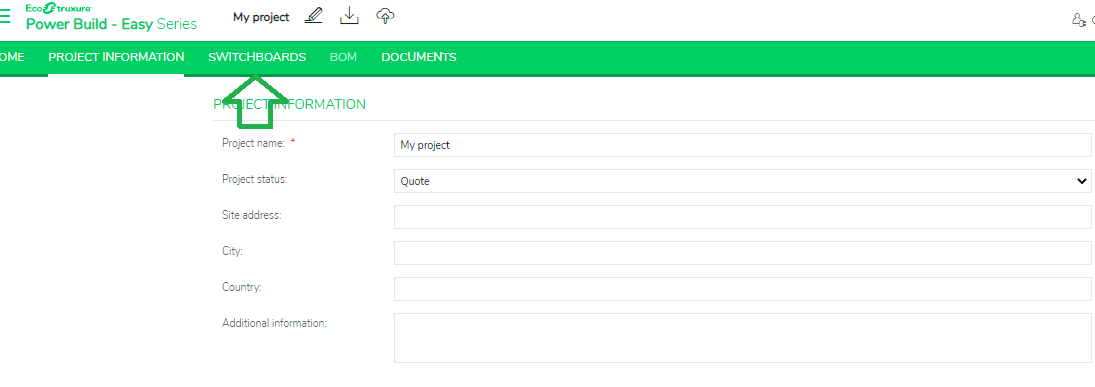
4. Continue the project by clicking on the 'Save' button or on the 'Switchboards' tab to create a switchboard.
Product Line: EcoStruxure Power Build easy Series
Cause: Need to create a Easy Series Project to manage and configure your product selection
Resolution:
1. Go to the home page of EPB Easy Series
NOTE: It is required to create an account & log in to access the application.
2. Create a new project by clicking on the 'Start' button.
3. Enter the required information about the project on the 'Project Information' tab.
4. Continue the project by clicking on the 'Save' button or on the 'Switchboards' tab to create a switchboard.
Released for: Schneider Electric Vietnam
