


Jak vám dnes můžeme pomoci?
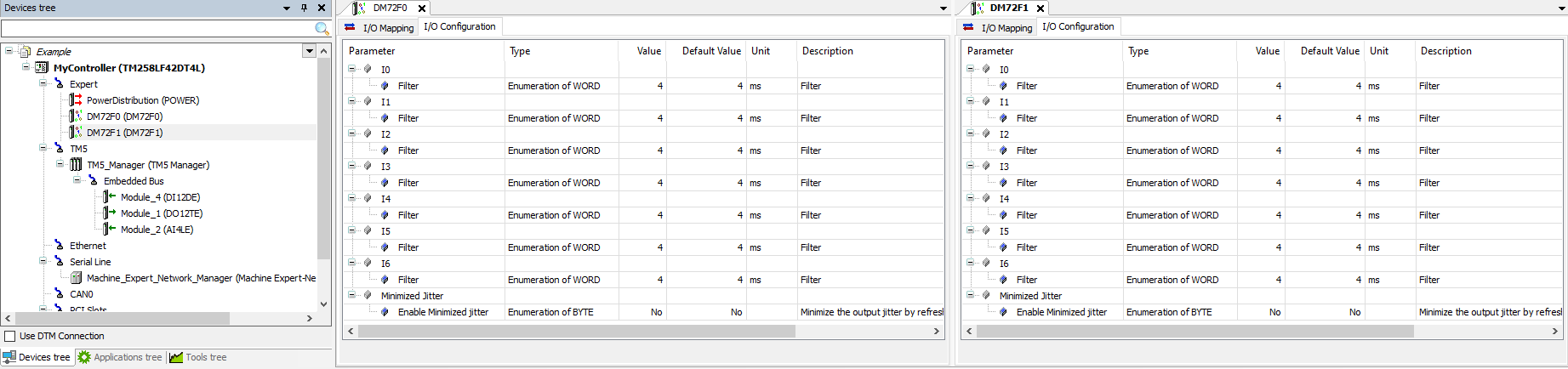
Can the M258 inputs DM72F0 and DM72F1 be used as regular inputs?
The fast inputs on the M258 are configured as regular inputs. by default:(EcoStruxure Machine Expert v1.2 depicted below)
To add a High Speed Counter, Event Latch, Frequency Generator, Standard Encoder or PWM generator, click on the green (+) button to the right of the DM72F0 or DM72F1 node (or use Right-click and "Add Device")
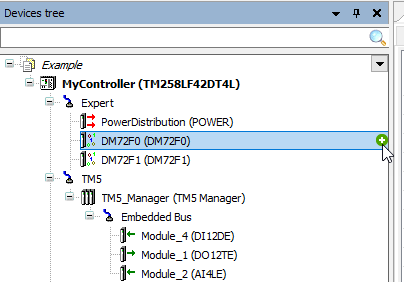
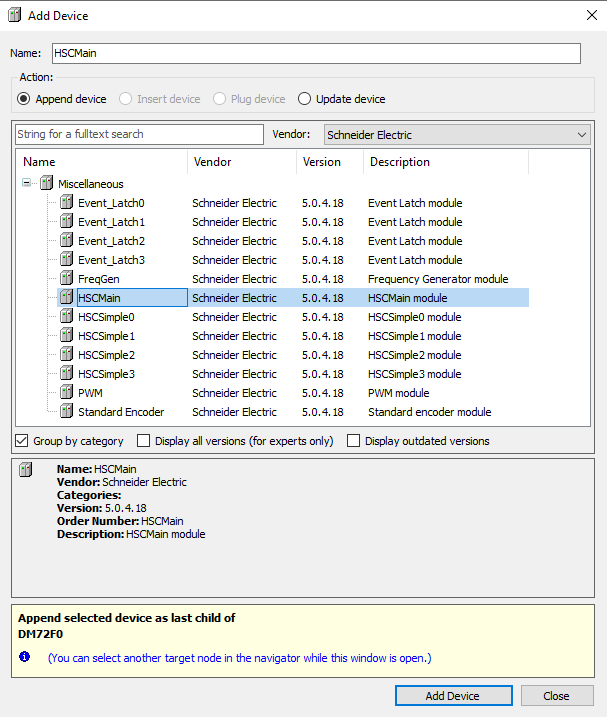
For example with a High Speed Counter:
The node you choose (HSCMain in this example) will appear under the DM72Fx node (A).
Click on the "HSC Main Configuration" tab (B) to configure the parameters of Counter/Event Latch/etc.
Choose a Counting Mode under the General Parameters folder (C):
To add a High Speed Counter, Event Latch, Frequency Generator, Standard Encoder or PWM generator, click on the green (+) button to the right of the DM72F0 or DM72F1 node (or use Right-click and "Add Device")
For example with a High Speed Counter:
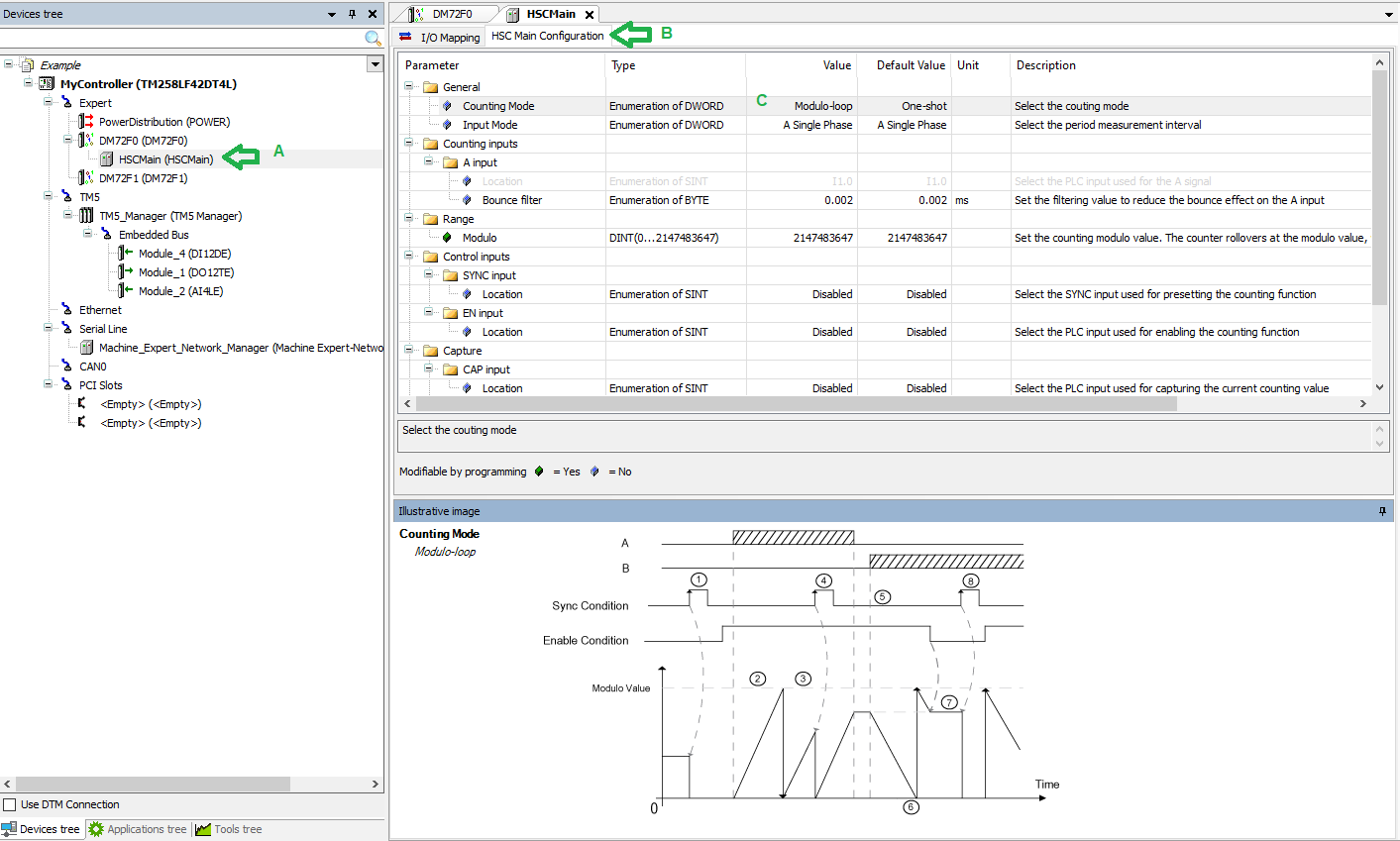
The node you choose (HSCMain in this example) will appear under the DM72Fx node (A).
Click on the "HSC Main Configuration" tab (B) to configure the parameters of Counter/Event Latch/etc.
Choose a Counting Mode under the General Parameters folder (C):
Publikováno pro: Schneider Electric Česká republika
Zjistěte více
Řada:
Zjistěte více
Řada:
Potřebujete pomoc?
Nástroj pro výběr produktů
Rychle a snadno vyhledávejte správné produkty a příslušenství pro vaše aplikace.
Získejte nabídku
Poptejte se nás online a náš lokální specialista se s vámi spojí!
Kde nakoupit?
Jednoduše najděte nejbližšího distributora výrobků Schneider Electric ve vašem okolí.
Centrum nápovědy
Zdroje podpory pro všechny své potřeby najdete na jednom místě.