


Jak vám dnes můžeme pomoci?
How to open a document located in USB key with Ecostruxure Augmented Operator Advisor?
The propose of this FAQ is to explain how to open a document from USB key connected to the server where Ecostruxure Augmented Operator Advisor runtime is running
To do it, we will use IIS (Internet Information Service)
First, you have to make sure, that IIS is correctly installed and running.
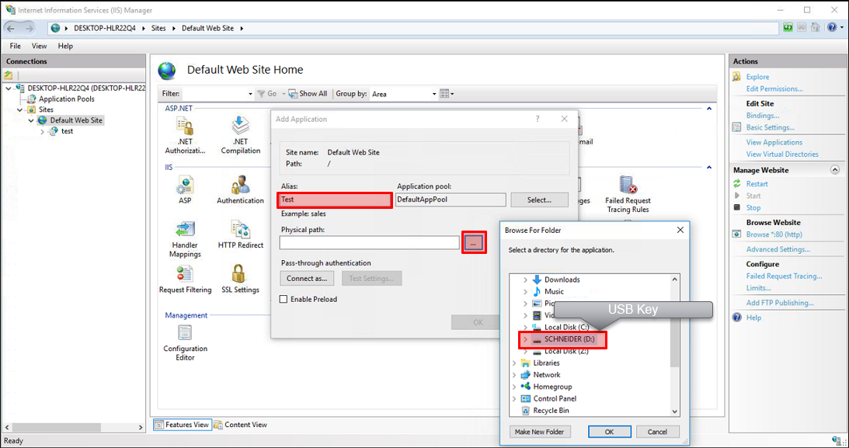
On IIS
In the fiel Alias, put a name, (in this example, we will use "Test"
And in "physicak patch" the way of your USB key
Inside this USB key, there is a picture "VXL.PNG"
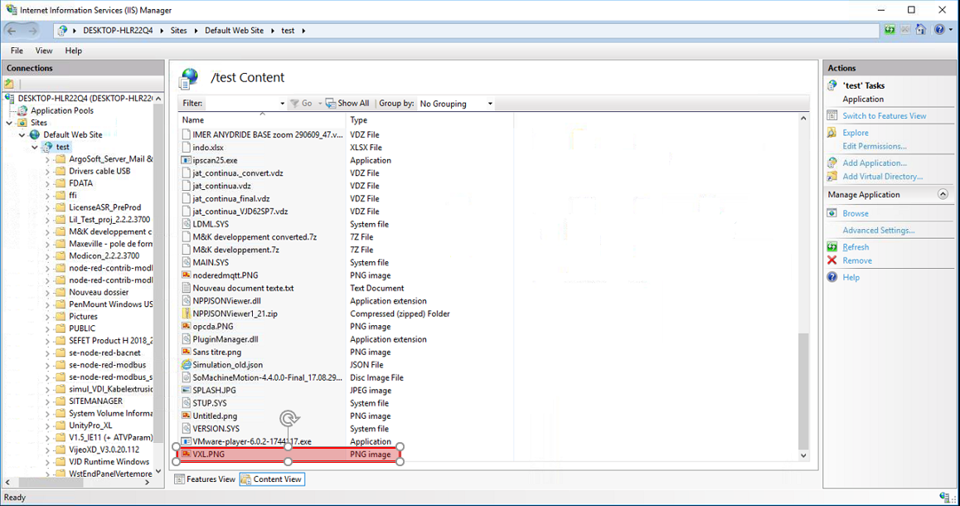
To open this picture, you can open it, using the address <IP address>/Test/VXL.PNG
In Ecostruxure Augmented Operator Advisor runtime
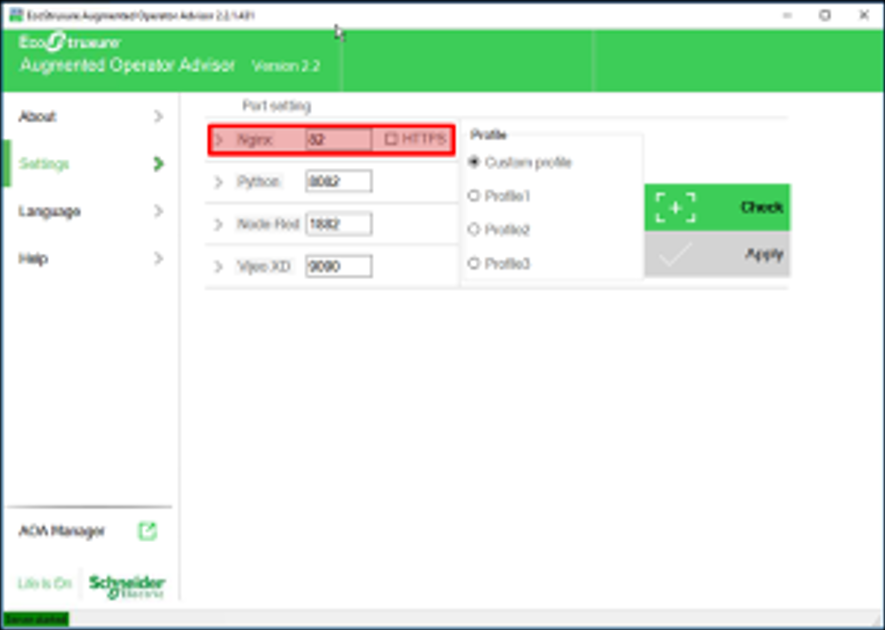
By default, IIS is using the port 80 and unfortunately Ecostruxure Augmented Operator Advisor also
So, change the port to another one (here port 82)
In Ecostruxure Augmented Operator Advisor Builder
Create an external application and add the link of your picture, following the example of this FAQ, I use the address http://192.168.1.111/Test/VXL.PNG
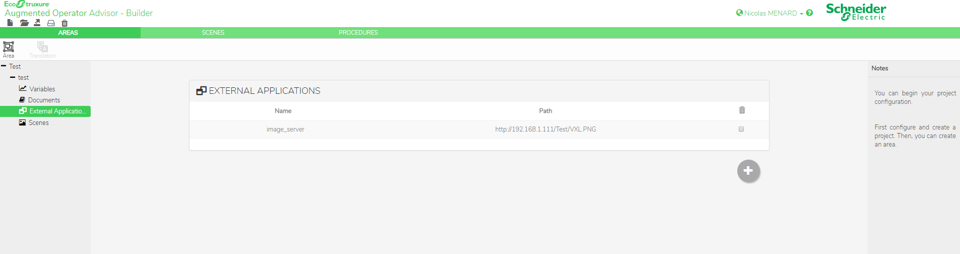
Deploy the application to the server and it works!
To do it, we will use IIS (Internet Information Service)
First, you have to make sure, that IIS is correctly installed and running.
On IIS
In the fiel Alias, put a name, (in this example, we will use "Test"
And in "physicak patch" the way of your USB key
Inside this USB key, there is a picture "VXL.PNG"
To open this picture, you can open it, using the address <IP address>/Test/VXL.PNG
In Ecostruxure Augmented Operator Advisor runtime
By default, IIS is using the port 80 and unfortunately Ecostruxure Augmented Operator Advisor also
So, change the port to another one (here port 82)
In Ecostruxure Augmented Operator Advisor Builder
Create an external application and add the link of your picture, following the example of this FAQ, I use the address http://192.168.1.111/Test/VXL.PNG
Deploy the application to the server and it works!
Publikováno pro: Schneider Electric Česká republika
Zjistěte více
Řada:
Zjistěte více
Řada:
Potřebujete pomoc?
Nástroj pro výběr produktů
Rychle a snadno vyhledávejte správné produkty a příslušenství pro vaše aplikace.
Získejte nabídku
Poptejte se nás online a náš lokální specialista se s vámi spojí!
Kde nakoupit?
Jednoduše najděte nejbližšího distributora výrobků Schneider Electric ve vašem okolí.
Centrum nápovědy
Zdroje podpory pro všechny své potřeby najdete na jednom místě.