


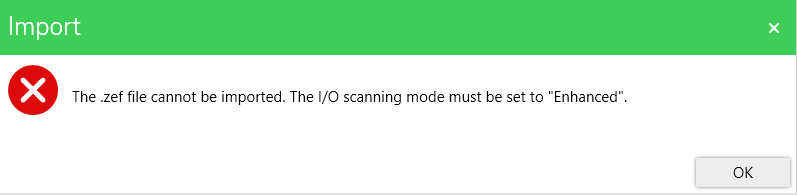
Importing Control Expert Classic project returns error 'The IO Scanning mode must be set to enhanced'
Importing a 'Control Expert Classic' project returns the following error:
This occurred because the 'Control Expert Classic project' was not built using Control Expert 15.1 Classic with the I/O Scanning Mode set to Enhanced before creating the export file (.zef). This is required because:
Use the following steps to set the IO Scanning mode to enhanced: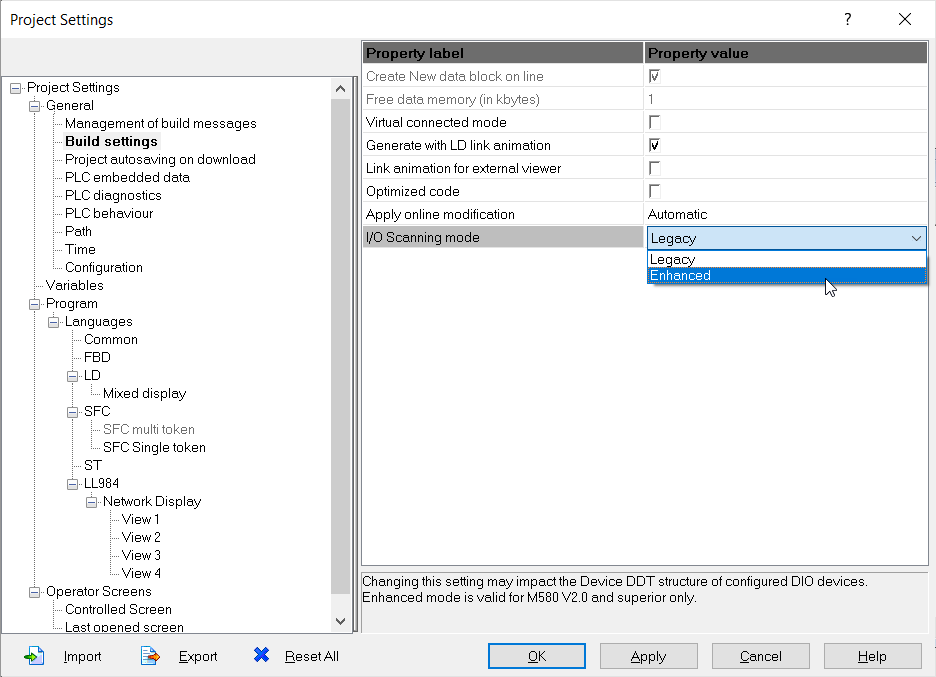
This occurred because the 'Control Expert Classic project' was not built using Control Expert 15.1 Classic with the I/O Scanning Mode set to Enhanced before creating the export file (.zef). This is required because:
- The I/O scanning mode cannot be changed after import.
- The Topology Manager only supports Enhanced mode.
Use the following steps to set the IO Scanning mode to enhanced:
- Open the project with Control Expert Classic 15.1.
- Open the project settings.
- Click on Build Settings.
- Click on IO Scanning mode.
- Select Enhanced from the drop down menu.
- Click on Apply.
- Save the changes.
- Export the project as a '.zef'.