


How to find the Geo SCADA installation log in case my installation fails
It is not usual, but sometimes the Geo SCADA installation may fail. In case it happens, the end user should contact the Technical Support team providing a screen shot of the error message, which point of the installation failed (pre-requisites, modules selection, other) and the installation log file.
The installation log file name is "ClearSCADA Setup.log" and is stored at "C:\Users\[user]\AppData\Local\Temp\" folder, where [user] is the Windows user name installing Geo SCADA.
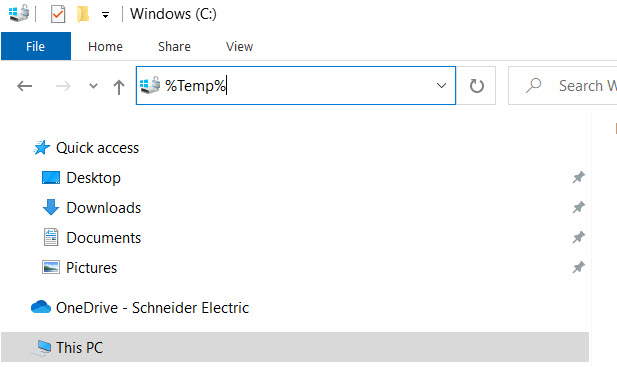
An easy way to get to the folder is to type %Temp% on Windows File Explorer and hit enter. It will bring the right folder and the end user can browse for the file name:

The installation log file name is "ClearSCADA Setup.log" and is stored at "C:\Users\[user]\AppData\Local\Temp\" folder, where [user] is the Windows user name installing Geo SCADA.
An easy way to get to the folder is to type %Temp% on Windows File Explorer and hit enter. It will bring the right folder and the end user can browse for the file name: