


Why does a blue radio wireless pictogram (intelligent Tip) appear during the configuration of a role card and then in the BOM if PowerTag Energy sensor is set up with the device in eDesign Small Building application
Issue: Intelligent Tip or small help video on different products in PNE and BOM for products in eDesign Small Building application
Product Line: eDesign Small Building https://edesign-630.se.com/
Resolution:
1. Configure a Product in Diagram View in eDesign Small Building https://edesign-630.se.com/.
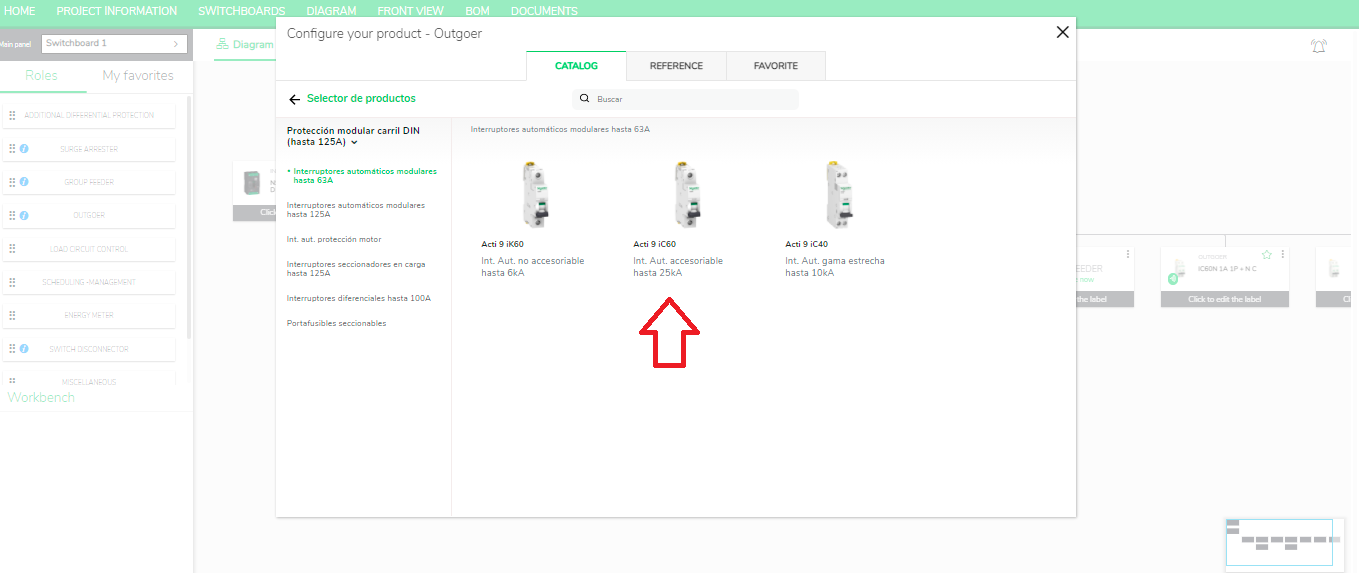
2. Select specific products like "Acti 9 iC60" and click "si" in sensor section.
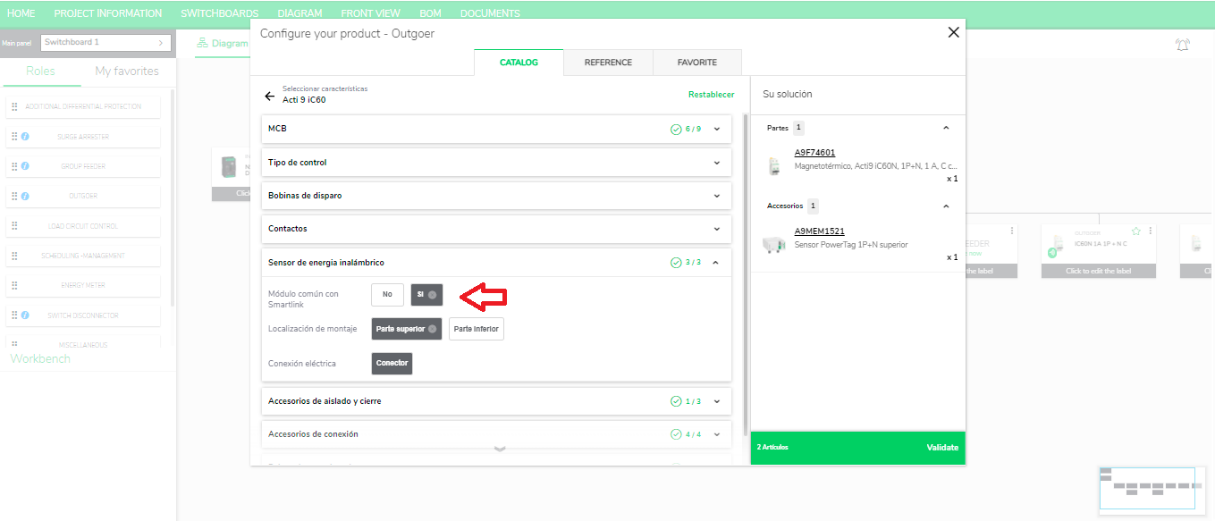
3. After configuration the blue radio wireless pictogram will lasts for 10 seconds and on clicking on this pictogram a small help video of 13 seconds is displayed.
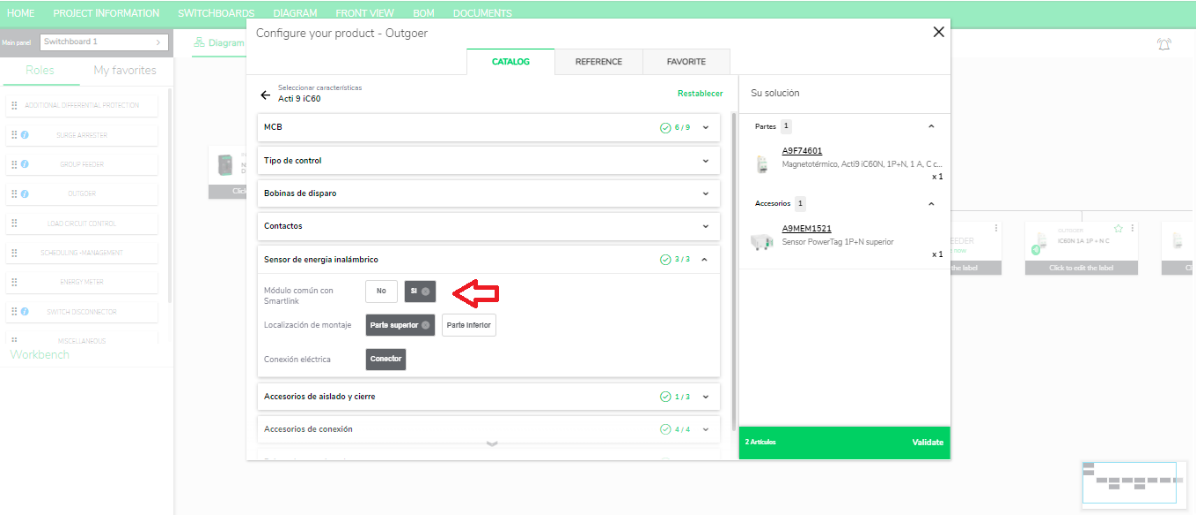
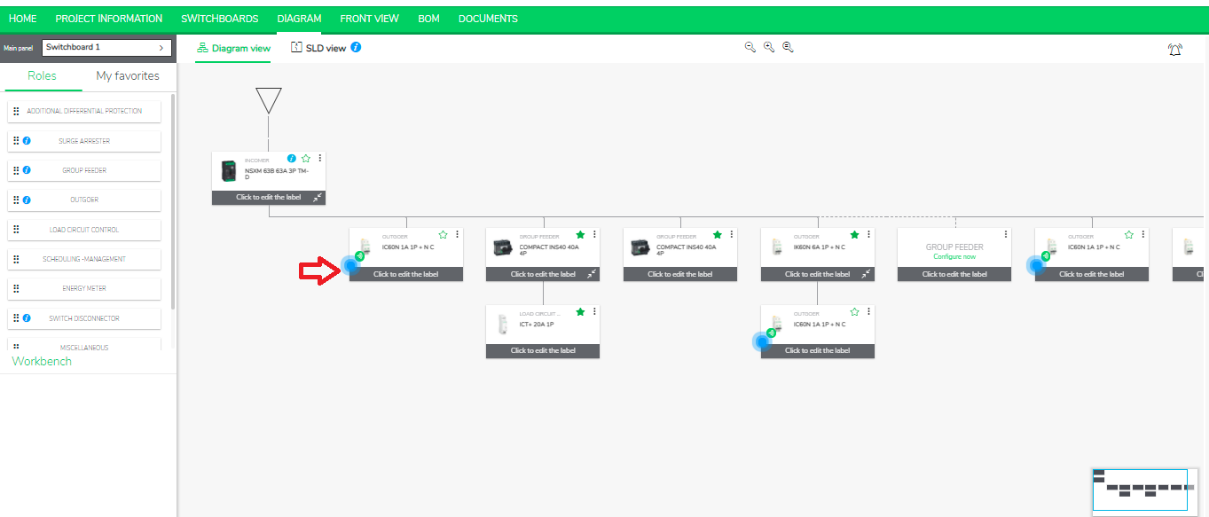
You can see the change in position of displaying Intelligent Tip as shown below.
PowerTag: First screen, bottom left of the card
Designation: First screen, bottom right of the card
Favorites: Second screen, top right of the card
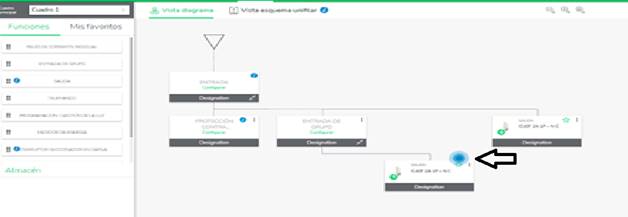
Click the pictogram You will be routed to a small video.
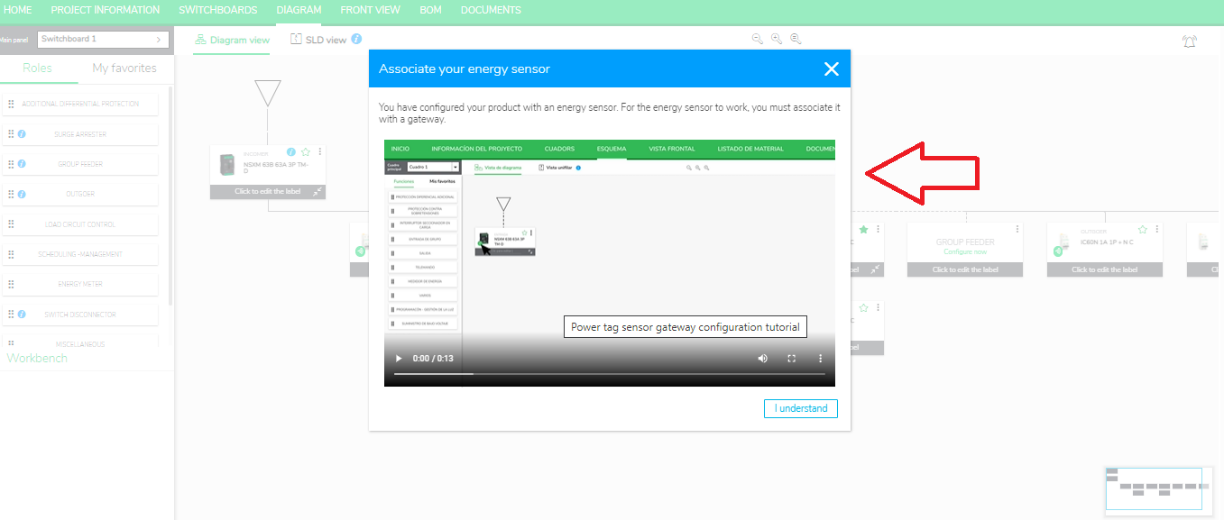
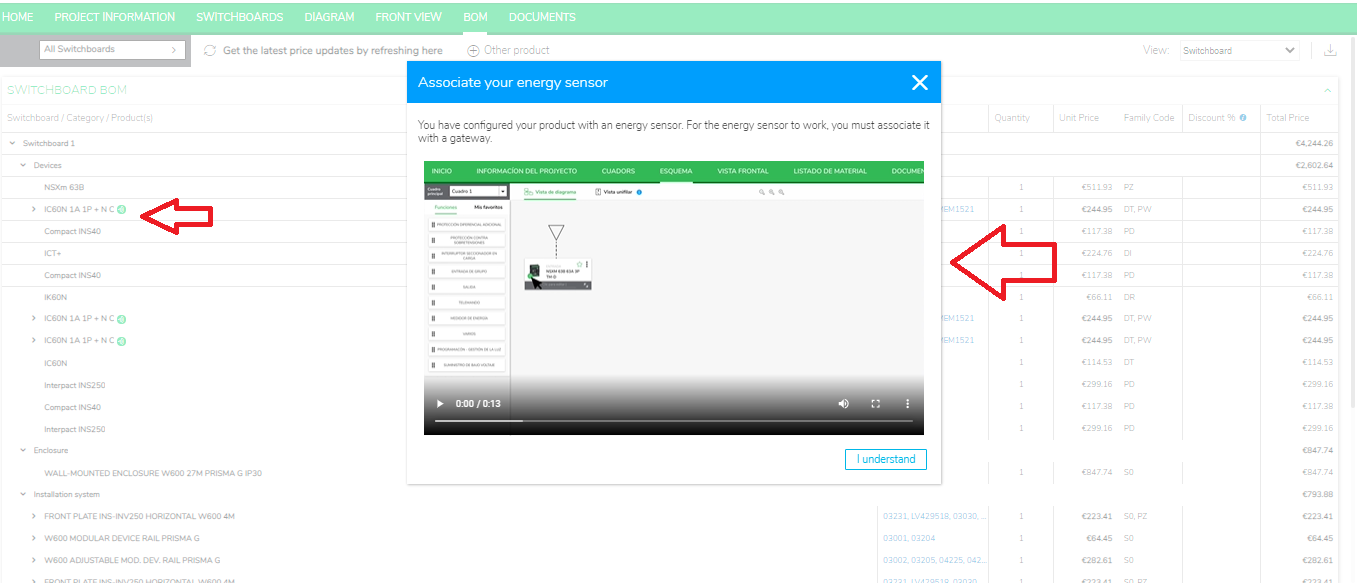
You will see the same help video in BOM page also
Product Line: eDesign Small Building https://edesign-630.se.com/
Resolution:
1. Configure a Product in Diagram View in eDesign Small Building https://edesign-630.se.com/.
2. Select specific products like "Acti 9 iC60" and click "si" in sensor section.
3. After configuration the blue radio wireless pictogram will lasts for 10 seconds and on clicking on this pictogram a small help video of 13 seconds is displayed.
You can see the change in position of displaying Intelligent Tip as shown below.
PowerTag: First screen, bottom left of the card
Designation: First screen, bottom right of the card
Favorites: Second screen, top right of the card
Click the pictogram You will be routed to a small video.
You will see the same help video in BOM page also