


Where can I access the notes in EcoStruxure Power Build Easy Series application
Issue: Maintain the notes to manage project information.
Product Line: EcoStruxure Power Build easy Series.
Resolution:
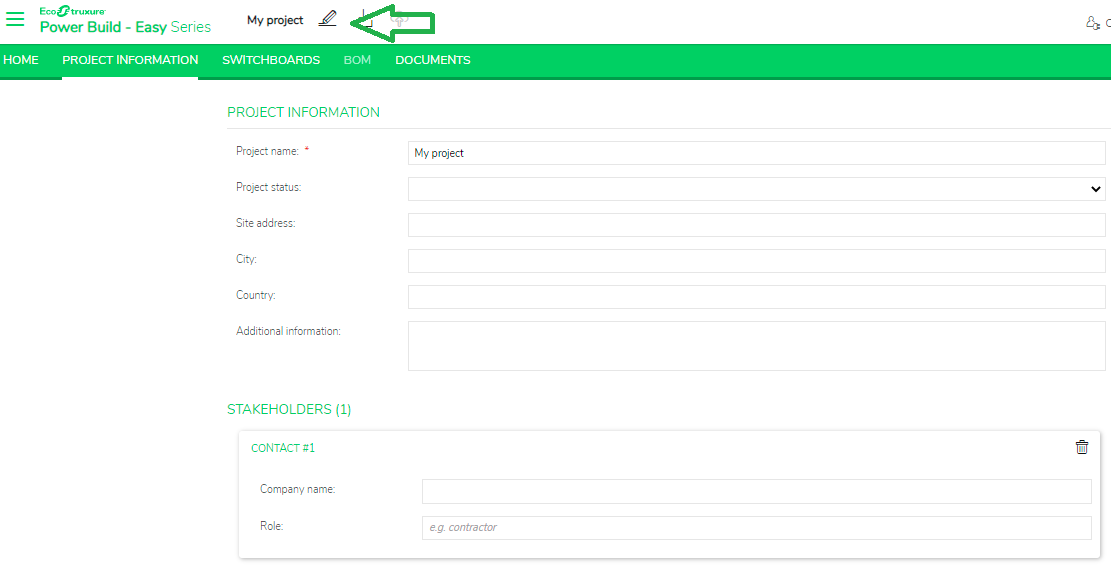
You can access the notes when a project is open, by clicking on the icon located next to the project name in the header.
It is available on each screen except the home page. Notes are managed by project and each project has its own notes.
Product Line: EcoStruxure Power Build easy Series.
Resolution:
You can access the notes when a project is open, by clicking on the icon located next to the project name in the header.
It is available on each screen except the home page. Notes are managed by project and each project has its own notes.
Released for: Schneider Electric New Zealand
