


Hur kan vi hjälpa dig idag?
In SoMachine or EcoStruxure Machine Expert, how do I change the PLC or Magelis/Harmony HMI type?
Issue
In SoMachine or EcoStruxure Machine Expert, how do I change the PLC or Magelis/Harmony HMI type?
Product Line
SoMachine / EcoStruxure Machine Expert
M238, M258, M241, M251, M262, HMISCU/STU, XBTGC, XBTGT/GK, HMIGTO/GTU
Environment
PLC Configuration Software in Windows
Resolution
From the Devices Tree,
Right-click on the controller or HMI and select "convert device" then select the controller you want to change it to.
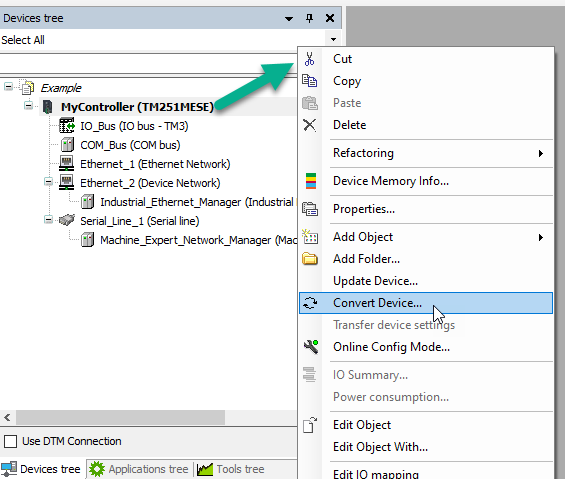
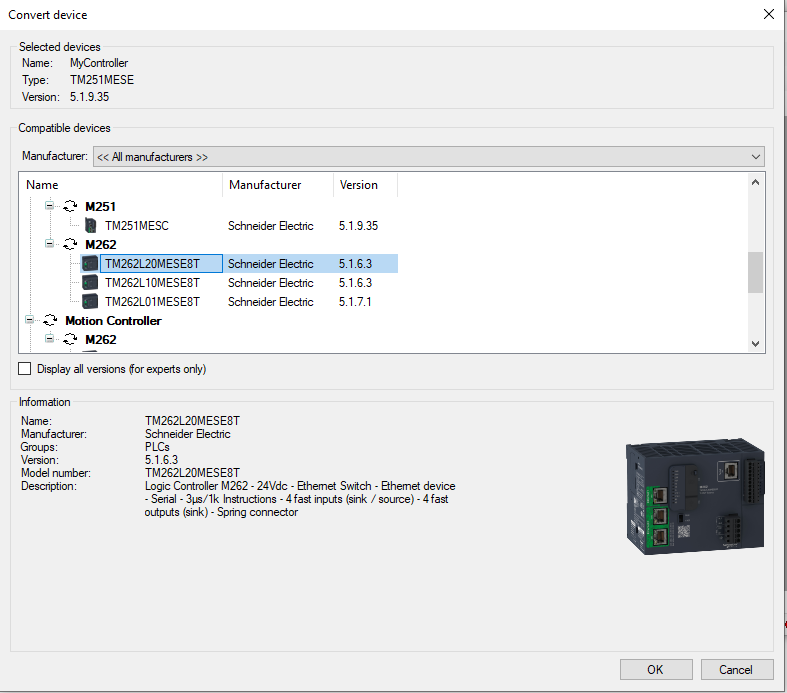
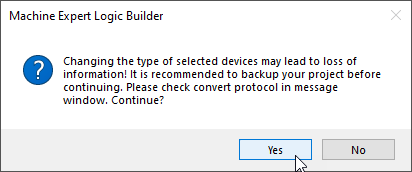
As a result, you will see the Device type has changed:
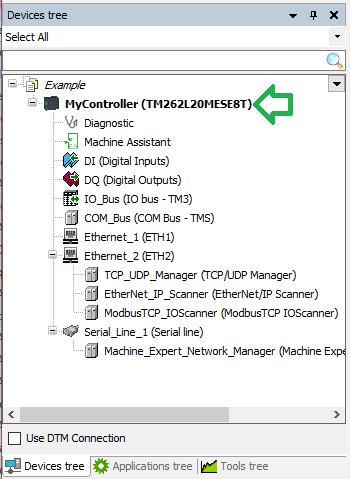
In SoMachine or EcoStruxure Machine Expert, how do I change the PLC or Magelis/Harmony HMI type?
Product Line
SoMachine / EcoStruxure Machine Expert
M238, M258, M241, M251, M262, HMISCU/STU, XBTGC, XBTGT/GK, HMIGTO/GTU
Environment
PLC Configuration Software in Windows
Resolution
From the Devices Tree,
Right-click on the controller or HMI and select "convert device" then select the controller you want to change it to.
As a result, you will see the Device type has changed:
Publicerad för: Schneider Electric Sverige
Utforska mer
Produktfamilj
Utforska mer
Produktfamilj
Behöver du hjälp?
Produktväljare
Hitta snabbt och enkelt rätt produkter och tillbehör för dina ändamål.
Begär en offert
Ställ din fråga online så kontaktar vi dig.
Här köper du
Hitta enkelt närmaste Schneider Electric-distributör på din ort.
Hjälpcenter
Hitta alla supportresurser som du behöver på ett ställe.