


Hur kan vi hjälpa dig idag?
Can the M258 inputs DM72F0 and DM72F1 be used as regular inputs?
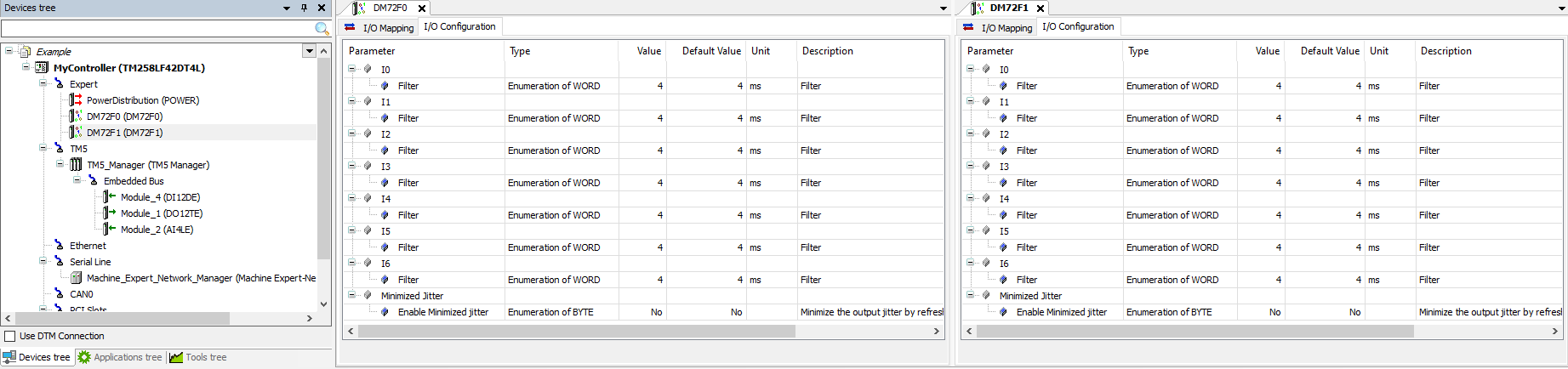
The fast inputs on the M258 are configured as regular inputs. by default:(EcoStruxure Machine Expert v1.2 depicted below)
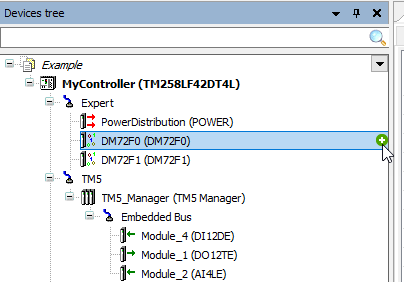
To add a High Speed Counter, Event Latch, Frequency Generator, Standard Encoder or PWM generator, click on the green (+) button to the right of the DM72F0 or DM72F1 node (or use Right-click and "Add Device")
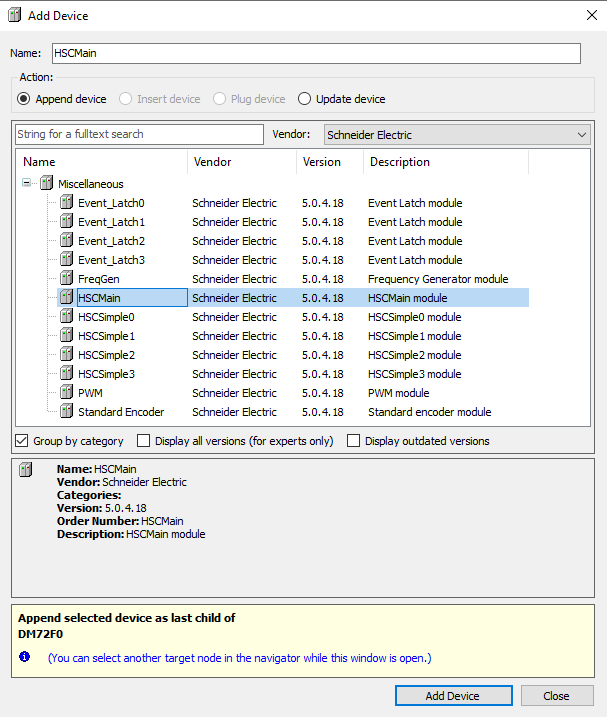
For example with a High Speed Counter:
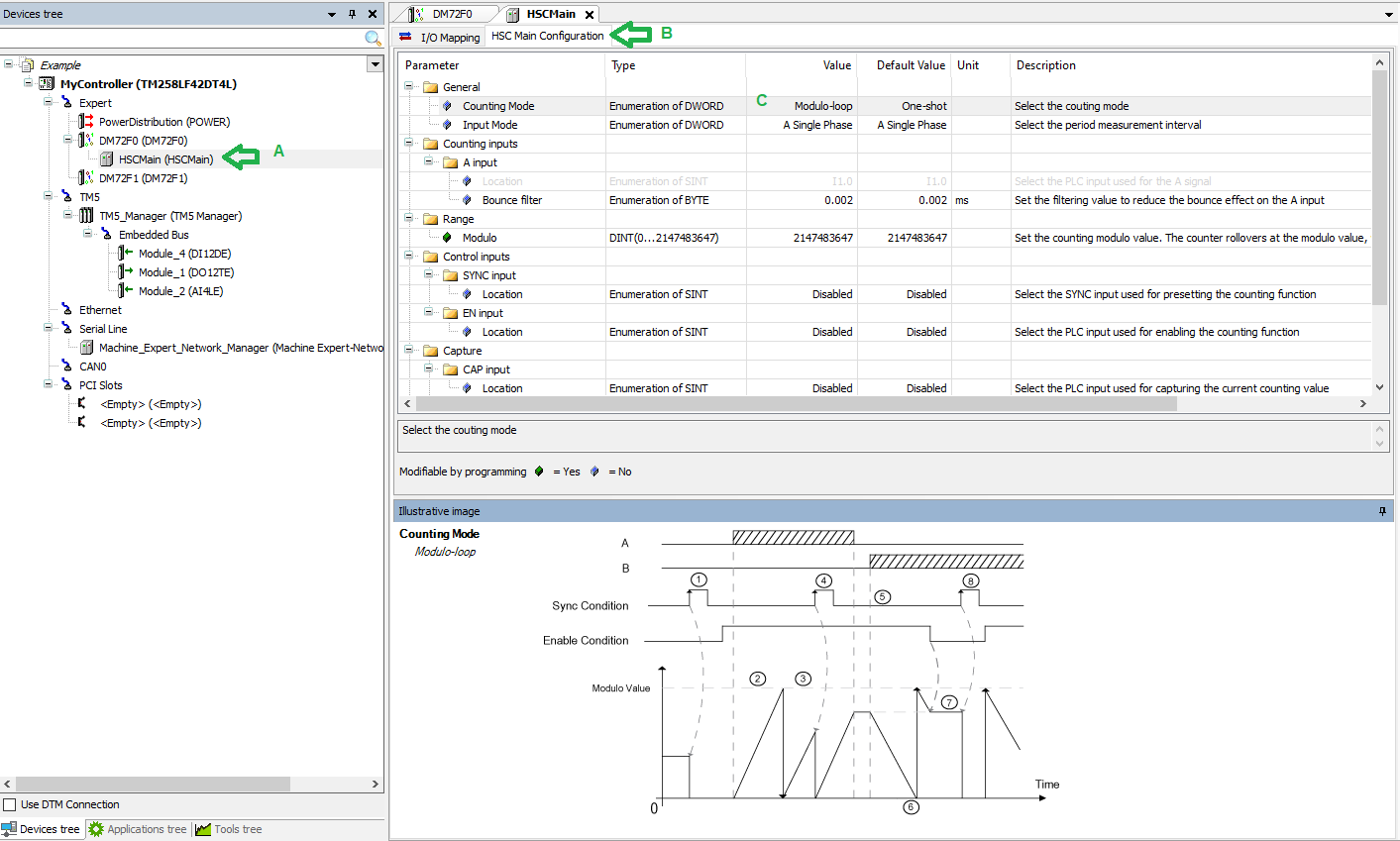
The node you choose (HSCMain in this example) will appear under the DM72Fx node (A).
Click on the "HSC Main Configuration" tab (B) to configure the parameters of Counter/Event Latch/etc.
Choose a Counting Mode under the General Parameters folder (C):
To add a High Speed Counter, Event Latch, Frequency Generator, Standard Encoder or PWM generator, click on the green (+) button to the right of the DM72F0 or DM72F1 node (or use Right-click and "Add Device")
For example with a High Speed Counter:
The node you choose (HSCMain in this example) will appear under the DM72Fx node (A).
Click on the "HSC Main Configuration" tab (B) to configure the parameters of Counter/Event Latch/etc.
Choose a Counting Mode under the General Parameters folder (C):
Publicerad för: Schneider Electric Sverige
Utforska mer
Produktfamilj
Utforska mer
Produktfamilj
Behöver du hjälp?
Produktväljare
Hitta snabbt och enkelt rätt produkter och tillbehör för dina ändamål.
Begär en offert
Ställ din fråga online så kontaktar vi dig.
Här köper du
Hitta enkelt närmaste Schneider Electric-distributör på din ort.
Hjälpcenter
Hitta alla supportresurser som du behöver på ett ställe.