


Hur kan vi hjälpa dig idag?
How can we add products by accessing quick reference in Ecostruxure Power Build – Rapsody
Issue: How to add product using quick reference in Ecostruxure Power Build - Rapsody.
Product Line: Ecostruxure Power Build – Rapsody
Resolution:
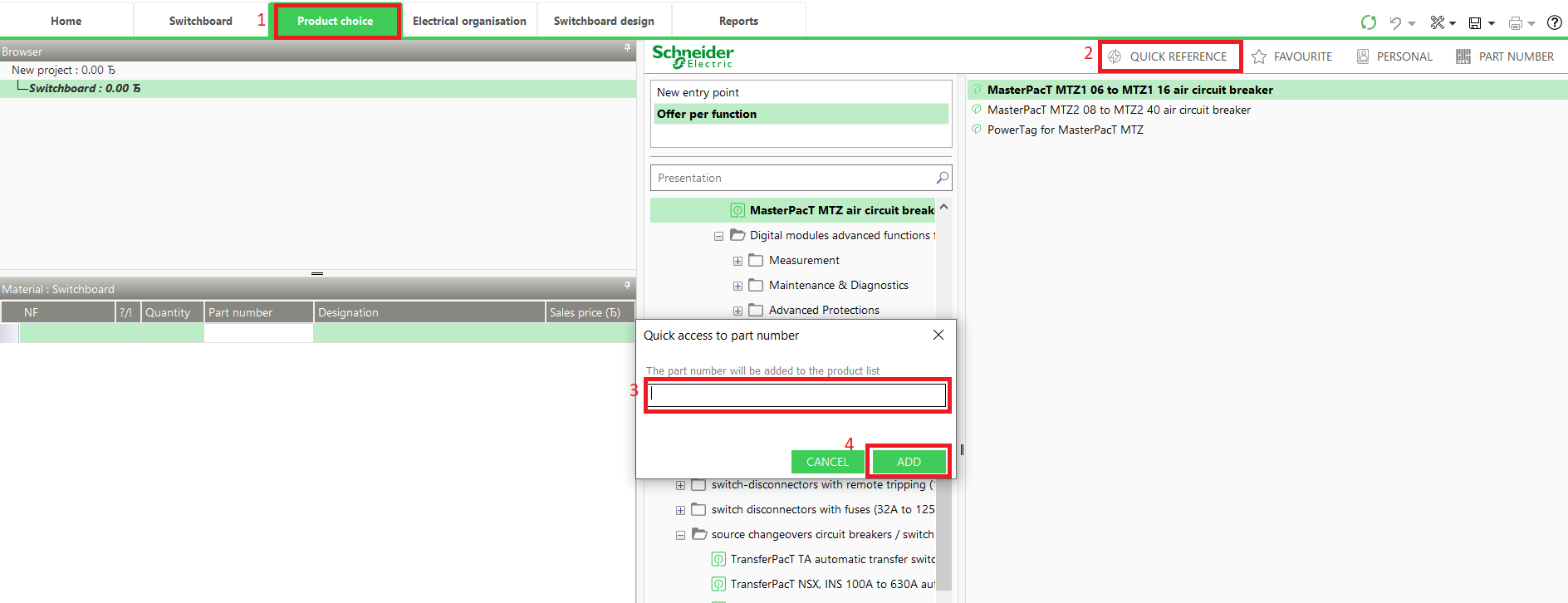
Step1: On Product Choice tab, click on Quick Reference and provide the complete reference of the product and click add (as shown in below screenshot)
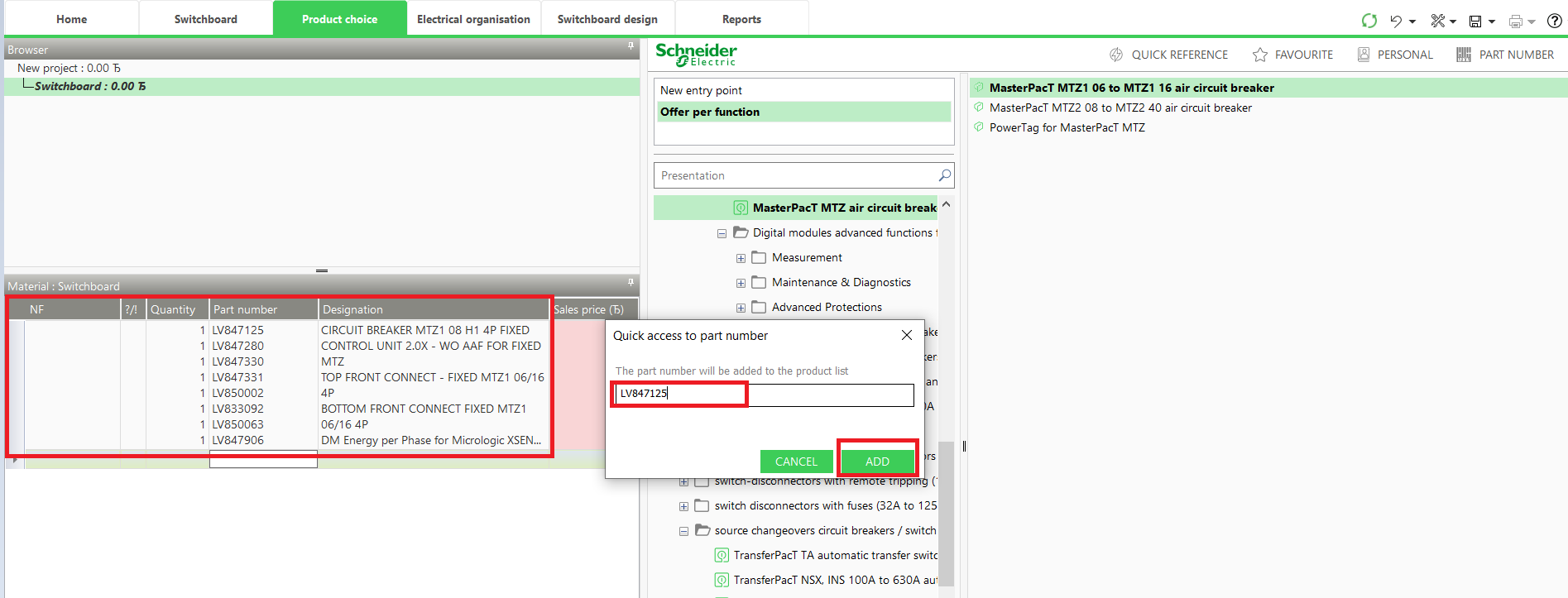
Step2: The product will be added in Bill of material for the reference entered in quick reference box.
Product Line: Ecostruxure Power Build – Rapsody
Resolution:
Step1: On Product Choice tab, click on Quick Reference and provide the complete reference of the product and click add (as shown in below screenshot)
Step2: The product will be added in Bill of material for the reference entered in quick reference box.
Publicerad för: Schneider Electric Sverige
Behöver du hjälp?
Produktväljare
Hitta snabbt och enkelt rätt produkter och tillbehör för dina ändamål.
Begär en offert
Ställ din fråga online så kontaktar vi dig.
Här köper du
Hitta enkelt närmaste Schneider Electric-distributör på din ort.
Hjälpcenter
Hitta alla supportresurser som du behöver på ett ställe.