


Java web page on the TCSEGDB23F24FA Modbus Plus Gateway fails to open.
Opening the JAVA web pages for the 'TCSEGDB23F24FA Modbus Plus Proxy Gateway' module fails to open. This used to work but now returns a JAVA spinning icon.
The Java web page on the TCSEGDB23F24FA Modbus Plus Gateway will fail to open if the following 'Windows Security' pop up window does not appear.
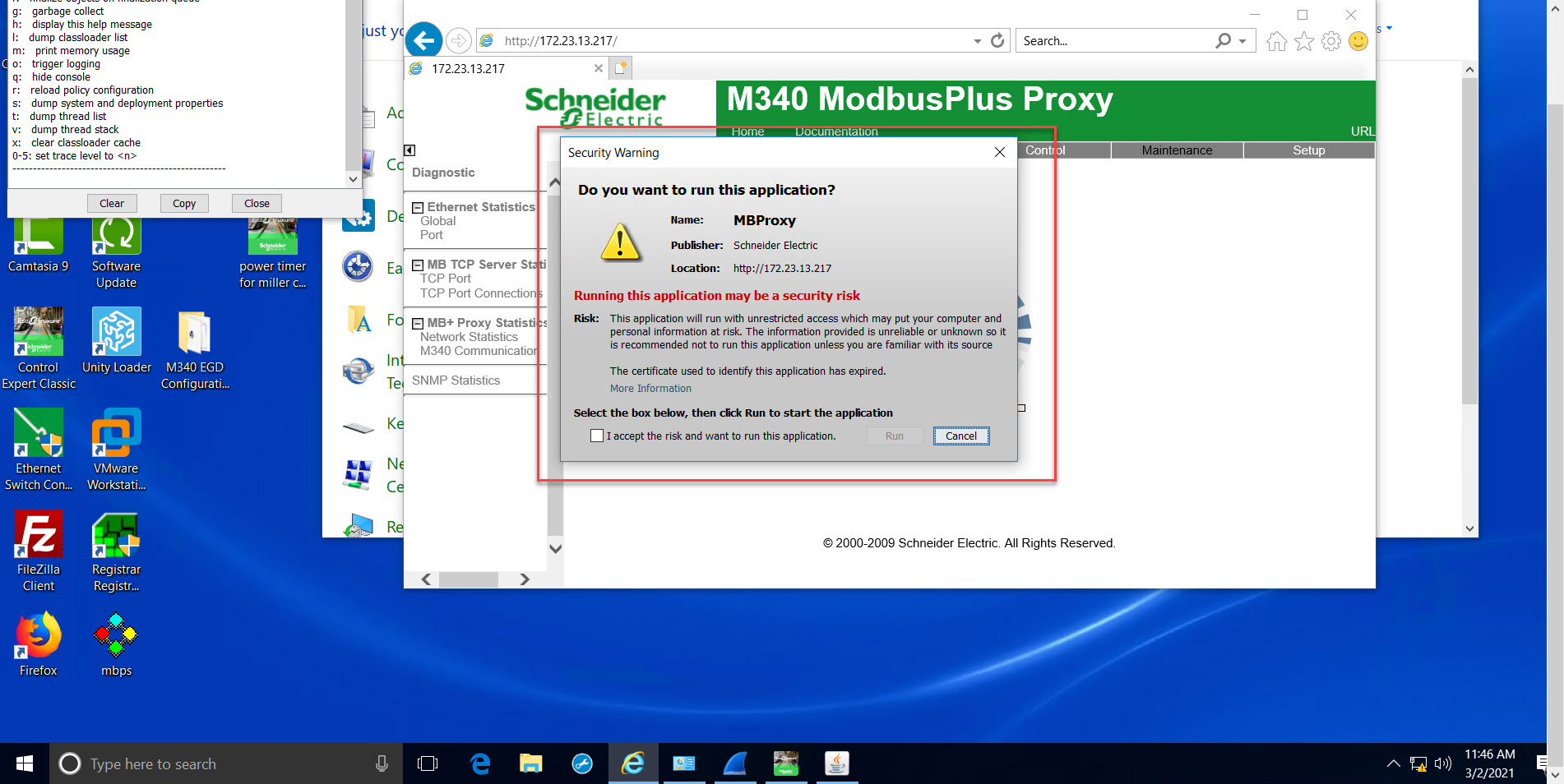
To resolve the issue, restore the security prompts using the following steps.
The Java web page on the TCSEGDB23F24FA Modbus Plus Gateway will fail to open if the following 'Windows Security' pop up window does not appear.
To resolve the issue, restore the security prompts using the following steps.
- Open the JAVA control panel.
- Click on 'Security'.
- Click on the button named 'Restore Security Prompts'.