


How to access the Diagnostics files in a Connexium or Modicon switch
To access the diagnostics files in a Connexium TCSESM switch
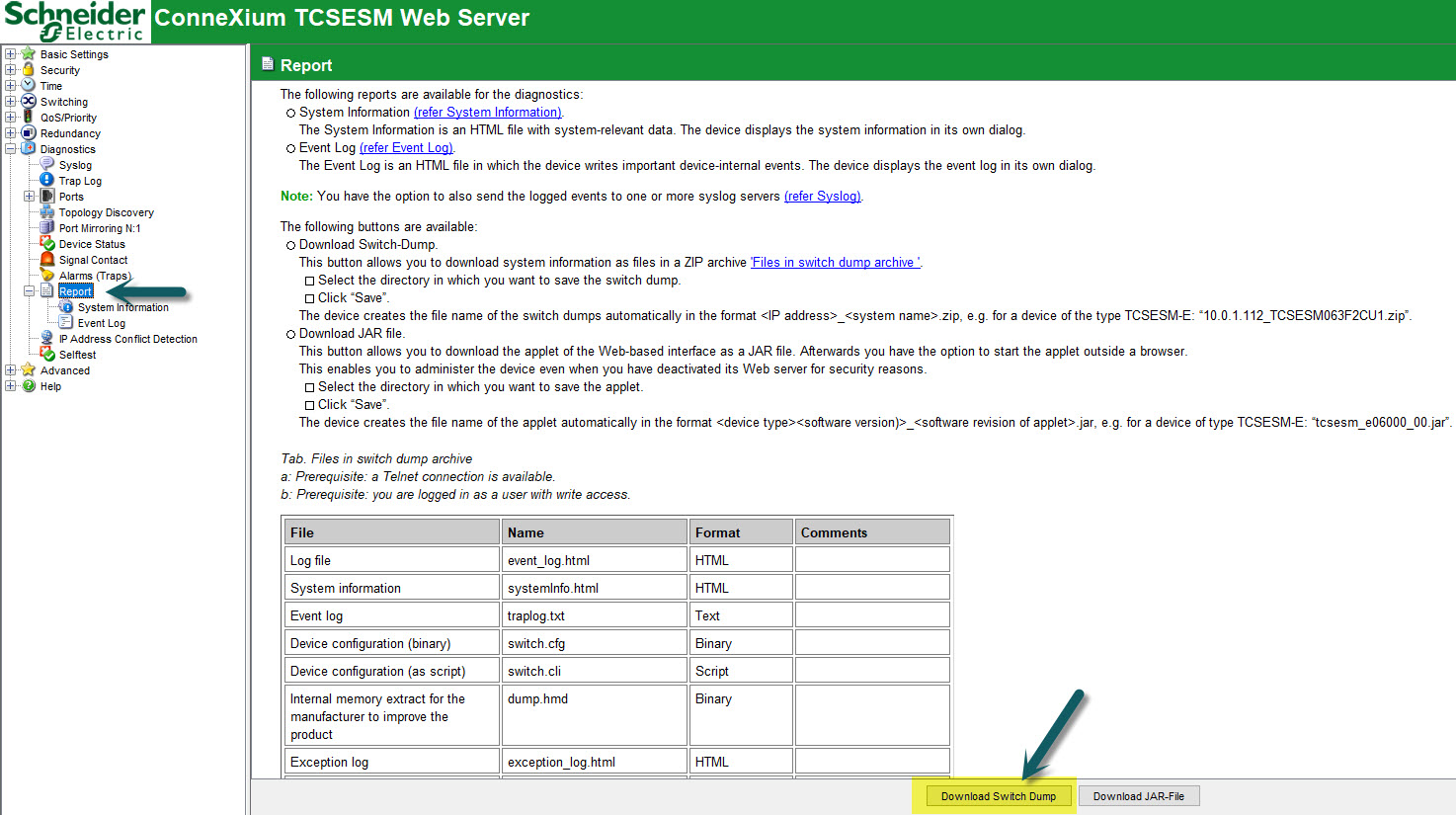
To obtain the Diagnostics from a Connexium switch, Log into the TCESEM Web Server. From the navigation pane, select Diagnostics, then Report.
To retrieve both System Information and Event Log, click on 'Download Switch Dump' at the bottom of the page (see highlighted)
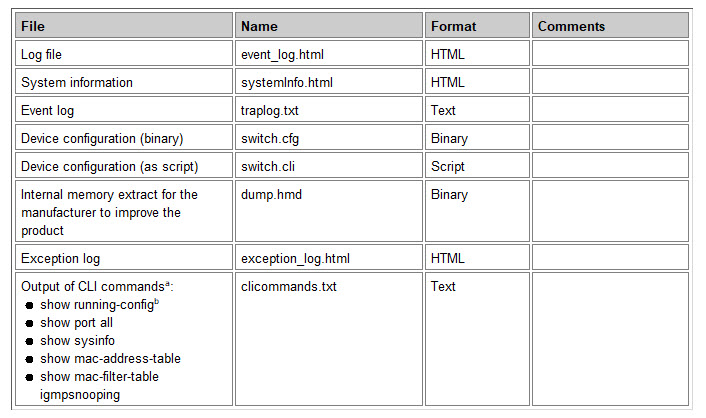
The files contained in the .ZIP file Switch Dump are as listed below:
To access the diagnostics files in a Modicon MCSESM switch
To obtain the Diagnostics from a Modicon switch, Log into the MCESEM Web Server.
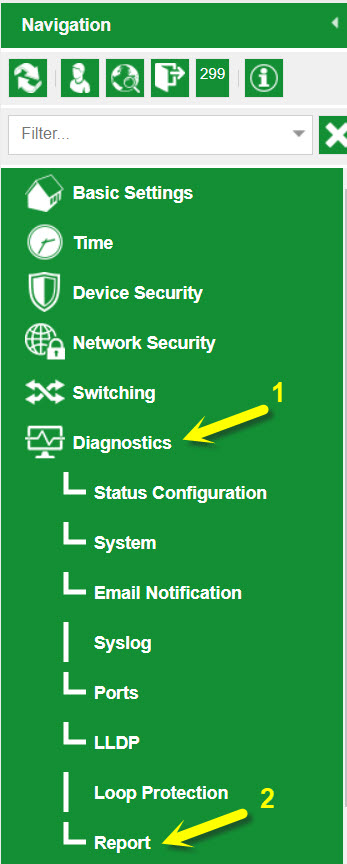
From the navigation pane, select Diagnostics (1), then Report (2).
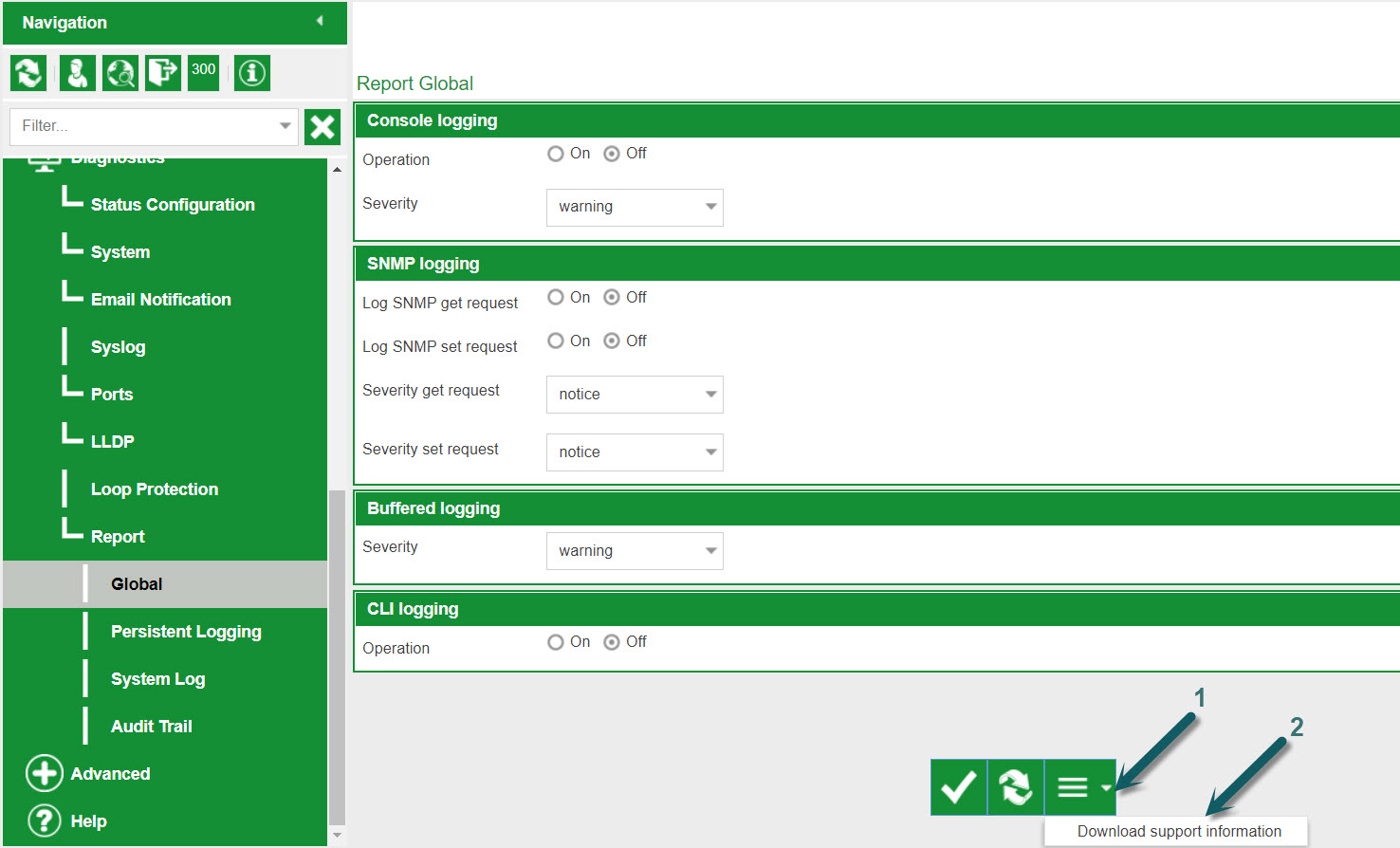
To download all support files, select Report > Global on the navigation pane.
Then at the bottom of the page, click on the drop-down menu arrow (1) and click 'Download support information' (2).
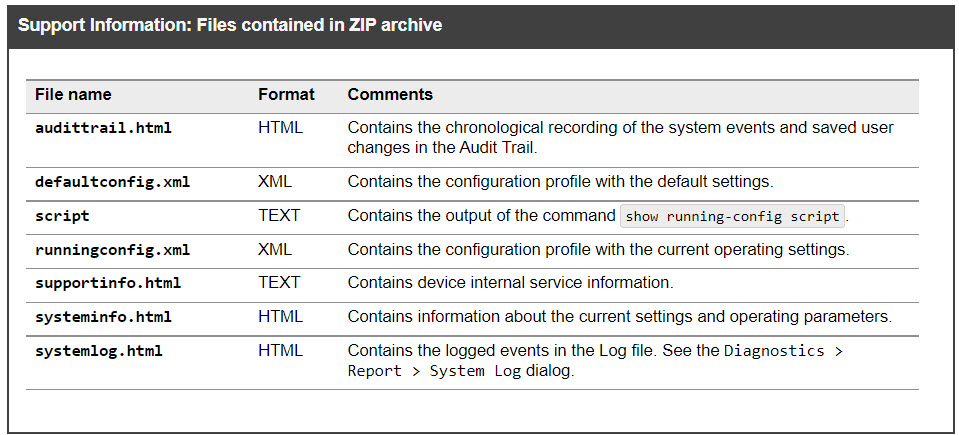
This will create a ZIP file that will be downloaded to the connected PC containing the following files.
To obtain the Diagnostics from a Connexium switch, Log into the TCESEM Web Server. From the navigation pane, select Diagnostics, then Report.
To retrieve both System Information and Event Log, click on 'Download Switch Dump' at the bottom of the page (see highlighted)
The files contained in the .ZIP file Switch Dump are as listed below:
To access the diagnostics files in a Modicon MCSESM switch
To obtain the Diagnostics from a Modicon switch, Log into the MCESEM Web Server.
From the navigation pane, select Diagnostics (1), then Report (2).
To download all support files, select Report > Global on the navigation pane.
Then at the bottom of the page, click on the drop-down menu arrow (1) and click 'Download support information' (2).
This will create a ZIP file that will be downloaded to the connected PC containing the following files.