


Чим ми можемо вам допомогти сьогодні?
Easy UPS Line Interactive: Clicking AVR
If the Easy UPS Line Interactive is frequently on AVR when the input power is stable we recommend, changing the default input voltage. This can be done through the UPSCAPO software v3.2.6 or later.
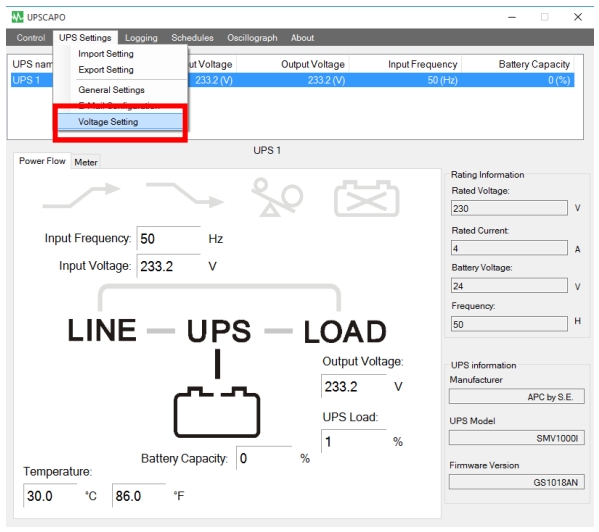
In the software, select Voltage Setting in the UPS Settings tab.
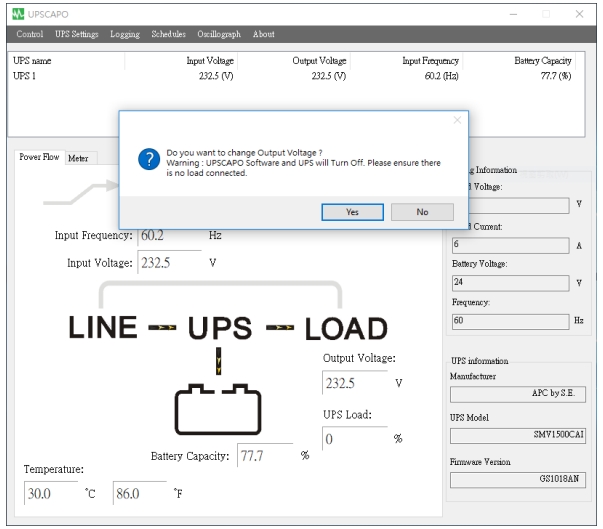
Select Yes in the popup box. Warning: The software and UPS will turn off. Please ensure there is no load connected.
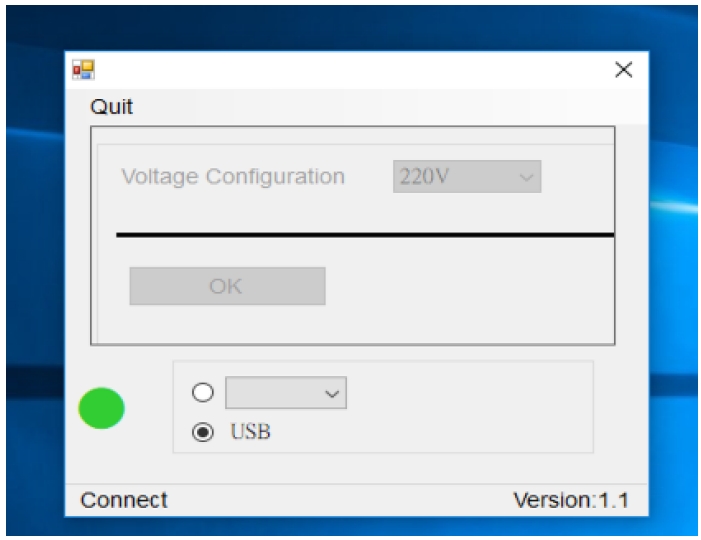
Select the desired Output Voltage. The options are 220v, 230v or 240v.
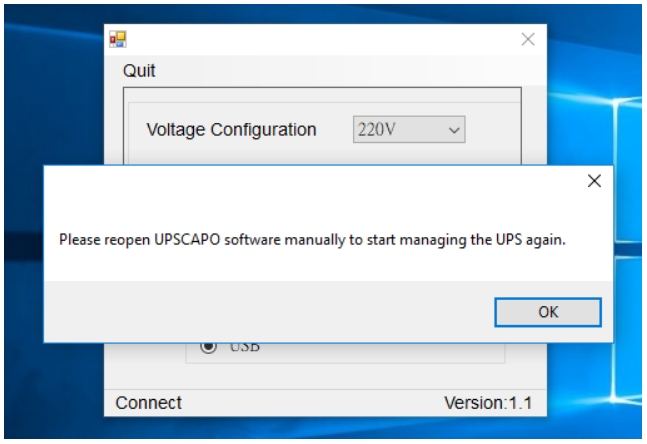
Close the software to save the voltage setting. Restart the software to start managing the software once again.
Once this has been completed the UPS should no longer go on AVR, when the input power is stable.
In the software, select Voltage Setting in the UPS Settings tab.
Select Yes in the popup box. Warning: The software and UPS will turn off. Please ensure there is no load connected.
Select the desired Output Voltage. The options are 220v, 230v or 240v.
Close the software to save the voltage setting. Restart the software to start managing the software once again.
Once this has been completed the UPS should no longer go on AVR, when the input power is stable.
Опубліковано для: Schneider Electric Україна
Вкладення
Досліджуйте більше
Продукт:
Досліджуйте більше
Продукт:
Потрібна допомога?
Почніть тут!
Знайдіть відповіді зараз. Шукайте рішення самостійно або зверніться до нашого експерта.
Звернутися до служби підтримки
Якщо вам потрібна допомога, додаткова інформація чи технічна підтримка або ви хочете подати скаргу, зв’яжіться з нашою командою з обслуговування клієнтів.
Де придбати?
Зручний пошук найближчого дистриб’ютора, магазина або спеціалізованого партнера Schneider Electric у вашому регіоні.
Переглянути відповіді на поширені запитання
Отримайте необхідну інформацію, переглянувши відповіді на поширені запитання за відповідними темами.