Наші бренди

Impact-Company-Logo-English Black-01-177x54

Вітаємо на веб-сайті Schneider Electric

Ласкаво просимо на наш веб-сайт.
		
Чим ми можемо вам допомогти сьогодні?
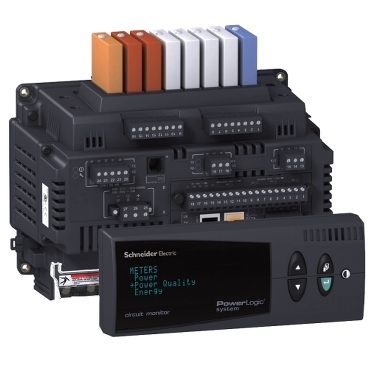
Video: How to reset Energy values from the front display of a CM4000

Product Line
CM4000 series

Resolution
To reset the accumulated Energy values, follow the procedures below:

  1. From the Front Panel Main Menu, select Resets
  2. Select Energy. The password prompt displays.
  3. Select your password. The default password is 0.
  4. The Reset Energy Screen displays. Select the value that you need to reset.
  5. Press Enter on the selected option. The "No" option starts to blink
  6. Use the Up arrow to change to "Yes", then press Enter. The "Yes" will stopp blinking
  7. Press the Menu button. You will get a confirmation that the Reset was complete.
  8. Press the Menu button two more times to return to the Main Menu Screen.

Schneider Electric Україна

Досліджуйте більше
Серія:
Досліджуйте більше
Серія:
  • Документація Продукції
  • Завантаження ПЗ
  • Інструмент вибору продукту
  • Заміна та заміщення продукту
  • Контактний центр із надання довідки
  • Знайти наші представництва"
  • Де купити
  • Спільнота Schneider Electric
  • Вакансії
  • Профіль компанії
  • Повідомити про проступок
  • Спеціальні можливості
  • Новини
  • Інвестори
  • EcoStruxure
  • Вакансії Пошук
  • Блог
  • Політика конфіденційності
  • Сповіщення про файли cookie
  • Умови користування
  • Change your cookie settings