


Чим ми можемо вам допомогти сьогодні?
How to trigger a sag/swell waveform capture by monitoring the status of an external contact closure through the digital input of a PM8000 meter
Product Line
PM8000
Environment
PME 8.x
PME 7.x.x
PME 9.0
Resolution
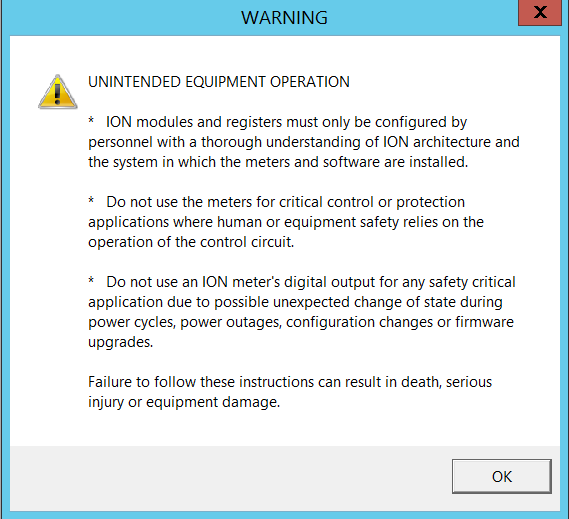
*Warning: Before proceeding make sure you understand the following when using Designer
Step 1.
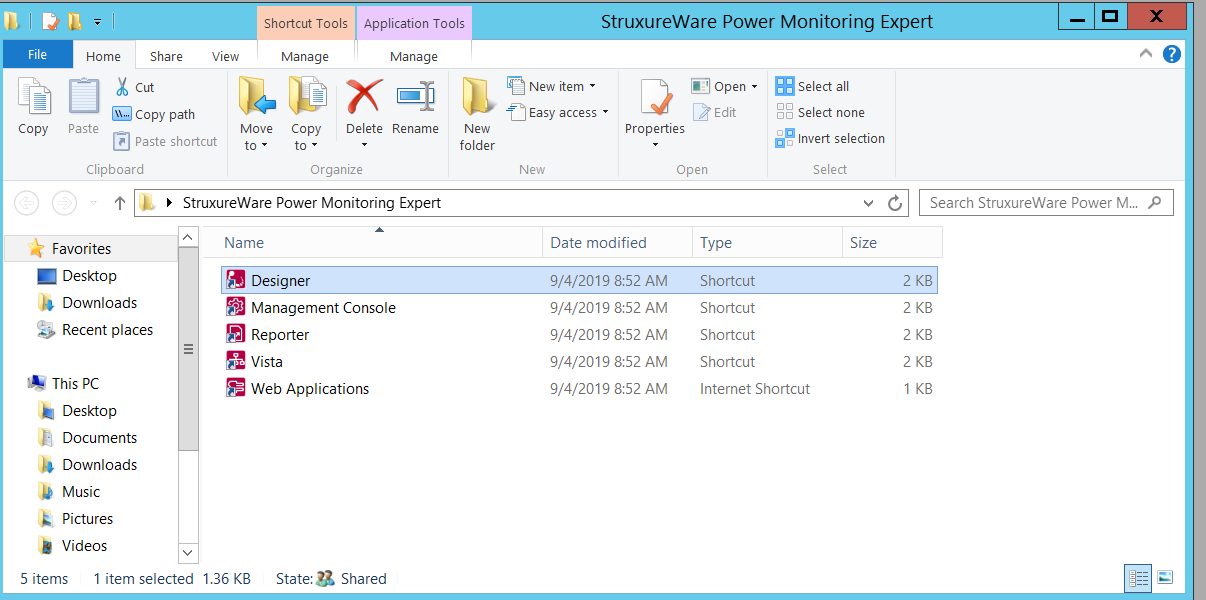
Open Designer from the PME Folder
Step 2.
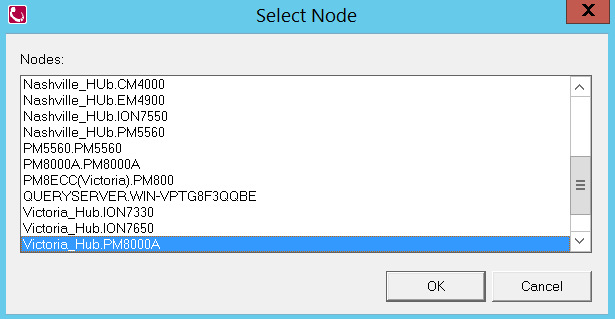
Select the PM8000
File>>Open>>PM8000
Step 3.
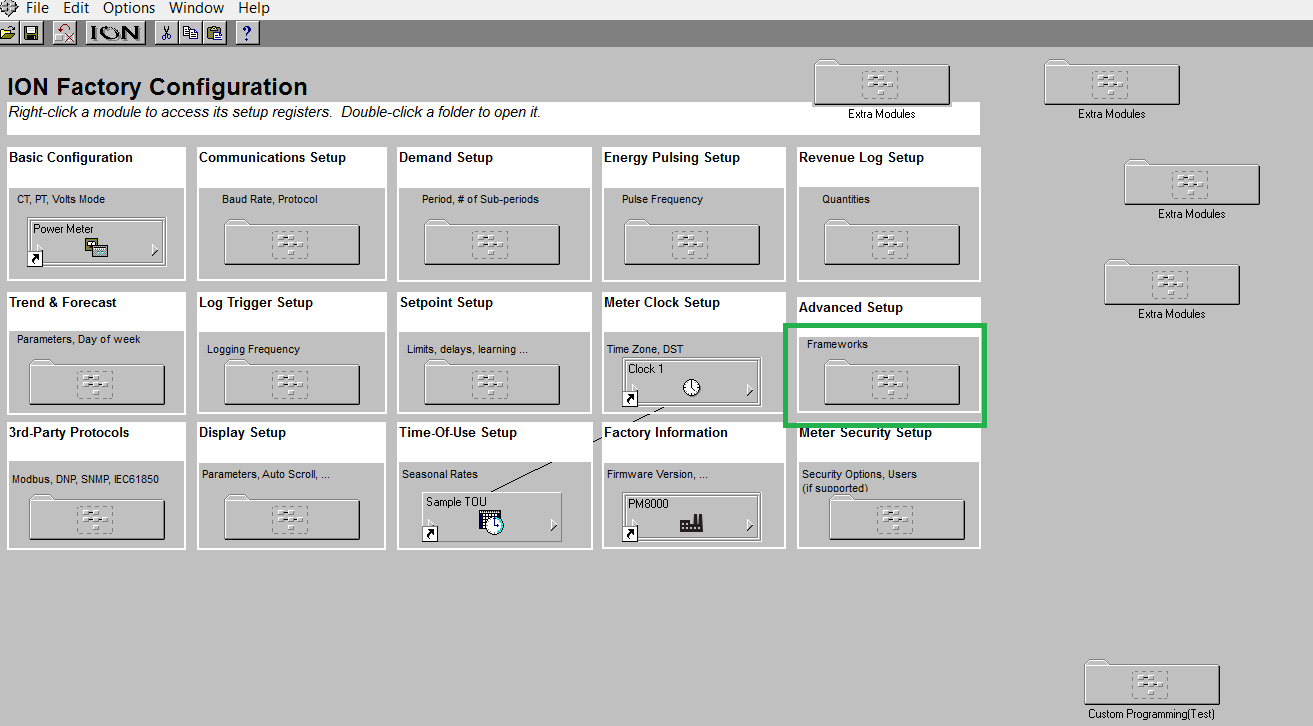
Click on Advanced Setup: Frameworks
Step 4:
Select Power Quality
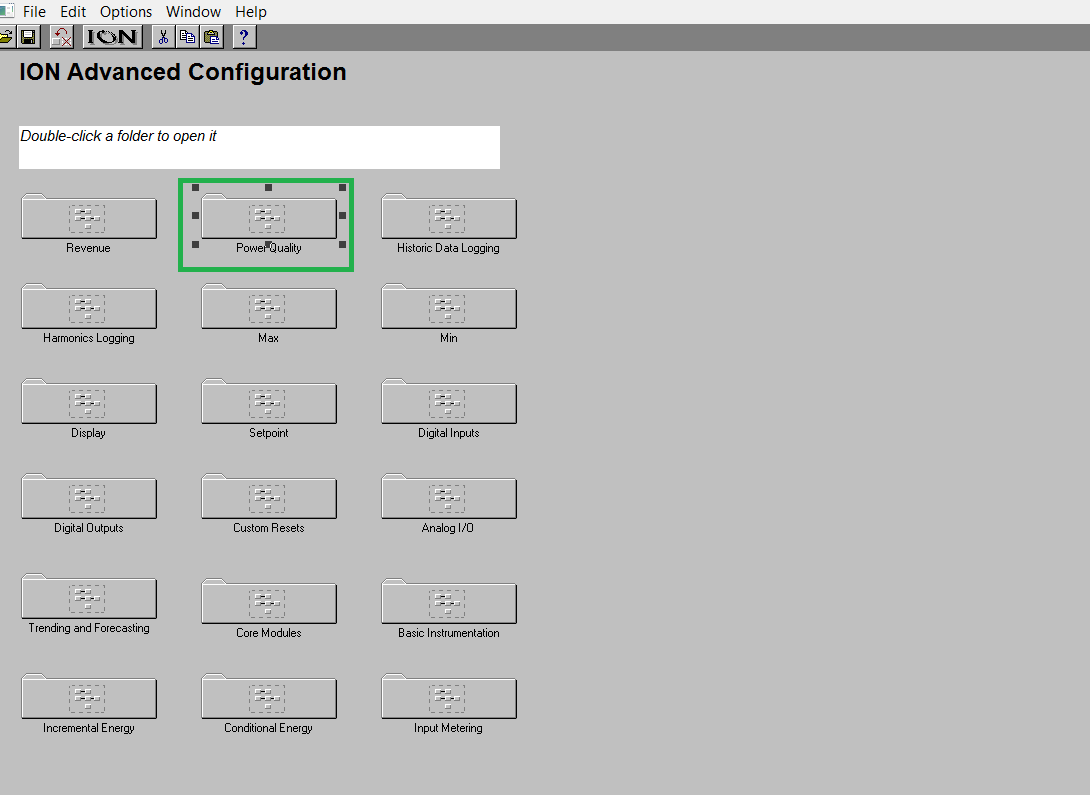
Step 5:
Select Sag/Swell detection
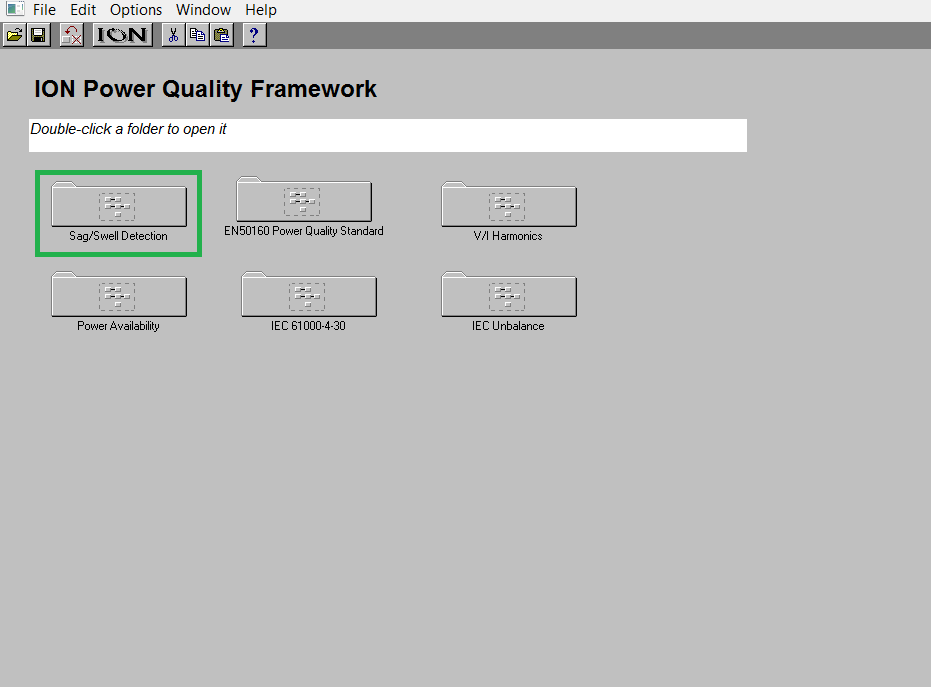
Note: The image below can vary depending on the customizations done by the customer but the default modules for sag/swell detection on a PM8000 should have a pulse merger that is connected to Waveform Recorders. This pulse merger module will have all the inputs filled so we need to combine one input to include multiple triggers.
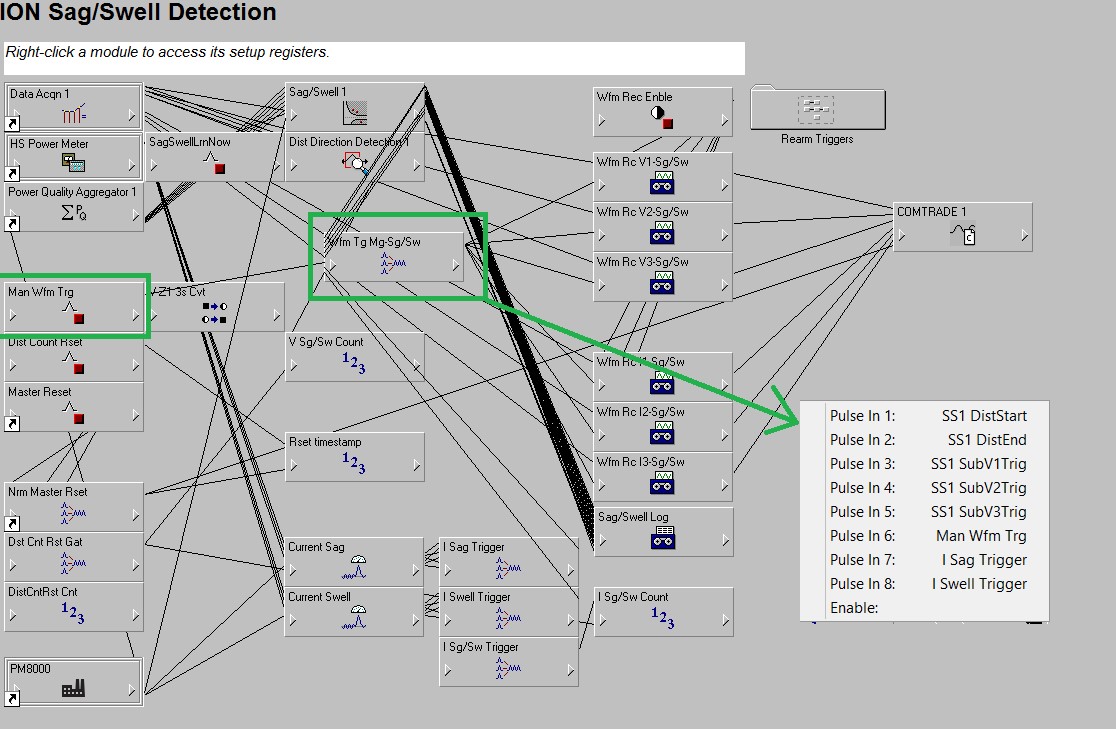
Step 6.
Unlink the output of Man Wfm Trig and create a new Pulse Merger Module
To Unlink simply right-click on the input of the the Wfm Tg Mg-Sg/SW shown below
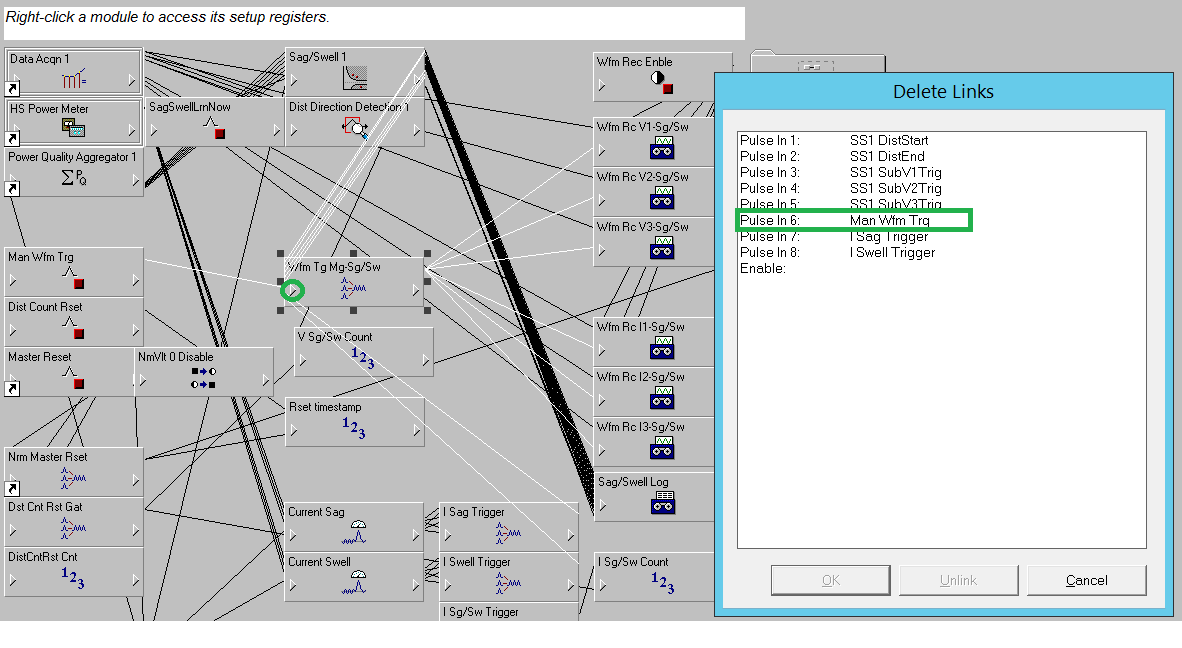
Step 7.
Use the ION Modules tool box on the right to create a new pulse merger.
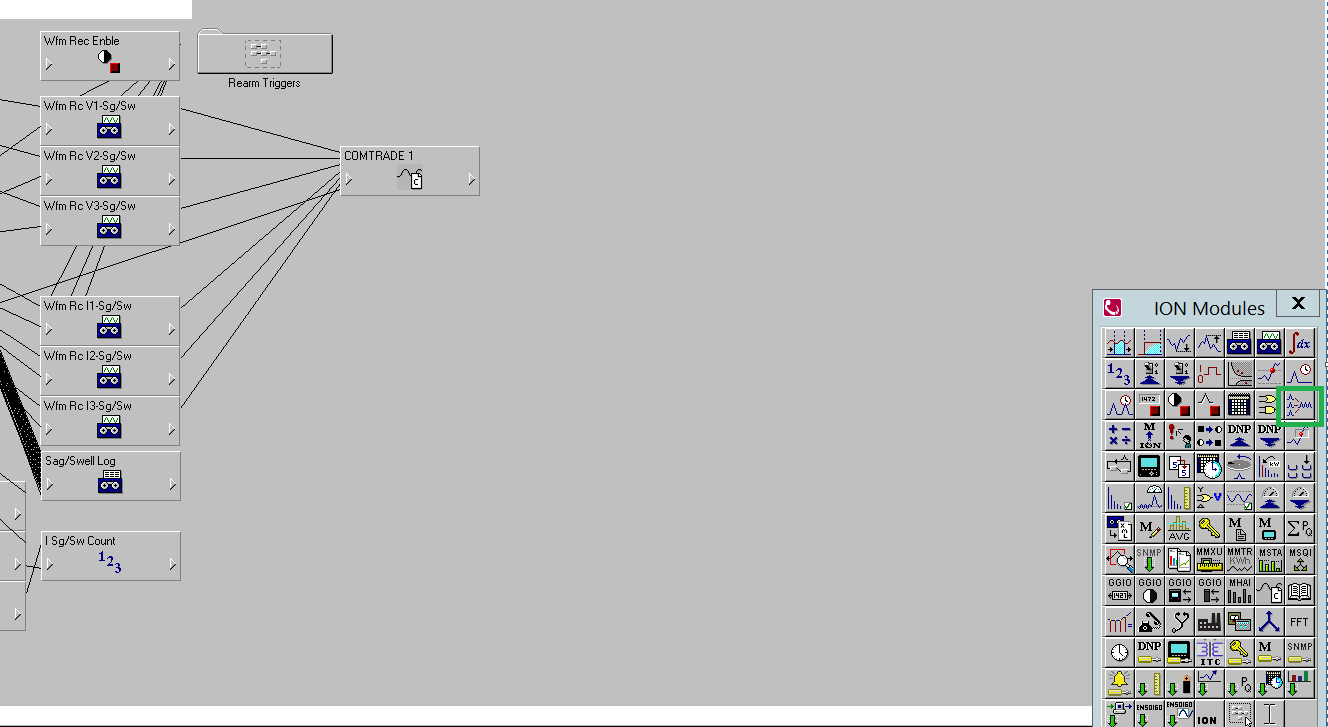
Step 8.
The new pulse merger will be placed in between the Man Wfm Trg and the Wfm Tg Mg-Sg/SW
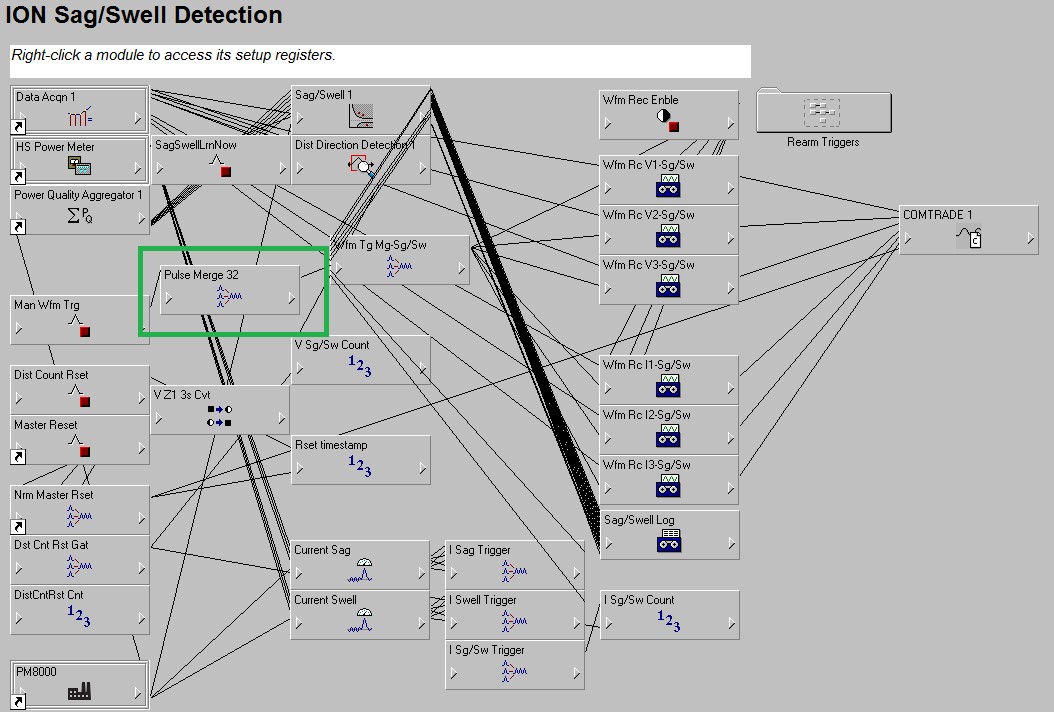
Step 9.
With the new Pulse Merger, you can take the Man Wfrm Trig and the digital Port S1 and combine them and now you can feed that to the input of Pulse Merge 32 without having to change anything else. So, in other words, you would just be adding a Pulse Merge Module in between Man Wfrm Trig and Wfrm Tg Mg-Sg/Sw.
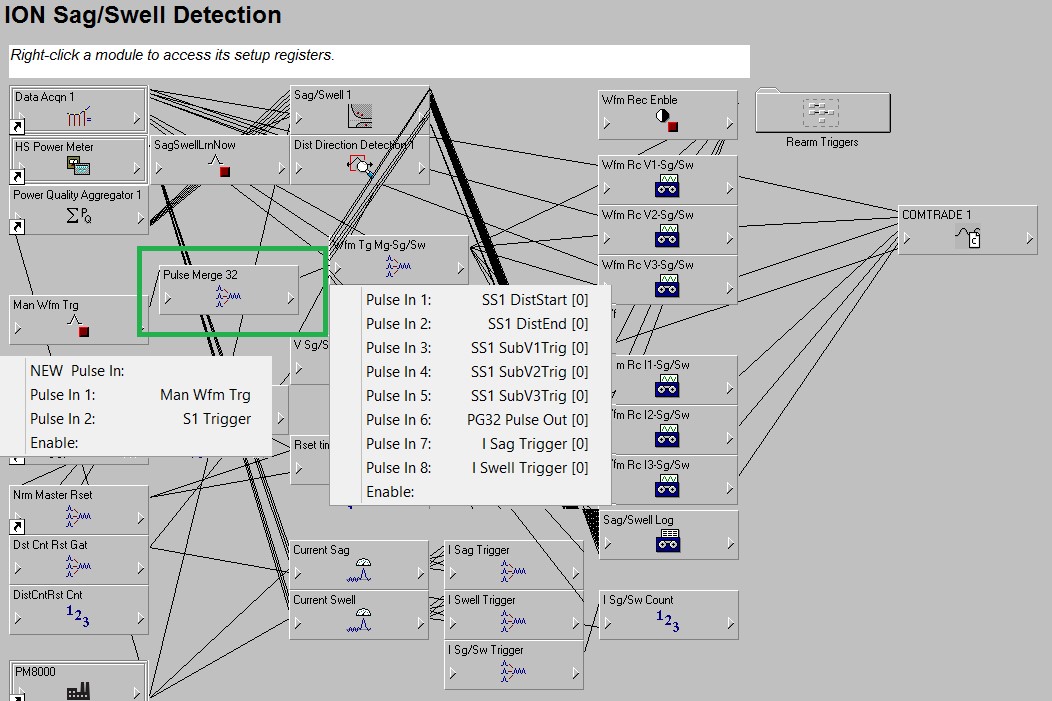
As you can see in the image above Pulse Merge 32 takes in Man Wfrm Trig and Digital input S1 and merges them to output to Pulse In 6. So now the waveform capture can be initiated when it detects a digital input trigger without affecting any other default triggers pertaining to this device
PM8000
Environment
PME 8.x
PME 7.x.x
PME 9.0
Resolution
*Warning: Before proceeding make sure you understand the following when using Designer
Step 1.
Open Designer from the PME Folder
Step 2.
Select the PM8000
File>>Open>>PM8000
Step 3.
Click on Advanced Setup: Frameworks
Step 4:
Select Power Quality
Step 5:
Select Sag/Swell detection
Note: The image below can vary depending on the customizations done by the customer but the default modules for sag/swell detection on a PM8000 should have a pulse merger that is connected to Waveform Recorders. This pulse merger module will have all the inputs filled so we need to combine one input to include multiple triggers.
Step 6.
Unlink the output of Man Wfm Trig and create a new Pulse Merger Module
To Unlink simply right-click on the input of the the Wfm Tg Mg-Sg/SW shown below
Step 7.
Use the ION Modules tool box on the right to create a new pulse merger.
Step 8.
The new pulse merger will be placed in between the Man Wfm Trg and the Wfm Tg Mg-Sg/SW
Step 9.
With the new Pulse Merger, you can take the Man Wfrm Trig and the digital Port S1 and combine them and now you can feed that to the input of Pulse Merge 32 without having to change anything else. So, in other words, you would just be adding a Pulse Merge Module in between Man Wfrm Trig and Wfrm Tg Mg-Sg/Sw.
As you can see in the image above Pulse Merge 32 takes in Man Wfrm Trig and Digital input S1 and merges them to output to Pulse In 6. So now the waveform capture can be initiated when it detects a digital input trigger without affecting any other default triggers pertaining to this device
Опубліковано для: Schneider Electric Україна
Досліджуйте більше
Серія:
Досліджуйте більше
Серія:
Потрібна допомога?
Почніть тут!
Знайдіть відповіді зараз. Шукайте рішення самостійно або зверніться до нашого експерта.
Звернутися до служби підтримки
Якщо вам потрібна допомога, додаткова інформація чи технічна підтримка або ви хочете подати скаргу, зв’яжіться з нашою командою з обслуговування клієнтів.
Де придбати?
Зручний пошук найближчого дистриб’ютора, магазина або спеціалізованого партнера Schneider Electric у вашому регіоні.
Переглянути відповіді на поширені запитання
Отримайте необхідну інформацію, переглянувши відповіді на поширені запитання за відповідними темами.